How to Rewrite Amazon Product Titles Under 75 Characters Without Losing Search Relevance
Amazon’s 75-character title update creates a real problem for sellers:
How do you make titles shorter without making them weaker?
That question matters because long Amazon titles are rarely long by accident. Sellers often pack them with brand names, product types, variants, sizes, materials, ingredients, benefits, use cases, audience terms, compatibility, and keyword variations.
Some of that detail is clutter.
Some of it is useful.
The job is not to delete everything after character 75.
The job is to rewrite the title around product identity and move useful supporting context into Item Highlights. For sellers with catalog-scale operations, read our playbook on bulk Amazon title compliance to coordinate changes across hundreds of rows.
A shorter title should still help shoppers understand the product quickly. It should still preserve the most important source-supported terms. It should still fit the way people compare products in your category.
This guide gives you a practical rewrite framework.
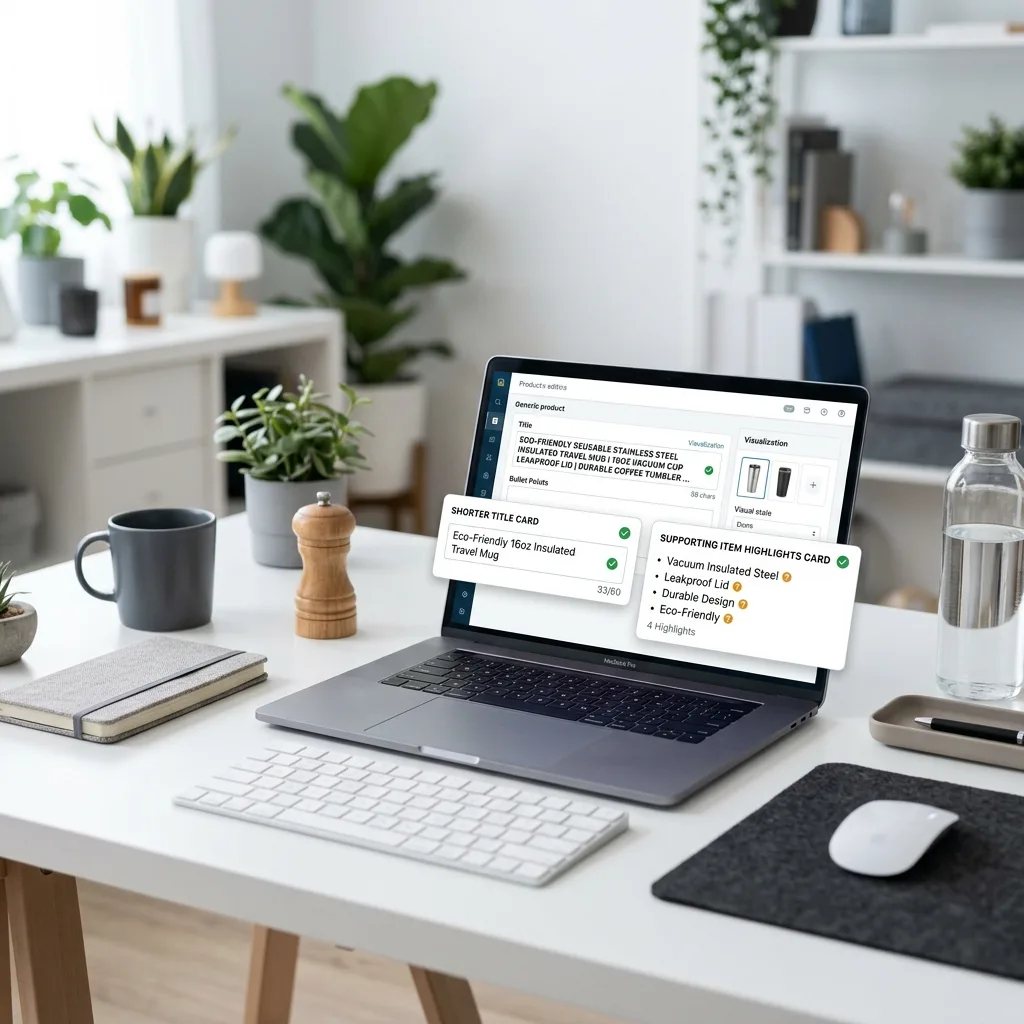
Quick answer: how do you rewrite Amazon titles under 75 characters?
To rewrite Amazon product titles under 75 characters, start by identifying the core product identity: brand, product type, variant or model, and size or quantity when important. Keep only the highest-priority details in the title. Move useful secondary details such as materials, ingredients, benefits, use cases, compatibility, or fragrance into Item Highlights. Remove repeated keywords, promotional filler, unsupported claims, and noisy separators. Review final titles for clarity, accuracy, and category fit before applying updates.
The goal is not shorter titles. The goal is clearer titles.
A shorter title is not automatically a better title.
Bad short title:
Handmade Soap Bar, 100g
Better short title:
SOULBAR Mystic Musk Soap with Red Clay & Goat Milk, 100g
Both are short.
Only one preserves useful product identity.
The mistake sellers make is thinking the Amazon 75-character title limit is a compression problem. It is really a prioritization problem.
You need to decide:
- Which words identify the product?
- Which words help shoppers compare?
- Which words are redundant?
- Which words belong in Item Highlights?
- Which words should be removed or reviewed?
That is how you preserve relevance without stuffing the title.
Why old Amazon title habits no longer work
Many Amazon titles were written for a different environment.
Old title writing often looked like this:
Brand + product type + material + benefit + use case + audience + gift phrase + keyword variation + size
That approach created titles that were long, repetitive, and hard to scan.
Example:
Premium Stainless Steel Insulated Water Bottle for Gym, Office, Travel, School, Hiking, Cycling | Keeps Drinks Cold 24 Hours & Hot 12 Hours | Leakproof BPA-Free Bottle | 750 ml
There is useful information in that title. But it is trying to do too much.
A shorter structure forces a cleaner split. For more on deciding what to put in each field, see our guide on Amazon title vs Item Highlights.
Title: Stainless Steel Insulated Water Bottle, 750 ml
Item Highlights: leakproof, BPA-free, gym and travel use, keeps drinks cold or hot
The title identifies the product. The highlights preserve useful context.
Use a title priority stack
When space is limited, every word needs a job.
Use this priority stack:
- Brand
- Product type
- Variant, model, style, or key descriptor
- Size, quantity, or pack count
- One essential differentiator, if space allows
This is the basic formula:
Brand + Product Type + Variant/Model + Size/Quantity
You do not need to use this exact order for every category. But you need a consistent priority rule.

What usually belongs in the 75-character title?
Brand
Keep the brand when it helps identify the product.
Example:
Soulbar Royal Musk Car Perfume Spray, 80 ml
This is stronger than:
Royal Musk Car Perfume Spray, 80 ml
The brand helps distinguish the product from similar marketplace listings.
Product type
Product type is almost always essential.
Examples:
- soap
- car perfume spray
- wireless mouse
- stain remover
- ground coffee
- cotton t-shirt
- yoga mat
- USB-C charger
If the title does not clearly say what the item is, it is too vague.
Variant or model
Variant names often matter when the brand sells multiple similar products.
Examples:
- Mystic Musk
- Sakura Blush
- Royal Musk
- New Car Scent
- Silent Click
- Medium Roast
- Black Crystal
If shoppers compare variants, keep the variant visible.
Size or quantity
Size or quantity often affects purchase decisions.
Examples:
- 100g
- 80 ml
- 500 ml
- Pack of 3
- 250g
- 2 m
- 750 ml
If shoppers need size to compare, keep it in the title.
One essential differentiator
Sometimes one feature deserves title space.
Examples:
- goat milk
- stainless steel
- silent click
- leakproof
- rose clay
- USB-C
- medium roast
Do not add five differentiators. Pick the one that best supports product identity.
What should move into Item Highlights?
Amazon Item Highlights are where you preserve useful details that do not fit in the title.
Good candidates include:
- materials
- ingredients
- benefits
- use cases
- compatibility
- fragrance
- audience
- texture
- finish
- surface type
- secondary differentiators
- size or quantity if not already in the title
Think of Item Highlights as the support line.
The title says what the product is.
Item Highlights say what else matters.
What should be removed instead of moved?
Not every word deserves a place.
Remove or flag:
- repeated keywords
- vague promotional terms
- unsupported claims
- noisy separators
- excessive audience stacking
- gift phrases that do not matter
- long benefit chains
- medical or health claims that need review
- compatibility claims that need verification
Examples to review carefully:
- best
- premium
- newly launched
- guaranteed
- perfect gift
- anti-aging
- clinically proven
- chemical-free
- non-toxic
- organic, if not supported
Do not move risky claims into Item Highlights just because the title is too short.
A practical rewrite formula
Use this five-step formula for each product.
Step 1: Pull the title apart
Break the original title into parts:
- brand
- product type
- variant
- material
- ingredient
- use case
- benefit
- audience
- size
- promotional phrase
- repeated keyword
Step 2: Choose the title core
Pick the details that identify the product.
Usually:
- brand
- product type
- variant or model
- size or quantity
- one identity-defining feature
Step 3: Move secondary context into Item Highlights
Move useful details that support comparison but do not need title space.
Examples:
- fragrance
- compatibility
- use case
- benefit
- material
- ingredient
- audience
Step 4: Remove or flag clutter
Remove repeated words and weak filler.
Flag sensitive claims for review.
Step 5: Read title and Item Highlights together
The title and Item Highlights should work as a pair. To verify that your new titles and highlights match all of Amazon's rules, use our Amazon title compliance checklist.
Ask:
- Does the title identify the product?
- Do Item Highlights preserve useful context?
- Is there unnecessary repetition?
- Are claims source-supported?
- Is the title within 75 characters?
- Are Item Highlights within 125 characters?

Before and after examples
Example 1: Handmade soap
Original title: SOULBAR Mystic Musk Handmade Soap with Moroccan Red Clay & Goat Milk | Detox Bath Bar for Pore Cleansing & Moisturizing | Exotic Musk Fragrance | Organic Paraben Free | Unisex Gift for Diwali & Spa | 100g
New title: SOULBAR Mystic Musk Soap with Red Clay & Goat Milk, 100g
Item Highlights: Moroccan clay, goat milk, musk fragrance, moisturizing bath bar
Why this works: The title keeps brand, variant, product type, hero ingredients, and size. Item Highlights preserve fragrance and benefit context.
Example 2: Car perfume
Original title: Soulbar | New Car Scent | Car Perfume Spray with Hanging Card, 700+ Sprays Long Lasting Car Freshener | Largest Quantity | 80 ml
New title: Soulbar New Car Scent Car Perfume Spray, 80 ml
Item Highlights: hanging card, 700+ sprays, long-lasting freshener
Why this works: The title remains clear and specific. The highlights preserve quantity and format.
Example 3: Wireless mouse
Original title: ArcLite Wireless Mouse for Laptop with Silent Click, USB Receiver, Ergonomic Design, Long Battery Life, Black
New title: ArcLite Wireless Mouse with Silent Click, Black
Item Highlights: USB receiver, ergonomic design, long battery life, laptop use
Why this works: The title keeps product type and a strong differentiator. The highlights preserve compatibility and benefits.
Example 4: Fabric stain remover
Original title: BrightWash Fabric Stain Remover Spray for Clothes, Sofa, Carpet & Upholstery | Color Safe Formula | Removes Food, Oil and Dirt Stains | 500 ml
New title: BrightWash Fabric Stain Remover Spray, 500 ml
Item Highlights: clothes, sofa, carpet use, color-safe formula, food and oil stains
Why this works: The title identifies the product. The highlights carry use surfaces and stain types.
Example 5: Ground coffee
Original title: BeanCo Arabica Ground Coffee Medium Roast with Smooth Aroma for Moka Pot, French Press and Filter Brew, 250g
New title: BeanCo Arabica Ground Coffee, Medium Roast, 250g
Item Highlights: smooth aroma, moka pot, French press and filter brew
Why this works: The title keeps product identity, roast, and quantity. The highlights preserve aroma and brewing use cases.
How to preserve search relevance without keyword stuffing
“Search relevance” does not mean keeping every possible keyword in the title.
It means preserving the terms that accurately describe the product and help shoppers understand whether it matches their intent. Research shows that while sellers historically packed lengthy titles with attributes to improve retrieval, this practice degrades the buyer experience (see Product title summarization research on arXiv). A cleaner title structure performs better.
Use these principles.
Keep product-defining terms in the title
If a word defines what the product is, keep it.
Examples:
- wireless mouse
- car perfume spray
- fabric stain remover
- handmade soap
- ground coffee
Move supporting terms into Item Highlights
If a word helps comparison but is not essential to identity, move it.
Examples:
- long battery life
- ergonomic design
- moisturizing
- moka pot
- color-safe
- 700+ sprays
Avoid fake relevance
Repeating a keyword does not make the listing better.
Bad:
wireless mouse for laptop mouse silent mouse black mouse
Better:
ArcLite Wireless Mouse with Silent Click, Black
Keep words source-supported
Do not add terms that are not supported by the product title, description, or real product data.
If the old listing does not support “organic,” “clinically proven,” or “compatible with iPhone 15,” do not invent those details.
Preserve category language
Every category has phrases shoppers expect.
Examples:
- “USB-C charger”
- “medium roast”
- “stain remover”
- “car perfume spray”
- “goat milk soap”
- “pack of 3”
Do not remove the phrase that actually names the product category.
Category-specific rewrite patterns
Different product categories demand different priority schemas.

Beauty and personal care
Priority:
Brand → variant → product type → hero ingredient → size
Example:
SOULBAR Sakura Blush Soap with Rose Clay & Goat Milk, 100g
Move to Item Highlights:
- fragrance
- moisturizing
- daily use
- coconut oil
- skin feel
Review:
- anti-aging
- organic
- chemical-free
- dermatologist claims
- sensitive skin claims
Electronics accessories
Priority:
Brand → product type → compatibility/model → key feature → color
Example:
ArcLite Wireless Mouse with Silent Click, Black
Move to Item Highlights:
- USB receiver
- long battery life
- laptop use
- ergonomic design
Review:
- compatibility claims
- warranty claims
- performance claims
Home cleaning
Priority:
Brand → product type → surface/use case → size
Example:
BrightWash Fabric Stain Remover Spray, 500 ml
Move to Item Highlights:
- clothes
- sofa
- carpet
- food stains
- color-safe formula
Review:
- kills bacteria
- non-toxic
- chemical-free
- child-safe claims
Food and beverage
Priority:
Brand → product type → flavor/roast/type → quantity
Example:
BeanCo Arabica Ground Coffee, Medium Roast, 250g
Move to Item Highlights:
- aroma
- brewing method
- texture
- dietary detail if supported
Review:
- health claims
- organic claims
- origin claims
- nutrition claims
Car accessories
Priority:
Brand → fragrance/model → product type → size
Example:
Soulbar Royal Musk Car Perfume Spray, 80 ml
Move to Item Highlights:
- hanging card
- 700+ sprays
- long-lasting freshener
- car interior use
Review:
- guaranteed duration
- safety claims
- “best” claims
How to get the Amazon TXT file from Seller Central
If you are rewriting titles in bulk, start from the original Amazon listing export.
Basic path:
- Log in to Amazon Seller Central.
- Go to Reports.
- Open Inventory Reports.
- Choose Active Listings, All Listings, Open Listings, or Category Listings Report, depending on the catalog view you need.
- Click Request Report.
- Wait until the report status becomes Ready.
- Click Download.
- Use the downloaded
.txtfile for your title and Item Highlights workflow.
Do not convert the file to CSV or XLSX before processing if your workflow expects the original Amazon TXT export.
The source file helps preserve listing context, including item name, item description, SKU, ASIN, listing ID, product ID, price, quantity, and other catalog fields.
Bulk workflow for rewriting Amazon titles under 75 characters
A single title can be rewritten manually.
A catalog needs a structured workflow.
Step 1: Download the source export
Start with the Amazon TXT listing export from Seller Central.
Step 2: Count title lengths
Segment titles into:
| Current title length | Action |
|---|---|
| 150+ characters | Rewrite first |
| 101–150 characters | Rewrite and move details to Item Highlights |
| 76–100 characters | Compress and review |
| 75 or fewer characters | Review for Item Highlights and consistency |
Step 3: Group products by type
Group similar products so title rules stay consistent.
Step 4: Rewrite titles and Item Highlights together
Do not rewrite the title first and then treat Item Highlights as leftovers.
Step 5: Review risky rows
Review rows with:
- missing descriptions
- unclear product type
- sensitive claims
- low confidence
- repeated keywords
- title too close to 75 characters
- weak Item Highlights
Step 6: Preserve original Amazon columns
Keep original row data close to generated fields.
You will need SKU, ASIN, listing ID, product ID, and other fields during review and update.
Step 7: Export a review-ready file
Use a working file for team review. Do not assume a review file is a direct Amazon upload template.
Step 8: Apply approved values through the correct Amazon workflow
Once reviewed, apply approved updates through Seller Central or the correct category template. See Amazon seller content workflows for the broader catalog update strategy.
Why generic AI prompts are risky for bulk title rewriting
A generic AI prompt can help with one title.
But bulk title rewriting needs:
- row processing
- title length validation
- Item Highlights length validation
- original column preservation
- review status
- confidence signals
- editable outputs
- regeneration
- export structure
Without those, you may end up with good text that is hard to map back to the right listing.
That is not a title rewrite workflow. That is copy-paste roulette.
How AgenixSocial helps rewrite Amazon titles under 75 characters
AgenixSocial’s Amazon 75-Character Title Compliance workflow helps sellers prepare shorter Amazon titles and Item Highlights from their listing data.
The workflow starts with an original Amazon Seller Central TXT export. AgenixSocial primarily uses the item name, item description, and eligible product attributes from each row. It then generates a shorter title and one comma-separated Item Highlights value while preserving original Amazon columns in a review-ready XLSX.
Sellers can:
- upload the original Amazon TXT export
- generate all valid rows
- generate selected rows
- edit generated titles
- edit Item Highlights
- regenerate rows
- view confidence signals
- review validation notes
- preserve original Amazon columns
- export a review-ready XLSX
This is useful because rewriting titles under 75 characters is not just a creative writing task. It is a catalog cleanup workflow.
For pricing, the first 100 products are free. After that, it is 1 credit per additional 100 products. You can buy pay-as-you-go credits as needed without a recurring subscription.
AgenixSocial does not directly upload changes to Amazon. It does not guarantee Amazon approval. Sellers should still review product accuracy, claims, category fit, and marketplace requirements before applying updates.
Amazon’s official announcement says that titles still over 75 characters after the deadline may be updated gradually to Amazon AI title recommendations, making proactive prep essential.

Rewrite checklist
Use this checklist before applying rewritten titles.
Title
- Brand preserved where useful.
- Product type clear.
- Variant or model included when important.
- Size or quantity included when important.
- One essential differentiator included if space allows.
- Title is 75 characters or fewer.
- Title does not feel too generic.
- Repeated keywords removed.
- Noisy separators removed.
Item Highlights
- Useful secondary details preserved.
- Materials, ingredients, use cases, or benefits included where helpful.
- Compatibility included where relevant.
- Size or quantity included if not in title.
- Item Highlights are 125 characters or fewer.
- Highlights are readable.
- Highlights are not full bullet points.
- Highlights do not repeat title unnecessarily.
Claims and review
- Sensitive claims reviewed.
- Organic/natural claims reviewed.
- Medical or health claims reviewed.
- Compatibility claims verified.
- Unsupported claims removed or flagged.
- Low-confidence rows reviewed.
- Missing-source rows reviewed.
Export and update
- Original Amazon columns preserved.
- SKU, ASIN, listing ID, and product ID visible.
- Approved values marked.
- Review-ready file prepared.
- Updates applied through correct Amazon workflow.
Common mistakes to avoid
Mistake 1: Cutting the old title at 75 characters
This can produce broken titles. Rewrite around product identity instead.
Mistake 2: Removing useful details completely
Move source-supported secondary details into Item Highlights.
Mistake 3: Stuffing Item Highlights with keywords
Item Highlights should be readable and useful.
Mistake 4: Repeating the same wording across both fields
The title and Item Highlights should work together, not duplicate each other.
Mistake 5: Making every category follow the same formula
Different categories need different title priorities.
Mistake 6: Adding unsupported keywords
Do not invent attributes, claims, or compatibility terms just to preserve search coverage.
Mistake 7: Losing original listing context
Do not rewrite in a way that disconnects generated copy from SKU, ASIN, listing ID, or product ID.
FAQ
How do I rewrite Amazon titles under 75 characters?
Start with brand, product type, variant/model, and size or quantity. Keep only the details that identify the product, move useful secondary details into Item Highlights, and remove repeated keywords or unsupported claims.
Will shorter Amazon titles hurt search relevance?
Shorter titles do not have to be weaker. The key is to preserve product-defining terms in the title and move source-supported supporting details into Item Highlights.
What should stay in the Amazon title?
Usually brand, product type, variant or model, size or quantity, and one identity-defining feature when useful.
What should move into Item Highlights?
Move useful secondary details such as materials, ingredients, use cases, benefits, compatibility, fragrance, audience, or size if it does not fit in the title.
Should I remove all keywords from the title?
No. Keep accurate product-defining terms. Remove repetition, clutter, unsupported claims, and low-value filler.
Should I rewrite titles already under 75 characters?
Yes, at least review them. A short title may still be unclear, inconsistent, missing Item Highlights, or too generic.
Where do I get the Amazon TXT file?
Go to Amazon Seller Central → Reports → Inventory Reports, choose Active Listings, All Listings, Open Listings, or Category Listings Report, request the report, wait until it is ready, then download the original .txt file.
Can I use ChatGPT to rewrite Amazon titles?
You can use a generic AI prompt for a few titles, but catalog-scale rewriting needs row processing, character counts, validation notes, original column preservation, and export structure.
Does AgenixSocial directly upload title changes to Amazon?
No. AgenixSocial creates a review-ready XLSX. Sellers should apply approved values through the correct Amazon update workflow.
Does AgenixSocial guarantee Amazon approval?
No. AgenixSocial helps with compliance preparation and review. Sellers should still check product accuracy, claims, category fit, and marketplace requirements before applying updates.
Conclusion
Rewriting Amazon titles under 75 characters is not about deleting words until the counter turns green.
It is about choosing the right words.
The title should keep the product’s core identity. Item Highlights should preserve useful supporting detail. Repeated keywords, promotional filler, unsupported claims, and noisy separators should be removed or reviewed.
That is easy for five products.
It gets harder across a real catalog.
AgenixSocial helps sellers turn that rewrite work into a structured workflow. Upload your Amazon TXT export, generate shorter titles and 125-character Item Highlights, review confidence and validation notes, edit or regenerate where needed, and export a review-ready XLSX your team can use.
First 100 products are free. After that, it is 1 credit per additional 100 products.
CTA: Rewrite Amazon titles under 75 characters with AgenixSocial’s Amazon 75-Character Title Compliance workflow.
External Citation Map for Publishing
Use these citations in the published version where appropriate:
- Amazon official announcement — use for the July 27, 2026 date, 75-character title rule, and 125-character searchable Item Highlights. ([Amazon Seller Central][1])
- Amazon Q&A guidance — use for post-deadline AI recommendation/title-update context. ([Amazon Seller Central][2])
- Amazon Inventory Reports documentation — use for Reports → Inventory Reports → Request Report → Download workflow. ([Amazon Seller Central][3])
- Amazon product title requirements — use for broader title-policy context around character limits, special characters, and repeated words. ([Amazon Seller Central][4])
- Product title summarization research — use for broader ecommerce context that sellers often pack lengthy product titles with attributes to improve retrieval and highlight key aspects. ([arXiv][5])
- AgenixSocial product truth — use for product-specific claims: TXT input, generation fields, one 125-character comma-separated Item Highlights value, live counters, edit/regenerate, validation notes, review-ready XLSX, and no direct upload.