Amazon Title Compliance Tool: Convert Seller Central TXT Exports into Review-Ready Titles and Item Highlights
Amazon's 75-character title update creates a new problem for sellers: title cleanup now has to happen at catalog scale.
One listing is easy.
A few listings are manageable.
Hundreds of listings become a workflow problem.
A proper Amazon title compliance tool should not only shorten text. It should help sellers work from the original Amazon Seller Central export, generate shorter titles, create Item Highlights, preserve original listing columns, show review signals, and export a file the team can actually work from.
That is the difference between a copywriting tool and a catalog operations workflow.
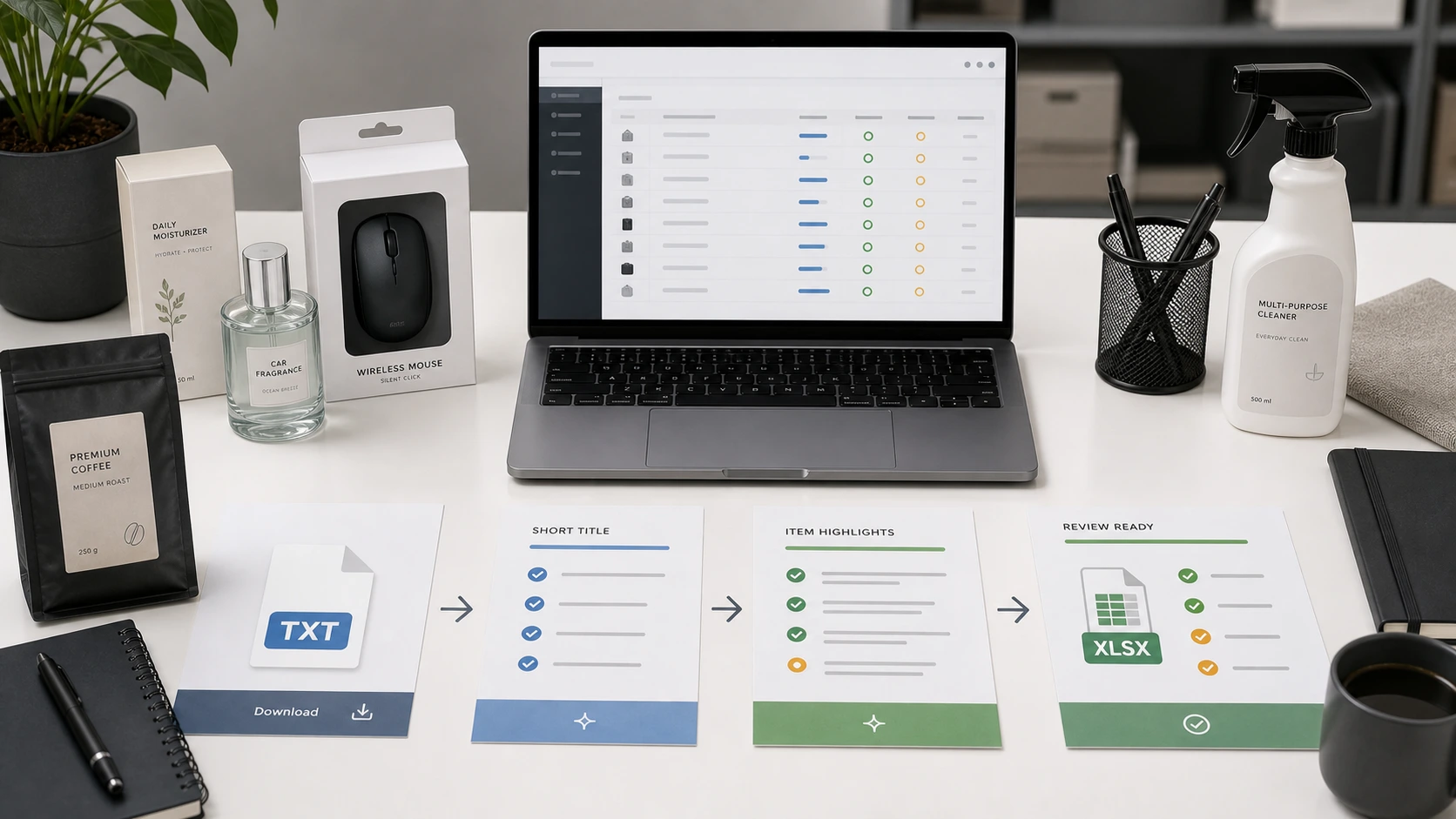
If you are preparing for Amazon's title update, start with the Amazon 75-Character Title Compliance workflow. For the broader seller workflow, see Amazon seller content workflows.
Quick answer: what is an Amazon title compliance tool?
An Amazon title compliance tool helps sellers prepare product titles for Amazon's 75-character title structure. A useful tool should read Amazon Seller Central TXT exports, generate shorter titles and 125-character Item Highlights from listing data, show character counts and validation notes, let sellers edit or regenerate rows, preserve original Amazon columns, and export a review-ready file. It should not claim guaranteed Amazon approval or direct Amazon upload unless those workflows are actually supported.
Why sellers need a tool, not just a prompt
A generic AI prompt can rewrite one product title.
That is not the same as preparing a catalog.
For one title, you can paste text into ChatGPT and ask for a shorter version.
For 500 SKUs, you need more:
- row processing
- title length checks
- Item Highlights generation
- source data preservation
- SKU/ASIN mapping
- validation notes
- confidence signals
- edit and regeneration controls
- review status
- export structure
A seller does not only need better wording. They need a safer way to move from Amazon export to review-ready update file.
What changed: the 75-character title and Item Highlights structure
Amazon is moving most non-media product titles toward 75 characters or fewer, including spaces. Item Highlights add another 125 searchable characters for supporting details such as materials or recommended use cases. Amazon Seller Central
This means sellers need to separate listing information into two jobs:
| Field | Job |
|---|---|
| Product title | Identify the product clearly |
| Item Highlights | Preserve compact supporting detail |
Old titles often carried everything at once: brand, product type, size, material, ingredients, benefits, audience, use case, compatibility, and repeated keywords.
The new structure forces sellers to decide what stays, what moves, and what should be removed.
That decision is where a tool becomes useful.
If you need the broader policy background first, read the Amazon 75-character title limit guide and the Amazon Item Highlights explainer.
What an Amazon title compliance tool should do
A good Amazon title compliance tool should support the full cleanup workflow, not just produce a shorter sentence.
1. Accept the original Amazon TXT export
The workflow should start from the file sellers already get from Seller Central.
For many sellers, this means downloading a listing export from:
Reports -> Inventory Reports
Then choosing a report such as:
- Active Listings
- All Listings
- Open Listings
- Category Listings Report
The seller requests the report, waits until it is ready, downloads the .txt file, and uses that file as the source for title cleanup.
Amazon's inventory report documentation supports this report request and download workflow. Amazon Seller Central
This matters because the original file preserves catalog context. A blank spreadsheet can easily lose the connection between a title, SKU, ASIN, listing ID, product ID, and description.
2. Read the right source fields
The tool should use product-relevant listing fields for generation.
At minimum, title cleanup needs:
- original title
- original description
Depending on the export, eligible product attributes may also help.
But operational fields such as SKU, ASIN, price, quantity, product ID, and listing ID should be preserved for review and mapping. They should not be treated as copywriting claims.
3. Generate titles around product identity
A shorter title should still identify the product.
Good title output should prioritize:
- brand
- product type
- variant or model
- size or quantity when important
- one essential differentiator if space allows
Example:
Original title: SOULBAR Mystic Musk Handmade Soap with Moroccan Red Clay & Goat Milk | Detox Bath Bar for Pore Cleansing & Moisturizing | Exotic Musk Fragrance | Organic Paraben Free | Unisex Gift for Diwali & Spa | 100g
Review-ready title: SOULBAR Mystic Musk Soap with Red Clay & Goat Milk, 100g
This is not simple truncation. It is structured rewriting.
4. Create Item Highlights at the same time
The tool should generate title and Item Highlights together.
That matters because Item Highlights are not leftover storage. They are a compact support field.
Example:
Item Highlights: Moroccan clay, goat milk, musk fragrance, moisturizing bath bar
The title identifies the product. Item Highlights preserve useful supporting details.
For the field-level difference, use the Amazon title vs Item Highlights guide.
5. Show live character counts
Sellers should not guess whether output fits.
A useful tool should show:
- original title length
- new title length
- Item Highlights length
This is especially important when sellers manually edit the output after generation.
6. Flag rows that need review
Not every generated row deserves the same level of attention.
A tool should help sellers find rows that need review because of:
- low confidence
- missing description
- weak source data
- unsupported claims
- risky wording
- noisy separators
- repeated terms
- output near the character limit
Review signals help sellers spend time where judgment matters.
7. Let users edit and regenerate
A compliance tool should not be a black box.
Sellers should be able to:
- edit a generated title
- edit Item Highlights
- regenerate a row
- generate selected rows
- generate all valid rows
This is important because seller judgment still matters.
8. Preserve original Amazon columns
The final file should preserve original Amazon columns.
That includes fields such as:
- item-name
- item-description
- seller-sku
- asin
- listing-id
- product-id
- price
- quantity
- original marketplace fields
Without those columns, the seller has text but not a safe catalog workflow.
9. Export a review-ready file
The output should be review-ready.
That means it should help the seller review, map, and apply approved values through the correct Amazon workflow.
A review-ready file is not automatically an Amazon upload template.
That distinction matters.
Why review-ready is the right standard
Sellers may be tempted to look for an upload-ready file.
But the safer standard is review-ready.
Amazon categories, templates, and update workflows can vary. A tool that prepares review-ready titles and highlights helps teams make decisions without pretending that every row can be blindly uploaded.
A review-ready file should make it easy to see:
- original title
- original description
- new title
- title length
- Item Highlights
- highlights length
- status
- confidence
- validation notes
- original Amazon identifiers
This gives the seller control.
Tool vs spreadsheet vs generic AI prompt
| Workflow | Strength | Weakness |
|---|---|---|
| Manual spreadsheet | Flexible and familiar | Slow, error-prone, no generation logic |
| Generic AI prompt | Useful for one-off rewriting | Poor at preserving row structure and export logic |
| Amazon title compliance tool | Built for row-level cleanup and review | Still requires seller review before applying updates |
The point is not that sellers should never use spreadsheets or AI prompts.
The point is that the catalog cleanup workflow needs structure.

How to get the Amazon TXT file from Seller Central
Before using any Amazon title compliance tool, start with the right source file.
Basic path:
- Log in to Amazon Seller Central.
- Go to Reports.
- Open Inventory Reports.
- Choose Active Listings, All Listings, Open Listings, or Category Listings Report, depending on the catalog view you need.
- Click Request Report.
- Wait until the report status becomes Ready.
- Click Download.
- Use the downloaded
.txtfile for your title and Item Highlights workflow.
If your workflow expects the original Amazon TXT export, do not convert the file to CSV or XLSX before processing.
The goal is to preserve the original row structure.

What the tool should generate
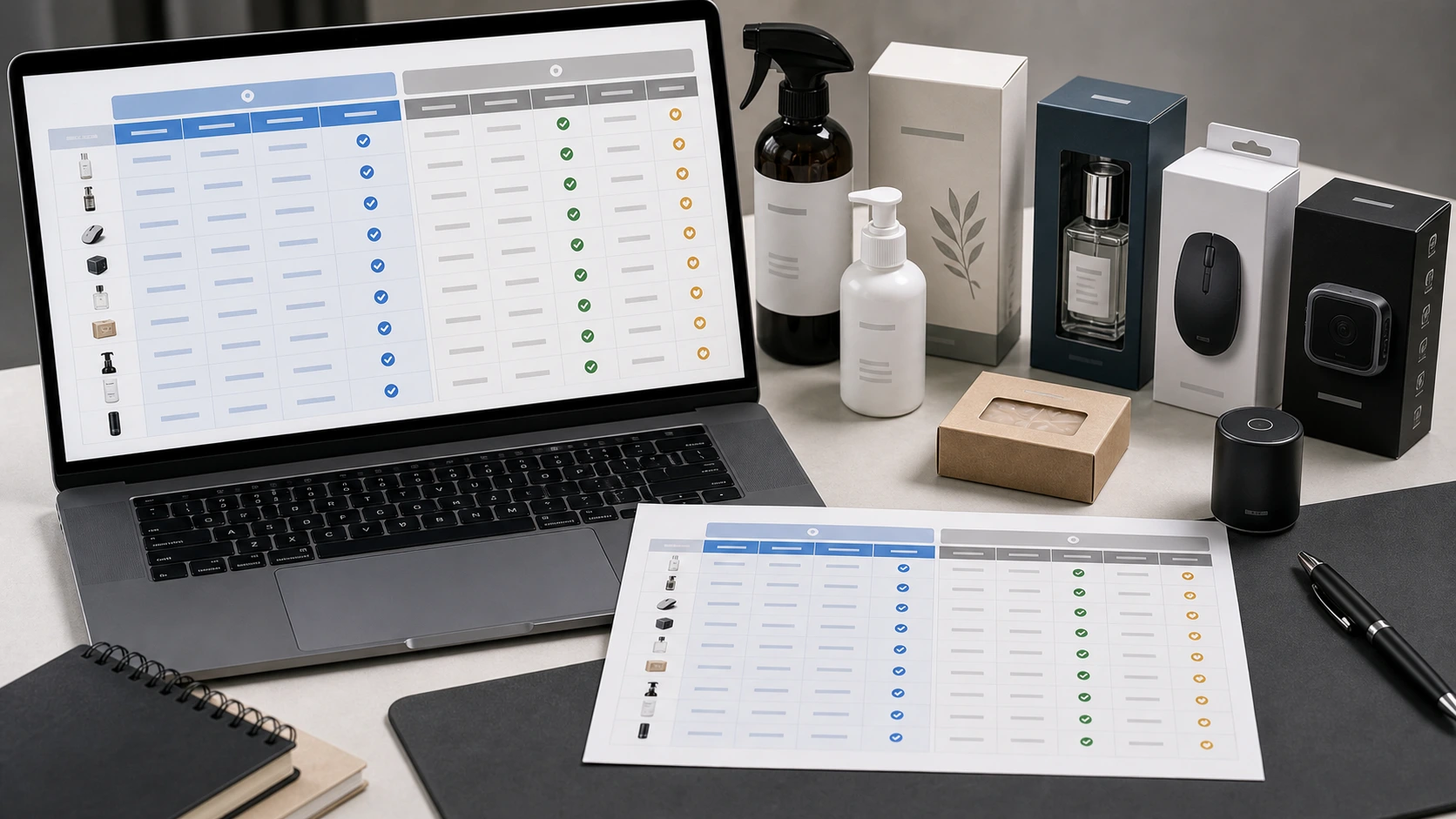
A strong Amazon title compliance tool should generate columns that support review.
Useful generated columns include:
| Column | Purpose |
|---|---|
| original_title | Keeps source title visible |
| original_title_length | Shows current title length |
| original_description | Keeps source context visible |
| new_title | Shows rewritten title |
| new_title_length | Confirms 75-character fit |
| item_highlights | Shows supporting details |
| item_highlights_length | Confirms 125-character fit |
| title_status | Shows compliance or warning state |
| change_reason | Explains why output changed |
| confidence | Helps prioritize review |
| needs_human_review | Flags rows needing attention |
| generation_status | Tracks row processing |
| validation_notes | Shows warnings or issues |
The tool should also preserve original Amazon columns after the generated review fields.
What should the tool not claim?
A trustworthy title compliance tool should avoid overclaiming.
It should not claim:
- guaranteed Amazon approval
- full Amazon category compliance
- direct Amazon upload if not supported
- SP-API publishing if not supported
- prevention of Amazon automated rewrites
- guaranteed ranking improvement
- perfect title generation every time
The safer and more accurate claim is:
The tool helps sellers prepare, review, and export structured title and Item Highlights updates.
Seller review still matters.
Amazon's Review Listing Changes guidance is a useful reminder that seller review and update management remain part of the process when listing content changes. Amazon Seller Central
How AgenixSocial's Amazon 75-Character Title Compliance workflow works
AgenixSocial's Amazon 75-Character Title Compliance workflow is built for this exact catalog cleanup problem.
It starts with an original Amazon Seller Central TXT export.
AgenixSocial primarily uses:
- item name
- item description
- eligible product attributes when present
It preserves operational fields like SKU, ASIN, listing ID, product ID, price, quantity, and original Amazon columns for review and export.
The workflow can generate:
- 75-character titles
- one 125-character Item Highlights value
- title length
- Item Highlights length
- confidence
- validation notes
- row status
- change reason where available
Sellers can:
- generate all valid rows
- generate selected rows
- edit generated titles
- edit Item Highlights
- regenerate rows
- review confidence and validation notes
- export a review-ready XLSX
The first 100 products are free. After that, AgenixSocial charges 1 credit per additional 100 products.
AgenixSocial does not directly upload changes to Amazon. It does not guarantee Amazon approval. Sellers should still review product accuracy, claims, category fit, and marketplace requirements before applying updates.

You can use this workflow alongside marketplace listing image sets, Amazon A+ content generation, and pay-as-you-go credits. For related planning, see Amazon AI title recommendations, bulk Amazon title compliance, Amazon title compliance checklist, and how to rewrite Amazon product titles under 75 characters.
Example workflow: from TXT export to review-ready XLSX
Here is what a practical workflow looks like.
Step 1: Download your Amazon TXT export
Use Seller Central -> Reports -> Inventory Reports.
Choose the report view that matches the listings you want to review.
Step 2: Upload the original TXT file
Use the original downloaded file.
Do not rename columns or convert it before upload if the tool expects the Amazon TXT structure.
Step 3: Generate all rows or selected rows
Process the catalog in one pass or by batches.
For example:
- process over-150-character titles first
- then process 101-150-character titles
- then review 76-100-character titles
- then review under-75-character titles for Item Highlights
Step 4: Review generated output
Look at:
- new title
- title length
- Item Highlights
- highlights length
- confidence
- validation notes
- row status
Step 5: Edit or regenerate where needed
Use human judgment for:
- weak source data
- sensitive claims
- unclear product type
- titles that became too generic
- Item Highlights that repeat the title
Step 6: Export review-ready XLSX
Use the XLSX for team review, mapping, and applying approved values through the correct Amazon workflow.
Who should use an Amazon title compliance tool?
This type of workflow is useful for:
- Amazon sellers with many SKUs
- agencies managing Amazon catalogs for clients
- D2C brands selling on Amazon
- marketplace teams preparing for the 75-character update
- catalog managers reviewing title quality
- brand owners who want more control before Amazon AI recommendations
If you have 10 listings, manual work may be enough.
If you have 100, 500, or 1,000 listings, a purpose-built workflow becomes much more valuable.
How to evaluate an Amazon title compliance tool
Before choosing a tool, ask these questions.
Input
- Does it accept the original Amazon TXT export?
- Does it preserve row order?
- Does it reject unsupported formats clearly?
- Does it avoid forcing sellers into a blank template?
Generation
- Does it create titles under 75 characters?
- Does it create Item Highlights up to 125 characters?
- Does it use title and description as source context?
- Does it avoid unsupported claims?
- Does it reduce clutter instead of simply truncating?
Review
- Does it show character counts?
- Does it provide validation notes?
- Does it show confidence or review signals?
- Can users edit output?
- Can users regenerate selected rows?
Export
- Does it preserve original Amazon columns?
- Does it export a review-ready file?
- Does it avoid claiming direct upload unless that is truly supported?
- Does it keep identifiers like SKU and ASIN visible?
Trust
- Does it avoid guaranteeing approval?
- Does it explain what sellers still need to review?
- Does it clarify product and workflow limits?
Common mistakes to avoid when using a tool
Mistake 1: Looking only for shorter titles
Shorter is not enough. The title still needs product identity.
Mistake 2: Ignoring Item Highlights
Item Highlights preserve useful supporting detail. Use them intentionally.
Mistake 3: Uploading converted files when the tool expects TXT
If the tool expects the original Amazon TXT export, converting the file first may create parsing or mapping issues.
Mistake 4: Treating generated output as final
Review product accuracy, claims, category fit, and marketplace requirements.
Mistake 5: Assuming review-ready means upload-ready
A review-ready XLSX helps your team review and map updates. It is not automatically the final Amazon upload template.
Mistake 6: Losing original identifiers
Always preserve SKU, ASIN, listing ID, product ID, and other original listing fields.
FAQ
What is an Amazon title compliance tool?
An Amazon title compliance tool helps sellers prepare product titles for Amazon's 75-character title structure by generating shorter titles, Item Highlights, review notes, and export files from listing data.
What file do I need for Amazon title compliance?
For bulk workflows, start with an Amazon Seller Central TXT listing export from Reports -> Inventory Reports.
Can I upload CSV or XLSX?
That depends on the tool. AgenixSocial's Amazon Title Compliance workflow currently uses the original Amazon tab-delimited TXT export, not CSV or XLSX imports.
What fields are used to generate the new title?
AgenixSocial primarily uses item name, item description, and eligible product attributes from the uploaded row.
Are SKU, ASIN, price, and quantity used to write the title?
No. In AgenixSocial, operational fields such as SKU, ASIN, price, quantity, and listing ID are preserved in the export but are not used to shape generated copy.
Does the tool generate Item Highlights?
Yes. AgenixSocial generates one comma-separated Item Highlights value up to 125 characters.
Does the tool directly upload changes to Amazon?
No. AgenixSocial creates a review-ready XLSX. Sellers should apply approved values through the correct Amazon update workflow.
Does review-ready mean upload-ready?
No. Review-ready means the file is structured for team review and mapping. It does not automatically mean it is the final Amazon upload template.
Does an Amazon title compliance tool guarantee approval?
No. Sellers should still review product accuracy, claims, category fit, and marketplace requirements before applying updates.
How much does AgenixSocial's workflow cost?
The first 100 products are free. After that, it costs 1 credit per additional 100 products.
Conclusion
Amazon's title update creates a new kind of seller workflow.
This is not only about writing shorter titles.
It is about taking a Seller Central export, preserving original listing context, generating structured title and Item Highlights updates, reviewing risky rows, and exporting a file your team can use.
A generic prompt can help with one title.
A purpose-built Amazon title compliance tool helps with the catalog.
AgenixSocial's Amazon 75-Character Title Compliance workflow is designed for sellers who need that structured path: original TXT upload, 75-character titles, 125-character Item Highlights, validation notes, edit/regenerate controls, and review-ready XLSX export.
First 100 products are free. After that, it is 1 credit per additional 100 products.
Convert your Amazon Seller Central TXT export into review-ready titles and Item Highlights with AgenixSocial.