Claude Skills for Content Creation vs a Commerce Content Workspace
Claude Skills are powerful.
MCPs are powerful.
HeyGen, Nano Banana 2, ElevenLabs, OpenAI image models, Runway, schedulers, APIs, asset folders, prompt libraries, and automation tools are all powerful.
That is exactly the problem.
For a technical builder, a Claude-based content stack can feel like a dream: one model for reasoning, Skills for reusable workflows, MCPs for tool access, image models for product visuals, video tools for creator-style content, voice tools for narration, schedulers for publishing, and storage tools for assets.
For a D2C founder, ecommerce marketer, marketplace seller, or agency operator, the same setup can become a second job.
To create one product launch campaign, the user may need to:
- Set up Claude Skills or prompts
- Connect MCPs or APIs
- Give Claude brand context
- Give Claude product context
- Send product data to an image tool
- Send scripts to a video/avatar tool
- Generate voice with another tool
- Export assets to a folder
- Move captions into a scheduler
- Check platform dimensions
- Review claims manually
- Pay for multiple subscriptions or API credits
- Debug anything that breaks
That is not a content workflow.
That is an AI assembly line where the user is also the engineer, QA person, platform expert, prompt maintainer, and billing manager.
AgenixSocial exists for a different kind of user: ecommerce teams that want to create social content, product visuals, creator videos, marketplace assets, Amazon A+ content, and campaigns without wiring Claude to half the internet first.
This article compares both paths.
Quick answer
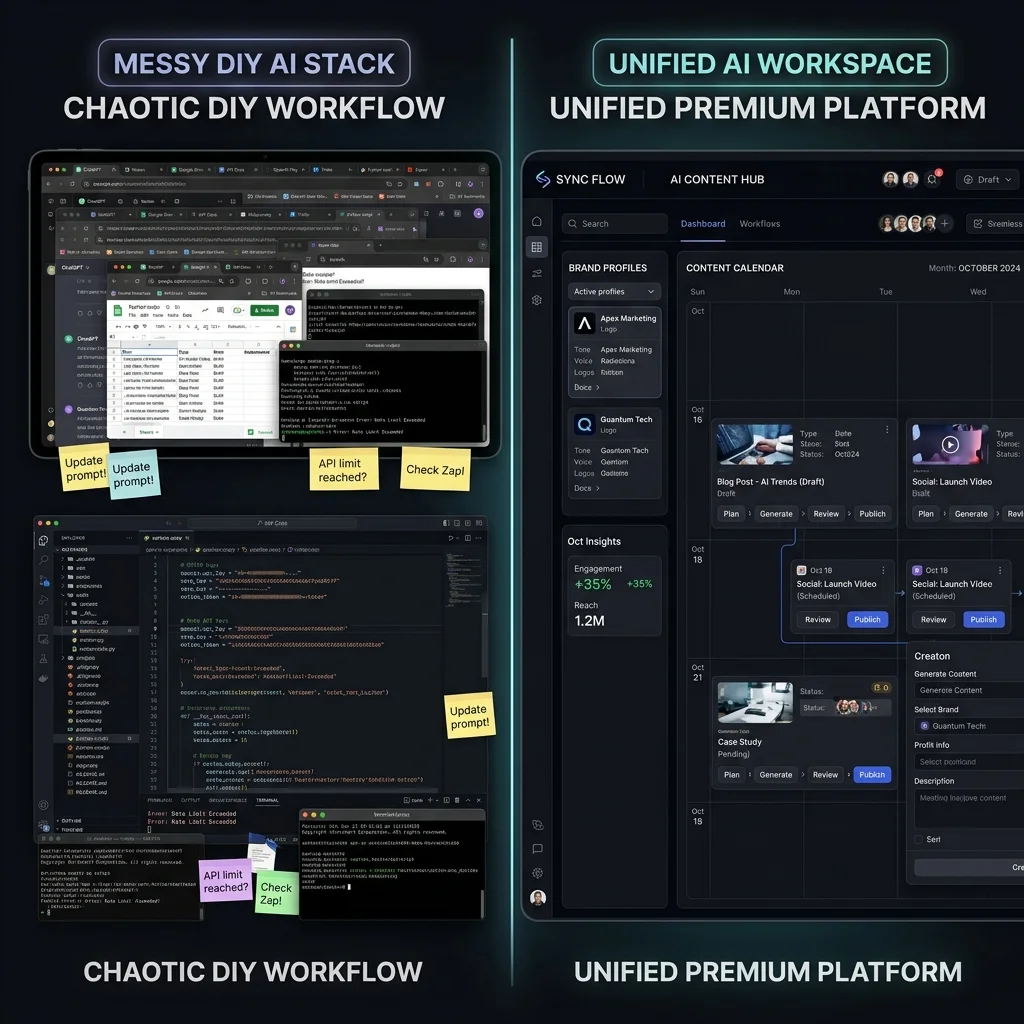
Claude Skills for content creation are useful when builders want reusable AI writing and workflow instructions. But commerce content often needs more than Claude: product context, brand voice, image generation, creator videos, voice, marketplace formatting, approval, scheduling, downloads, and asset reuse. A product-aware workspace like AgenixSocial reduces that setup by keeping brand, product, content, review, and media workflows together.
What are Claude Skills for content creation?
Claude Skills are reusable instruction packages that help Claude perform specific tasks more consistently.
For content creation, a Skill might help Claude:
- Write blog drafts
- Create SEO outlines
- Follow a brand voice
- Generate social captions
- Build product description templates
- Create campaign briefs
- Format content for a CMS
- Review writing against an editorial checklist
- Summarize research into a content brief
- Convert a blog into LinkedIn or newsletter posts
A Skill is better than a one-off prompt when the task repeats.
Instead of typing the same long instruction every time, the user packages the workflow so Claude can reuse it.
That sounds excellent.
And for writing-only workflows, it can be.
But ecommerce content is rarely writing-only.
A product launch may need copy, images, videos, creator-style scripts, social formats, marketplace listing assets, ad visuals, approval steps, calendar scheduling, and organized exports.
That is where “Claude Skills for content creation” becomes less about writing and more about tool orchestration.
What a DIY Claude commerce content stack looks like
A realistic DIY AI content setup for ecommerce may look something like this:
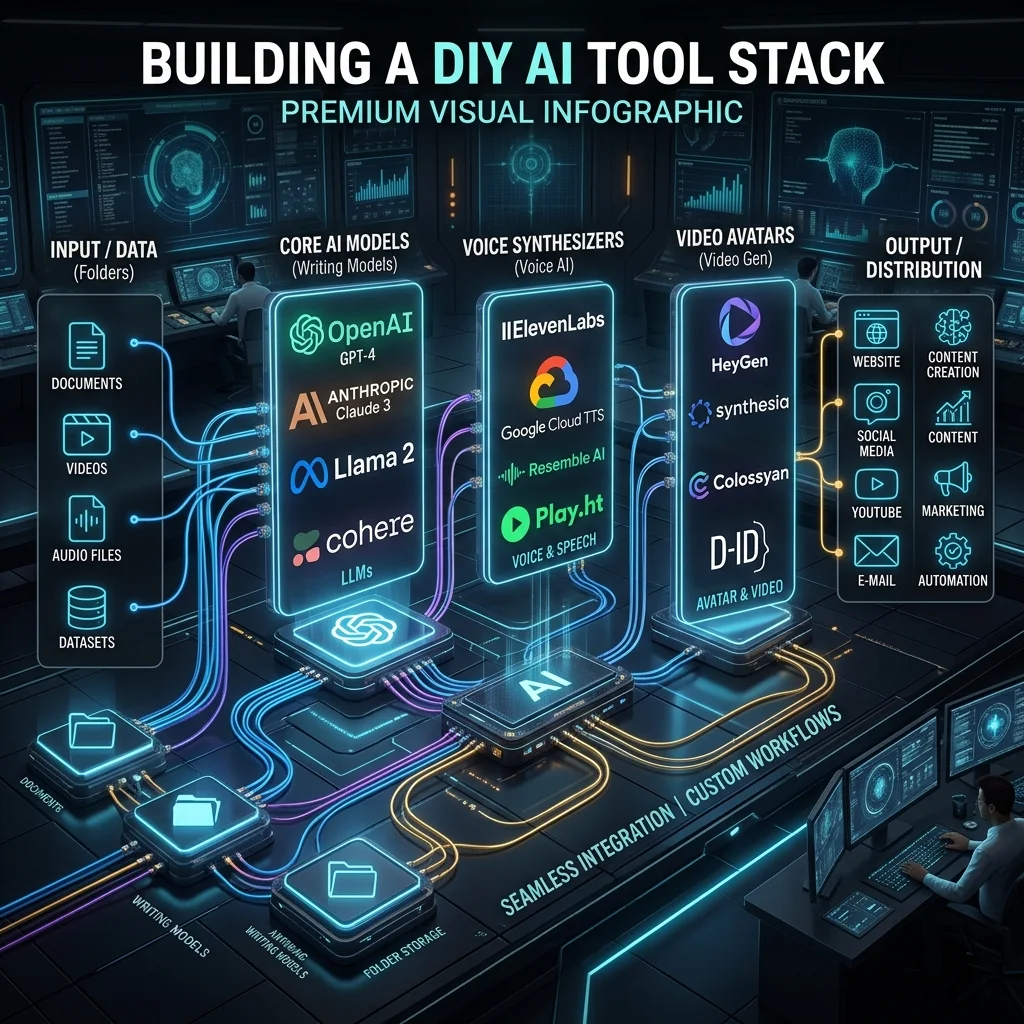
| Workflow need | Typical DIY tool choice |
|---|---|
| Reasoning and planning | Claude |
| Reusable instructions | Claude Skills or prompt libraries |
| External tool access | MCP servers, connectors, APIs |
| Product data | Shopify, WooCommerce, CSV, Notion, Airtable, Google Sheets |
| Image generation | Nano Banana 2, OpenAI image generation, Midjourney-style tools, product photo tools |
| Video generation | HeyGen, Runway, Creatify-style tools, avatar/video APIs |
| Voice or narration | ElevenLabs or another voice tool |
| Automation | n8n, Make, Zapier, scripts |
| Storage | Google Drive, Dropbox, DAM, local folders |
| Scheduling | Buffer, Hootsuite, Meta Business Suite, native social schedulers |
| Marketplace assets | Amazon/Walmart/Flipkart/TikTok Shop/Etsy-specific formatting handled manually or by another tool |
| Approval | Slack, email, comments, spreadsheets, forms |
| Billing | Multiple subscriptions, API usage, token usage, credit packs |
Each tool can be useful.
The problem is not the tools.
The problem is that the user has to make them behave like one commerce content system.
That means the user owns the workflow.
Why people build this stack in the first place
There are good reasons to build a Claude-plus-tools workflow.
Technical users like it because it gives them control.
They can:
- Customize every prompt
- Choose every model
- Swap tools in and out
- Connect internal data sources
- Use APIs directly
- Build custom publishing logic
- Create content workflows that no SaaS product supports
- Use Claude as the reasoning layer across tools
For an AI builder, this is exciting.
For a marketing team trying to launch products, it can become heavy.
The first version feels clever.
The tenth revision feels like plumbing.
And the fiftieth time someone asks, “Where is the approved version of the video?” the stack starts showing its teeth.
If you want to understand the true financial impact of building vs buying, read our guide on Stop Stitching AI Tools.
Where the Claude + MCP + tool stack gets complicated
The setup gets complicated because commerce content has more moving parts than generic content.
1. The learning curve is high
A non-technical ecommerce user may need to understand:
- Claude prompts
- Claude Skills
- Claude Code
- MCP servers
- API keys
- OAuth
- Tool permissions
- Image model settings
- Video model settings
- Voice model usage
- Aspect ratios
- File exports
- Marketplace requirements
- Scheduling rules
- Approval routing
That is a lot before even creating content.
The user came to create a product campaign. Now they are reading API docs and wondering why an MCP server needs permissions.
This is where DIY AI starts to tax the wrong person.
Founders should be talking to customers.
Marketers should be shaping demand.
Agencies should be shipping client work.
They should not have to become part-time AI systems integrators just to create product posts, videos, and listing assets.
2. Brand context has to be re-explained
Claude does not automatically know the brand.
So the user has to provide:
- Brand voice
- Target customer
- Tone rules
- Visual style
- Do’s and don’ts
- Competitor context
- Product positioning
- Claims to avoid
- Platform preferences
- Past content examples
This can be placed in a Skill, project file, prompt template, Notion page, database, or retrieval system.
But someone still has to maintain it.
If the brand changes, the Skill changes.
If the product line changes, the prompt changes.
If a campaign needs a new tone, the workflow branches.
If the user forgets to include the context, the output drifts.
This is where brand memory matters. Check out our deep dive on Brand-Aware AI Content to see how dynamic context outperforms static prompts. A content workflow should not start from “Here is who we are” every time.
3. Product context has to be passed across tools
Ecommerce content is product-led.
The workflow needs:
- Product name
- Product description
- Product images
- Price
- Variant
- Materials
- Ingredients
- Size
- Use cases
- Customer objections
- Included items
- Marketplace rules
- Claims to avoid
Now imagine passing this context across Claude, an image tool, a video tool, a voice tool, a scheduler, and an approval flow.
Each tool needs the right fields.
Each prompt needs the right constraints.
Each output needs review.
If the image tool gets the wrong product image, the visual may misrepresent the item.
If the video tool gets the wrong script, the avatar may say something inaccurate.
If the scheduler gets the wrong caption, the wrong offer may go live.
If the marketplace asset does not match the format expected by the platform, the user has to rework it manually.
The stack can generate content.
It does not automatically understand the product workflow.
4. Image generation is a separate workflow
Claude can plan image prompts, but the actual image often needs another tool.
A user may send prompts to Nano Banana 2, OpenAI image generation, a product photography tool, or another image API.
Then they still need to manage:
- Product reference images
- Background style
- Marketplace rules
- Social aspect ratio
- Product accuracy
- Text on image
- Image export quality
- File naming
- Variations
- Review
- Reuse later
This is where product images become operational.
A good image is not just a nice scene.
For ecommerce, it has to show the product accurately, fit the platform, support the campaign, and avoid misleading the customer.
5. Video generation is another separate workflow
Product video is even more complex.
A DIY setup may use Claude for the script, HeyGen for avatar video, ElevenLabs for voice, Runway for video scenes, and a scheduler for publishing.
Now the user has to align:
- Product context
- Script
- Avatar or speaker
- Voice
- Language
- Scene
- Aspect ratio
- Duration
- Subtitle/text overlays
- CTA
- Export format
- Approval
- Publishing destination
If anything breaks, the user has to find where it broke.
Was the script wrong?
Was the voice wrong?
Was the avatar wrong?
Was the product image wrong?
Was the API key expired?
Was the export format unsupported?
Was the video too long?
Was the caption missing?
Congratulations. The marketer is now a workflow debugger.
6. Marketplace and platform rules remain the user’s burden
Social content and marketplace content have different expectations.
Instagram needs one kind of creative.
Facebook needs another.
Amazon listing images need a different discipline.
Amazon A+ modules need storyboards and review.
Marketplace image sets need main images, infographics, lifestyle scenes, scale images, comparison assets, and downloads.
TikTok Shop, Etsy, eBay, Walmart, Flipkart, Lazada, and Shopee each introduce their own visual and listing expectations.
A generic Claude workflow can help write or plan.
But the user still has to know what the target platform expects.
That means tracking:
- Dimensions
- Aspect ratios
- Main image rules
- Text overlay norms
- Marketplace visual expectations
- Accepted file types
- Video duration
- Listing image count
- Claims and policy risks
- A+ or enhanced content structure
The AI stack can produce assets.
The user still carries the platform-fit burden.
7. Subscriptions pile up
The DIY stack rarely stays as “just Claude.”
It often becomes:
- Claude subscription or API usage
- HeyGen subscription or API usage
- ElevenLabs subscription or API usage
- Image model/API usage
- Video model/API usage
- Automation platform subscription
- Scheduler subscription
- Asset storage
- Marketplace listing tool
- Design tool
- Maybe a separate approval tool
Each tool may be reasonable in isolation.
Together, the stack creates cost and cognitive overhead.
The bigger issue is not only money.
It is remembering which tool does what, where credits are left, which plan supports the feature, which export belongs to which product, and which subscription is underused this month.
This is exactly how “AI saved us time” turns into “we need a spreadsheet to track our AI tools.”
8. The onus of failure sits with the user
In a DIY setup, the user owns the outcome.
If the wrong product appears in an image, the user has to catch it.
If the avatar says an unsupported claim, the user has to catch it.
If the marketplace image is not suitable, the user has to fix it.
If the video export fails, the user has to debug it.
If the API changes, the user has to update the workflow.
If the brand context goes stale, the user has to refresh it.
If an MCP connection breaks, the user has to understand why.
This does not mean DIY workflows are bad.
It means they are user-operated systems.
That is fine for builders.
It is often too much for commerce teams that just need to produce accurate, on-brand content around real products.
To learn more about the broader landscape of automation, check out our guide on AI Social Media Automation for Ecommerce Brands.
The real comparison: custom AI stack vs product-aware workspace
The real comparison is not “Claude vs AgenixSocial.”
Claude is a powerful general AI system.
The comparison is:
Do you want to build a commerce content workflow around Claude and connected tools, or use a workspace where the core commerce workflow already exists?
| Need | Claude + connected tools | AgenixSocial |
|---|---|---|
| Brand context | User creates prompts, Skills, docs, or memory | Brand DNA stores reusable brand context |
| Product context | User passes product data into Claude and connected tools | Products act as the content source of truth |
| Product images | User connects image tools and reviews outputs manually | Product Shots creates product and lifestyle visuals from product context |
| Creator-style videos | User connects video/avatar/voice tools | AI Creator Videos supports product-led creator-style video workflows |
| Marketplace assets | User builds or manages platform-specific image/listing workflows | Marketplace Listing Studio supports guided marketplace image-set creation |
| Amazon A+ content | User plans modules separately and generates assets elsewhere | Amazon A+ Studio supports storyboard-led A+ asset workflows |
| Campaign planning | User builds campaign prompts and calendar logic | Campaigns support product or brand campaign planning |
| Approval | User builds Slack/email/form approval flow | Approval Queue keeps review in the product workflow |
| Scheduling | User sends approved content to a scheduler | Calendar supports planning and scheduling |
| Asset reuse | User stores files in Drive/folders/DAM | Media Library centralizes generated and uploaded assets |
| Cost model | Multiple subscriptions, API usage, credits, and tool plans | Pay-as-you-go credits inside one commerce content workspace |
| Failure ownership | User maintains the stack | Productized workflow reduces setup and maintenance burden, with human review still required |
This is the important point:
Claude can help you build the workflow.
AgenixSocial gives ecommerce teams the workflow.
How AgenixSocial fits this comparison
AgenixSocial is designed for ecommerce teams that do not want to set up Claude, MCPs, APIs, image tools, video tools, schedulers, and folders just to create commerce content.
Instead of starting with a blank AI model, the workflow starts with brand and product context.
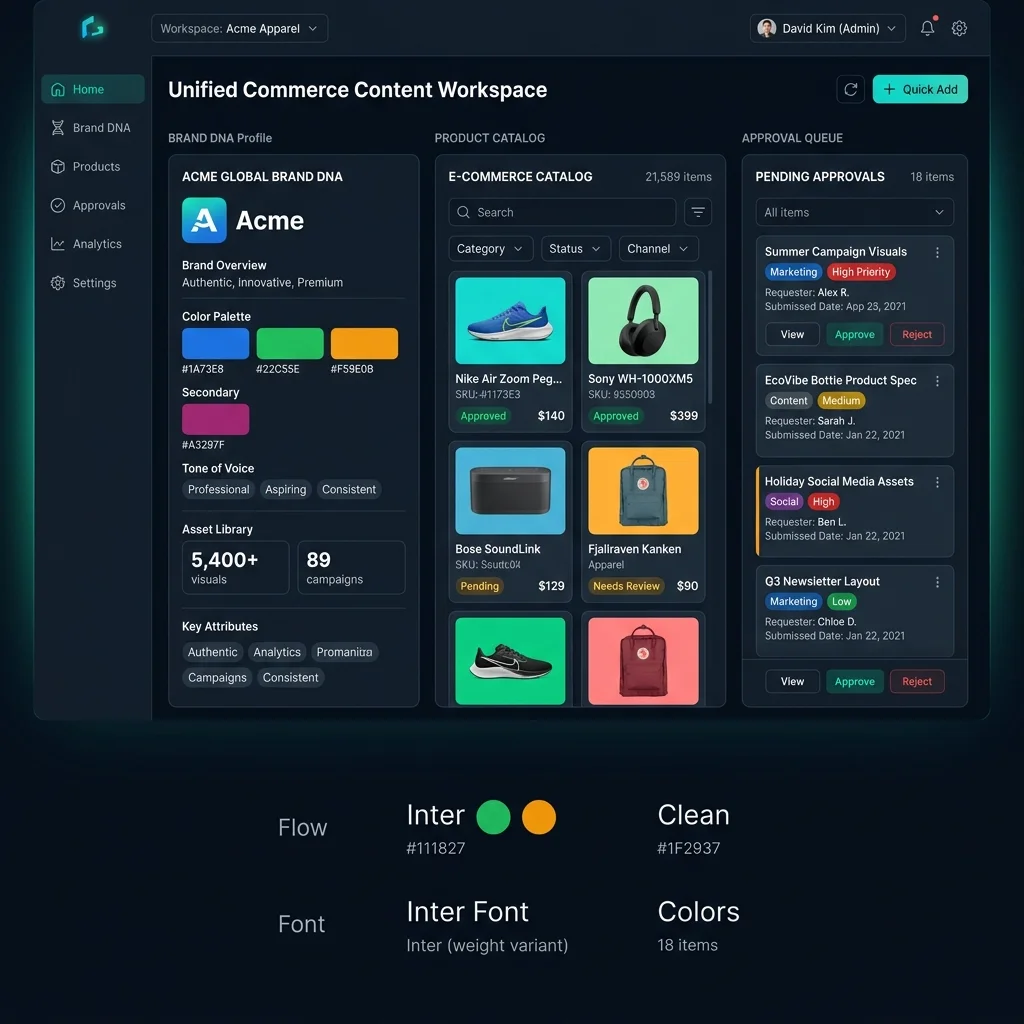
Brand DNA
Brand DNA creates reusable brand context.
It helps the system understand:
- Brand identity
- Tone
- Product context
- Competitor context
- Platform context
- Social content context
This means the user does not have to re-explain the brand to Claude before every content task.
Products
Products act as the source of truth.
AgenixSocial can work from imported or manually added products, including product names, descriptions, and images.
This matters because ecommerce content should be grounded in what the brand actually sells.
Content Studio
Content Studio gives the user guided creation workflows instead of asking them to wire tools.
Relevant workflows include:
- Quick Post
- Product Shots
- AI Creator Videos
- Video
- Campaigns
- Marketplace Listing Studio
- Amazon A+ Studio
- Image Ads
- Virtual Try-On
The user does not need to start by writing a complex prompt for each output type. They select the workflow, select the product, and create within a structured commerce flow.
Product Shots
Product Shots helps create product visuals such as studio shots, lifestyle images, flat lays, in-use shots, macro details, and environmental shots. This reduces the need to connect a separate image tool for every product visual workflow.
AI Creator Videos
AI Creator Videos support creator-style product videos with product context, message angles, avatar or custom scene direction, script generation, editing, language choice, and export or scheduling options. This reduces the need to manually combine Claude scripts, avatar tools, voice tools, video exports, and scheduling tools for every product video.
Marketplace Listing Studio
Marketplace Listing Studio helps turn one product into marketplace image sets for supported marketplaces. This matters because marketplace content is not the same as generic social content. It needs structured image sets, main image thinking, supporting scenes, and seller review.
Amazon A+ Studio
Amazon A+ Studio helps create Amazon-style product-page storytelling modules through a storyboard-led workflow. The user does not have to manually plan a separate A+ module sequence in Claude, create assets somewhere else, then assemble everything by hand.
Approval Queue
AgenixSocial keeps human review inside the workflow. That is important. AgenixSocial does not remove judgment. Teams still review product accuracy, claims, marketplace fit, platform fit, and brand tone before publishing or uploading. Learn how to design a secure review process in our breakdown of an AI Content Approval Workflow.
Calendar and Media Library
Calendar helps turn approved content into a publishing plan. Media Library keeps generated and uploaded assets organized for reuse. This avoids the usual DIY problem where captions live in Claude, images live in one folder, videos live in another tool, and the final approved version lives in someone’s downloads folder. For a better way to structure your team's schedule, see our guide on Ecommerce Content Calendar Automation.
Decision framework: DIY n8n stack or native commerce content workspace?
Use this framework to decide which path is right for your team.
| Decision factor | Choose a DIY n8n stack if… | Choose a native commerce content workspace if… |
|---|---|---|
| Builder skills | You have developers or ops engineers on the team | You have marketers, founders, or content operators |
| Task range | You need to automate backend tasks, database syncing, or email alerts | You need to create, review, schedule, and reuse visual social content |
| Product context | You want to write custom logic to fetch and parse fields | Product context should be automatically linked to all content |
| Images and videos | You are comfortable connecting separate visual models and libraries | Visual generation and editing are part of the core content builder |
| Approvals | You want to design a custom Slack or email review path | You want a dedicated review dashboard with checkboxes and edits |
| CMS connections | You can manage custom API tokens, mappings, and limits | You want structured, safe syncs gated by human review |
| Tool cost | You want to run on API usage or self-host under a single license | You want to combine text, image, video, review, and scheduler costs |
| Workflow ownership | You can allocate engineering hours to debug and update flows | You want the workspace provider to maintain the system |
The choice does not have to be exclusive.
Many teams use n8n for custom data routing, inventory alerts, and backend logs, while using AgenixSocial as the workspace for actual brand content creation, review, scheduling, and asset storage.
Dividing the work this way keeps your automation clean and your content operations focused.
FAQ
What are Claude Skills for content creation?
Claude Skills for content creation are reusable instruction packages that help Claude perform repeated content tasks such as blog writing, SEO briefs, social captions, product descriptions, content audits, or formatting. They are useful when a team keeps repeating the same content instructions.
Can Claude Skills create social media and marketplace content?
Claude Skills can help plan and write social or marketplace content, but they do not automatically solve the full workflow. Ecommerce teams may still need product data, image tools, video tools, voice tools, marketplace formatting, approval workflows, scheduling, and asset storage.
What is the difference between Claude Skills and a commerce content workspace?
Claude Skills are custom text instruction templates within an LLM model client. A commerce content workspace is a productized workspace built specifically to plan, create, review, schedule, publish, and reuse product-aware content (text, image, video) from persistent brand context.
What are the main challenges of a DIY Claude content automation stack?
The main challenges include setup friction, subscription crawl (paying for multiple APIs and subscriptions), API/MCP maintenance, manual context routing, platform-specific formatting issues, and the absence of a unified review system.
Does a commerce content workspace replace human review?
No. A commerce content workspace provides better initial context and a unified review dashboard. The team still reviews final visuals and copy for product accuracy, claims safety, brand tone, and platform policies before publishing.
Conclusion
Claude Skills are powerful tools.
But ecommerce content operations need more than custom prompts and connected APIs.
If your team enjoys building tools, testing models, managing connections, and owning workflow code, Claude plus MCPs can be a great path.
If your team wants to turn products into approved campaigns, social posts, product images, creator videos, and marketplace listings without building and maintaining a custom stack, a native commerce content workspace is likely the better operating layer.
Build only if you want to maintain it. Use AgenixSocial if you want to create.