Amazon Title Compliance FAQ: 50 Questions Sellers Are Asking About the 75-Character Update
Amazon’s 75-character title update has created a lot of seller confusion.
The rule sounds simple: shorter titles.
The actual work is more complicated.
Sellers need to understand what changed, what Item Highlights are, what happens after July 27, 2026, how Amazon AI recommendations may work, how to download source listing files, how to rewrite titles, how to avoid losing product context, and how to review changes before applying them.
This FAQ answers 50 common questions about Amazon title compliance, Item Highlights, TXT exports, AI recommendations, and title cleanup workflows.
Quick answer: what changed with Amazon product titles?
Starting July 27, 2026, Amazon says product titles in all categories except media need to be 75 characters or fewer, including spaces. Amazon is also introducing Item Highlights, a 125-character field for compact supporting details such as materials or recommended use cases. Sellers should prepare shorter titles, create Item Highlights, review risky claims, and avoid waiting passively for Amazon AI recommendations.
Part 1: The Core 75-Character Title Update
1. What is Amazon title compliance?
Amazon title compliance means writing product titles that follow Amazon’s title requirements, including length, clarity, formatting, and content-quality expectations. For the July 27, 2026 update, title compliance mainly means preparing product titles that fit the 75-character structure while preserving product identity and using Item Highlights for supporting details. Compliance prevents listing suppression, maintains search indexing, and ensures customers are not misled by keyword stuffing.
2. What is Amazon’s 75-character title update?
Amazon’s 75-character title update is a change that moves most non-media product titles toward 75 characters or fewer, including spaces. The practical effect is that sellers with long product titles need to rewrite them into shorter, cleaner titles. It represents a major shift from the historical 200-character cap that many sellers used to load with repetitive descriptors.
3. When does the 75-character title update start?
Amazon has announced July 27, 2026 as the start date for the update. Sellers can prepare before that date by updating titles and adding Item Highlights. By updating early, brands prevent automated, non-controlled rewrites from taking place immediately after the deadline.
4. Does the 75-character limit include spaces?
Yes. The 75-character title limit includes spaces. That means every letter, number, punctuation mark, and space counts. Sellers must calculate lengths precisely to ensure their submissions are within the boundaries.
5. Does the update apply to all Amazon categories?
Amazon says the update applies to all categories except media. Media categories (such as books, movies, music, and video games) will continue under their current guidelines. Sellers in all other categories must review and update their listings.
Part 2: Amazon Item Highlights
6. What are Amazon Item Highlights?
Item Highlights are a compact supporting field that gives sellers 125 characters for details such as materials, ingredients, use cases, or comparison information. They are designed to sit right under the title in key visual positions to supply buyers with immediate context.
7. Are Item Highlights searchable?
Yes, Amazon has described Item Highlights as searchable. That makes them crucial because they can preserve useful product context that may no longer fit in the title. Keywords used in Item Highlights will contribute to listing discoverability.
8. Where do Item Highlights appear?
Amazon says Item Highlights are visible below titles in search results and on product detail pages. Because they occupy prominent visual real estate, they represent a key conversion variable.
9. How long can Item Highlights be?
Item Highlights provide 125 characters. Sellers should keep them compact, comma-separated, and source-supported. They should be easy to read and understand quickly.
10. Are Item Highlights the same as bullet points?
No. Item Highlights are shorter than bullet points. Bullet points explain features and benefits in more detail. Item Highlights should preserve compact supporting details, acting as a bridge between the title and the main bullet points.
11. Are Item Highlights the same as backend keywords?
No. Item Highlights are customer-facing. Do not use them as a keyword-stuffing field. They must be readable, grammatically coherent, and directly relevant to the customer.

Part 3: What to Put in Titles vs. Item Highlights
12. What should go in the product title?
The title should identify the product clearly. A good title usually includes the brand name, the product or variant name, the product type, size, quantity, or pack count, and one essential differentiator if space allows. Example: SOULBAR Mystic Musk Soap with Red Clay & Goat Milk, 100g.
13. What should go in Item Highlights?
Item Highlights should include useful supporting details that do not fit in the title. Good candidates include materials, ingredients, fragrance, use cases, benefits, compatibility, audience, or secondary differentiators. Example: Moroccan clay, goat milk, musk fragrance, moisturizing bath bar.
Below is a category-by-category layout showing how common products should allocate information between the title and the Item Highlights field:
| Category | Product | Compliant Title (≤75 Char) | Item Highlights (≤125 Char) |
|---|---|---|---|
| Beauty | Facial Serum | Glowvera Vitamin C Face Serum, 30ml | Brightening formula, hyaluronic acid, daily use, suitable for sensitive skin |
| Electronics | Headphones | Voxis Wireless Over-Ear Headphones, Black | Active noise cancellation, Bluetooth 5.2, 40-hour battery life, travel case |
| Home | Towels | UrbanNest Cotton Bath Towel Set, Pack of 4 | 100% Turkish cotton, ring-spun fibers, highly absorbent, sage green color |
| Food | Coffee | BeanCo Organic Arabica Ground Coffee, 250g | Single-origin Arabica, medium roast profile, chocolate tasting notes, resealable bag |
| Apparel | T-Shirt | Stitched Men's Slim Fit Cotton Crewneck, L | 95% organic cotton, 5% elastane, navy blue t-shirt, preshrunk fabric |
| Automotive | Tire Pump | DriveCore Portable Digital Tire Inflator, 12V | Heavy-duty car air pump, 150 PSI max pressure, auto shut-off, digital LCD screen |
14. Should I just cut my current title to 75 characters?
No. Simple truncation can create broken or unclear titles. Rewrite the title around product identity instead of cutting it mid-phrase. Ensure the sentence structure is logical and grammatical.
15. Should I remove all keywords from my Amazon title?
No. The title should still contain clear, useful, source-supported product information. The goal is not to remove every keyword. The goal is to remove repetition, clutter, unsupported claims, and unnecessary detail.
16. How do I preserve search relevance with a shorter title?
Preserve the most important product identity terms in the title, then move useful secondary details into Item Highlights, bullet points, images, or A+ content. Use allocation and prioritization, not deletion.
17. What happens if my title is already under 75 characters?
You should still review it. A short title can still be generic, unclear, inconsistent, or missing useful Item Highlights. For example, Wireless Mouse, Black is short, but lacks brand representation or key features.
Part 4: The Impact of Doing Nothing and AI Recommendations
18. What happens if I do nothing before July 27, 2026?
Amazon has said titles still over 75 characters after July 27 may be updated gradually to AI recommendations. Sellers can still make changes later, but waiting may reduce seller control over the initial customer-facing text.
19. Will Amazon deactivate my listings because of long titles?
Amazon’s announcement says listings stay active during the AI recommendation update process. They will not be suspended, but the title may change without the seller's active design input if the deadline passes.
20. Can Amazon AI rewrite my title?
Yes, Amazon has said over-limit titles may be updated gradually to AI recommendations after July 27, 2026. Sellers should review available recommendations and prepare their own approved title and Item Highlights updates where possible.
21. Do brand owners get a review window?
Yes, Amazon says brand owners will have 14 days before implementation to review, modify, and approve AI-generated title and Item Highlights recommendations when changes are made. This review window should be used to protect brand tone.
22. What is Review Listing Changes?
Review Listing Changes is a Seller Central review workflow for proposed listing updates. For the title update, it matters because brand owners may use it to review AI-generated recommendations before they go live.
23. Should I use Amazon’s AI recommendations?
You can review Amazon’s AI recommendations, but do not rely on them blindly. Check product accuracy, brand naming, variant consistency, claim safety, and category fit to ensure it aligns with your brand voice.
24. Should I prepare my own title updates before Amazon AI changes them?
Yes, especially if product naming, brand consistency, or claim control matters to your business. Seller-controlled preparation gives you more control over product identity.

Part 5: Downloading and Handling Source Data
25. How do I download my Amazon listing TXT export?
Use Seller Central inventory reports. Basic path: Log in to Seller Central, go to Reports, open Inventory Reports, choose Active Listings, All Listings, Open Listings, or Category Listings Report, click Request Report, wait until it is ready, and click Download.
26. Which Amazon report should I use?
For title cleanup, many sellers start with Active Listings, All Listings, Open Listings, or Category Listings Report. The right choice depends on the catalog scope and marketplace workflow.
27. Should I convert the TXT file to Excel first?
Not if your workflow expects the original Amazon TXT export. Converting early can create formatting issues, changed delimiters, lost leading zeros, or column changes.
28. Why does preserving SKU and ASIN matter?
A generated title only matters if it maps back to the correct listing. Preserve SKU, ASIN, listing ID, product ID, and original Amazon columns during review.
Part 6: Tools, Workflows, and ChatGPT
29. Can I use ChatGPT for Amazon title compliance?
Yes, for a few title rewrites. But for catalog-scale work, generic AI prompts do not reliably preserve Amazon file structure, row status, SKU/ASIN mapping, validation notes, or review-ready export workflows.
30. Can I use a spreadsheet manually?
Yes, for small catalogs. Spreadsheets are useful for review, comments, approval, and final tracking. They become slower and riskier when hundreds of rows need generation, validation, and mapping.
31. Are listing optimizer tools enough?
Listing optimizers can help with keyword research and broader Amazon SEO. But title compliance is also a catalog workflow problem: TXT source file, title length, Item Highlights, row-level review, and review-ready output.
32. What should an Amazon title compliance tool do?
A good Amazon title compliance tool should help sellers ingest source listing data, generate 75-character title proposals, generate 125-character Item Highlights, preserve original columns, show character counts, flag rows needing review, allow edits and regeneration, and export review-ready files.
33. What is a review-ready XLSX?
A review-ready XLSX is a spreadsheet output designed for review, approval, and mapping. It should include original titles, new titles, Item Highlights, character lengths, validation notes, row status, and original Amazon columns.
34. Is a review-ready XLSX the same as an Amazon upload file?
No. A review-ready XLSX is for review and copy workflow. Sellers should apply approved values through the correct Seller Central update workflow or category template.
35. Can a tool promise Amazon approval?
No. Tools can help with preparation, structure, review, and validation. Sellers remain responsible for product accuracy, claims, category fit, and marketplace requirements.
36. What should agencies do for client catalogs?
Agencies should build a repeatable workflow: collect the original TXT export, audit title lengths, group products by category, generate title and Item Highlights proposals, review risky rows, deliver a review-ready XLSX, get client approval, and support implementation separately if offered.
37. What should D2C brands do?
D2C brands should protect brand consistency while adapting to Amazon’s shorter title structure. They should preserve brand, product type, variant name, size, and one essential differentiator in the title, while using Item Highlights for supporting details.
38. What should marketplace teams do first?
Start with source data. Download the Amazon TXT export, back it up, audit title lengths, and group products by category before rewriting anything.
Part 7: Claim Reviews and Ingredients
39. Should I review claims before moving them into Item Highlights?
Yes. Claims still matter even when they move from the title to Item Highlights. Review claims such as anti-aging, clinically proven, organic, non-toxic, chemical-free, child-safe, pet-safe, compatible with specific devices, guaranteed, or medical-grade.
40. Can Item Highlights include benefits?
Yes, if they are source-supported and appropriate. Use compact benefit phrasing instead of long promotional claims.
41. Can Item Highlights include ingredients?
Yes. Ingredients are often a good fit for Item Highlights, especially when they help shoppers compare products.
42. Can Item Highlights include use cases?
Yes. Amazon specifically frames Item Highlights as a place for details such as recommended use cases.
43. Can Item Highlights repeat the title?
They can repeat some words if needed, but they should not simply duplicate the title. Use Item Highlights to add supporting context.
Part 8: Execution, Mistakes, and Troubleshooting
44. What are common title compliance mistakes?
Common mistakes include truncating titles, ignoring Item Highlights, keyword stuffing, deleting useful product context, moving risky claims without review, losing SKU/ASIN mapping, relying passively on Amazon AI, and treating review-ready XLSX as upload-ready.
45. How many products should I process at once?
For a small catalog, you can process everything together. For larger catalogs, batch products by category, title length, claim risk, or brand owner.
46. What should I do with failed or unclear rows?
Do not force-generate every row. Flag unclear rows for review, especially when source descriptions are missing, malformed, or claim-heavy.
Part 9: How AgenixSocial Fits In
47. How does AgenixSocial help with Amazon title compliance?
AgenixSocial helps sellers upload original Amazon Seller Central TXT exports, generate 75-character title proposals and 125-character Item Highlights, review validation notes, edit or regenerate rows, and export a review-ready XLSX while preserving original Amazon columns.
48. Does AgenixSocial publish changes to Amazon?
No. AgenixSocial creates review-ready XLSX outputs. Sellers should review approved values and apply them through the correct Amazon workflow.
49. Does AgenixSocial promise Amazon approval?
No. AgenixSocial helps with compliance preparation and review. Sellers still need to check product accuracy, claims, category fit, and marketplace requirements.
50. How much does AgenixSocial cost for Amazon Title Compliance?
The first 100 products are free. After that, it is 1 credit per additional 100 products.
Examples:
- 100 products: 0 credits
- 200 products: 1 credit
- 500 products: 4 credits
- 1,000 products: 9 credits
Detailed Active Listings TXT Export Guide
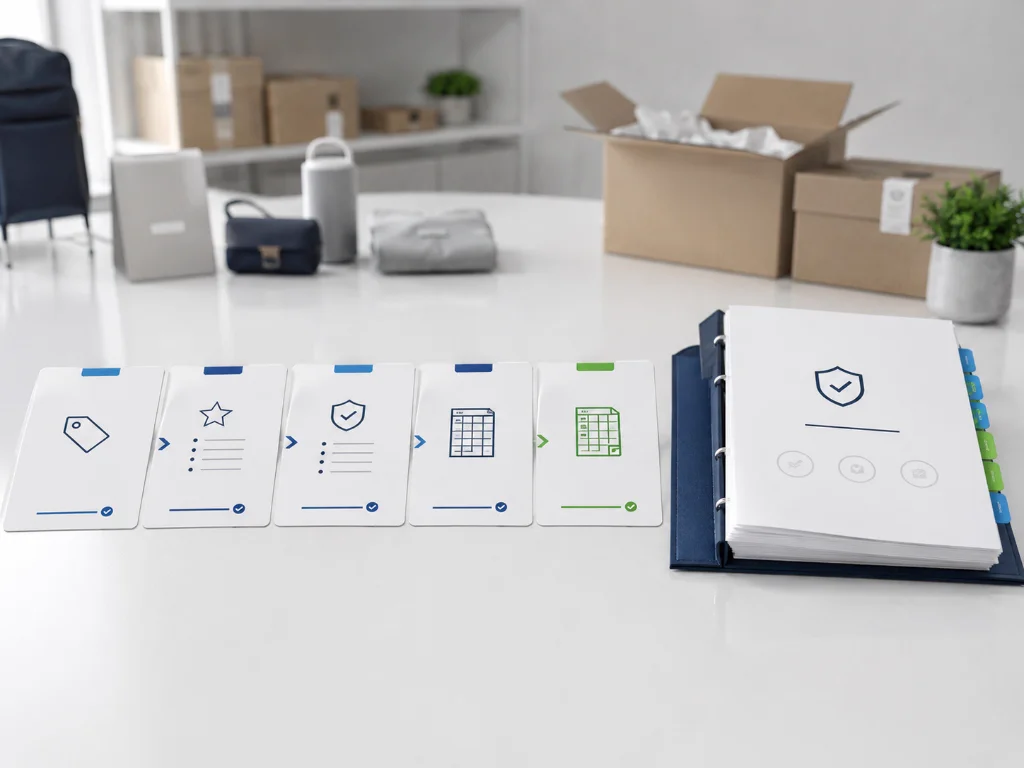
If you are unfamiliar with generating the required file inside Seller Central, follow this step-by-step procedure:
graph TD
    A["Log in to Seller Central"] --> B["Navigate to Reports -> Inventory Reports"]
    B --> C["Select 'Active Listings Report' from dropdown"]
    C --> D["Click 'Request Report' Button"]
    D --> E["Wait for status to become 'Ready' (1-5 mins)"]
    E --> F["Click 'Download' to save the .txt file"]
    F --> G["Import the raw tab-delimited .txt file directly into AgenixSocial"]
- Accessing the Inventory Hub: Open your Seller Central Dashboard, hover over the main menu, select Reports, and click on Inventory Reports.
- Report Configuration: Locate the report selection dropdown. Choose Active Listings Report. If you require parent-child relationship structures or deep category data, you can request a Category Listings Report instead (if unlocked for your account).
- Execution: Click the yellow Request Report button. Avoid closing the tab immediately; the processing queue usually takes between 30 seconds and 5 minutes depending on catalog volume.
- Data Acquisition: Once the table entry updates to show a timestamp and a download link, click Download. Save the file in its default format (which is tab-delimited
.txt). Do not format, edit, or resave using another program beforehand to prevent structural shifts.
Final checklist for sellers
Before applying changes, review:
- Title is 75 characters or fewer.
- Title identifies the product clearly.
- Item Highlights are 125 characters or fewer.
- Item Highlights are readable and source-supported.
- Claims are reviewed.
- SKU and ASIN are preserved.
- Original Amazon columns are preserved.
- Review-ready file is not treated as direct upload.
- Approved values are applied through the correct Amazon workflow.
Conclusion
Amazon’s 75-character title update is not just a formatting change.
It affects how sellers structure product information across titles, Item Highlights, catalog files, and review workflows.
The safest approach is to prepare early, work from the original Seller Central TXT export, rewrite titles instead of truncating them, use Item Highlights carefully, review claims, preserve row identity, and apply approved values through the right Amazon workflow.
AgenixSocial helps sellers manage this workflow from Amazon TXT export to review-ready title and Item Highlights output.
CTA: Prepare your Amazon titles and Item Highlights with AgenixSocial’s Amazon 75-Character Title Compliance workflow.