Amazon Listing Image Generator: Main Images, Infographics, Lifestyle, and A+ Assets
Amazon listing images are not decoration.
They are the product page’s visual sales argument.
A shopper may never read every bullet. They may skim the title, look at the price, scan the reviews, and then swipe through the image stack to answer one simple question:
“Do I understand this product well enough to buy it?”
That is why an Amazon listing image generator should not only create a single clean product image. For real sellers, the job is bigger.
You need a complete image set.
A strong Amazon listing image workflow should help plan and create:
- A clean main image
- Benefit-led infographic images
- Lifestyle or in-use scenes
- Scale and size explanation images
- Feature detail images
- Comparison or compatibility visuals
- Packaging or contents images
- A+ content modules
- Brand Story assets
- Review notes before upload
AI can help sellers move faster, but Amazon listing images still need human review. Product accuracy, claims, image rules, marketplace fit, and brand quality all matter.
This guide explains how Amazon listing image generators work, what image types sellers actually need, where AI helps, where review is non-negotiable, and how a product-aware workflow can turn one product into a review-ready Amazon image set using Marketplace Listing Studio.

Quick answer
An Amazon listing image generator helps sellers create product image sets for Amazon listings, including main images, infographics, lifestyle visuals, comparison images, and A+ assets. The best workflow starts from real product context, plans the full image sequence, creates each asset type for a specific buyer question, and keeps seller review before upload.
What is an Amazon listing image generator?
An Amazon listing image generator is an AI-assisted tool that helps sellers create visual assets for Amazon product detail pages.
A basic tool may generate one or more product images from a product photo or prompt.
A stronger ecommerce workflow helps sellers create a complete listing image stack, including:
- Main product image
- Secondary image concepts
- Feature infographics
- Product-in-use visuals
- Size and scale images
- What’s-in-the-box images
- Comparison images
- Product detail close-ups
- A+ content modules
- Brand Story visuals
The difference is important.
A single image generator answers:
“Can AI make this product look better?”
A listing image workflow answers:
“What visual sequence will help a shopper understand, trust, and compare this product before buying?”
That second question is what Amazon sellers actually need. Instead of generating isolated pictures, a complete marketplace listing image set focuses on answering key buyer questions.
Why Amazon listing images matter
Amazon product listings are built from multiple parts: product title, images, bullets, description, offer details, reviews, and enhanced brand content where available.
Images sit close to the purchase decision because they help shoppers understand the product before reading every line of copy.
For many categories, the image stack has to answer buyer questions quickly:
- What does the product look like?
- What is included?
- How large is it?
- How is it used?
- What problem does it solve?
- What makes it different?
- Is it suitable for my situation?
- Can I trust the quality?
- Does it match the claim in the title?
A weak image stack forces the customer to work too hard.
A strong image stack guides the customer from recognition to understanding. Sellers who need a comprehensive guide to listing audits should read the Amazon listing cleanup workflow or prepare for upcoming requirements with the Amazon catalog cleanup playbook.
The mistake many sellers make is treating images as separate assets. The better approach is to treat them as a sequence.
The Amazon listing image stack: what each image should do
A useful Amazon image set is not random.
Each image should have a job.
| Image type | Main job | Typical content | Seller review focus |
|---|---|---|---|
| Main image | Show the product clearly | Product on clean background | Amazon main image rules, product accuracy |
| Feature infographic | Explain one or more benefits | Feature callouts, short text, arrows, detail crops | Claims, readability, accuracy |
| Lifestyle image | Show product in use | Product in realistic environment | Realistic usage, included items, scene accuracy |
| Scale image | Explain size or fit | Product next to body, furniture, hand, bag, shelf, or measurement cue | Dimension accuracy |
| What’s-in-the-box image | Show included parts | Product, accessories, packaging contents | Only show what is actually included |
| Detail close-up | Show materials or quality | Texture, stitching, finish, mechanism, connector, ingredient texture | Visual truth, no exaggerated quality |
| Comparison image | Help shoppers choose | Variant comparison, old vs new, competitor-neutral comparison | Fairness, claim accuracy |
| A+ module | Tell deeper story | Brand story, use cases, specs, comparison chart | Eligibility, module fit, review requirements |
The best Amazon listing image generator should help sellers plan this stack before producing images.
Otherwise, the seller gets a pile of visuals but no selling sequence.
That is “AI image chaos,” now with prettier shadows.
Main image vs secondary images vs A+ assets
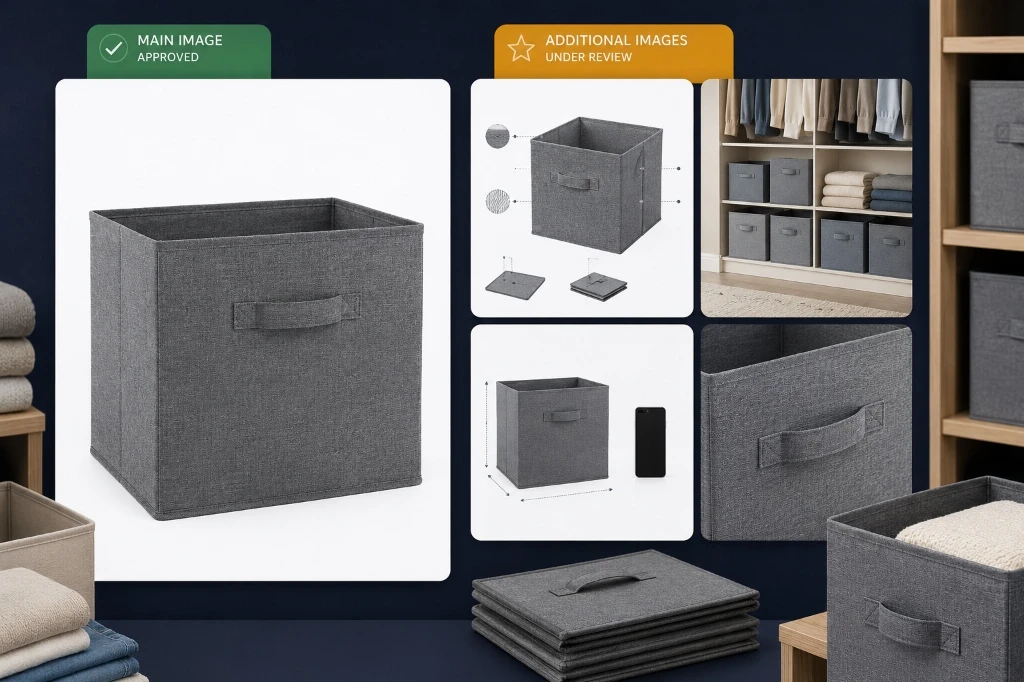
Not all Amazon visuals follow the same rules or purpose.
Main image
The main image is the first product image shoppers usually see in search results and on the detail page.
Its job is clarity, not storytelling.
For most product categories, sellers should treat the main image as the cleanest possible view of what is being sold. This is not the place for lifestyle backgrounds, badges, text overlays, props, or imaginative use-case storytelling unless category rules specifically allow certain exceptions.
AI can help clean, enhance, or prepare a main image, but sellers should be very careful. The main image needs to match the product, the included quantity, packaging expectations, and Amazon requirements.
Secondary images
Secondary images can carry more explanation.
They are where sellers can show:
- Benefits
- Use cases
- Lifestyle context
- Size
- Components
- Materials
- Compatibility
- How the product works
- Why it is different
This is where AI generation becomes more useful.
A product can be placed into a realistic scene. A benefit can be turned into an infographic. A technical feature can become a close-up. A usage scenario can become a lifestyle visual. Secondary images are where you explain features and use cases. For more tactical details, see how to create Amazon listing images with AI.
But the seller still needs to review the output carefully.
A+ assets
A+ content is different from the regular listing image stack.
It appears in enhanced product description areas and can include richer visual storytelling, custom text placements, comparison charts, brand story sections, videos, and other modules depending on eligibility and content type.
A+ assets are better for deeper education and brand-building.
Think of listing images as the fast visual sales argument.
Think of A+ content as the expanded product and brand story. A+ Content is perfect for telling a deeper story. For a step-by-step guide, check how to create Amazon A+ content with AI.
What AI can help create
AI is useful when the seller already has product truth and needs faster visual production.
Here are the strongest use cases.
1. Main image preparation
AI can help create or clean up a product-on-white style image if the original product asset is suitable.
The review bar should be high.
Sellers should check:
- Does the image show the exact product?
- Is the product quantity correct?
- Are all visible accessories included in the purchase?
- Is anything added that is not part of the offer?
- Is the product shape or packaging distorted?
- Is the background acceptable for the marketplace?
- Is the image sharp enough?
For a main image, “almost correct” is not correct.
2. Infographic images
Infographics help explain benefits quickly.
Useful infographic angles include:
- Three key benefits
- Product dimensions
- Material explanation
- Compatibility
- Before/after problem framing
- Included accessories
- Care instructions
- Feature callouts
- Safety or usage notes
- Product comparison
AI can help sketch layout ideas, visual hierarchy, icon direction, and short callouts.
Humans should review every claim.
If the infographic says “waterproof,” “BPA-free,” “medical grade,” “supports 50 kg,” “fits all models,” or “chemical free,” someone should verify it before upload.
AI does not get to invent product truth. Nice try, toaster oracle.
3. Lifestyle images
Lifestyle images show the product in context.
Examples:
- A pet grooming brush used beside a calm dog
- A foldable storage cube on a bedroom shelf
- A compact desk lamp in a work-from-home setup
- A cast iron pan on a kitchen counter
- A travel organizer inside an open suitcase
- Resistance bands in a home workout corner
- A laptop stand on a tidy desk
Lifestyle images help customers imagine ownership.
AI can generate many scene directions quickly, but the seller must check realism:
- Is the product used correctly?
- Is the scale believable?
- Does the scene imply unsupported use?
- Is the setting appropriate for the category?
- Are people, pets, or props represented safely?
- Does the image create false expectations?
AI can help generate realistic lifestyles. For high-end lifestyle scenes and environmental shots, sellers use Product Shots.
4. Scale and dimension images
Scale images reduce uncertainty.
They are useful for categories like:
- Home storage
- Kitchen tools
- Pet products
- Furniture accessories
- Electronics accessories
- Apparel accessories
- Travel organizers
- Fitness accessories
- Baby and parenting products
AI can help create a visual layout, but sellers should use actual product dimensions.
Do not let AI guess scale. AI is very confident while being completely wrong. The worst combo.
5. Detail and material images
Close-up images can show:
- Stitching
- Texture
- Finish
- Grip
- Connector type
- Fabric weave
- Packaging seal
- Button placement
- Internal compartments
- Material thickness
These work well when the product has a tactile advantage.
AI-generated close-ups need extra care because textures can be hallucinated. If the product is nylon, the image should not look like leather. If the cookware has a matte ceramic finish, it should not suddenly become polished steel.
6. Comparison images
Comparison images help shoppers make decisions.
They can compare:
- Size variants
- Product bundles
- Old vs new version
- Before vs after organization
- Included vs not included accessories
- Use-case fit
- Product type differences
Avoid unfair competitor claims unless they are carefully substantiated.
A good comparison image helps the customer choose. A risky comparison image creates a policy and claims problem.
7. A+ modules
AI can help create A+ visual ideas, storyboards, image modules, and text-image combinations.
Useful A+ module directions include:
- Brand story
- Product benefit sequence
- Technical specification section
- Comparison chart
- Lifestyle banner
- Problem-solution panel
- How-to-use module
- Materials or ingredient story
- Cross-sell module
- Founder or mission story
You can plan and design standard or premium modules with the Amazon A+ Studio.
The stronger workflow is plan first, generate after review.
What an Amazon listing image generator should ask for
A good AI workflow should not start with a blank prompt.
It should collect product and listing context.
Useful inputs include:
| Input | Why it matters |
|---|---|
| Product name | Keeps the image set tied to the right SKU |
| Product photos | Gives visual reference for accurate generation |
| Product description | Provides benefits, materials, use cases |
| Dimensions | Supports scale and size images |
| Included items | Prevents showing accessories not included |
| Target audience | Guides lifestyle scene and benefit framing |
| Marketplace | Determines image rules and format expectations |
| Brand voice | Keeps callouts and A+ copy consistent |
| Key benefits | Helps prioritize infographic content |
| Claims to avoid | Reduces risk in regulated or sensitive categories |
| Existing listing images | Useful when revamping current image stack |
| Competitor gaps | Helps decide which buyer questions to answer visually |
The more specific the input, the less the tool has to guess.
And with Amazon listings, guessing is where the gremlins enter the warehouse.
A practical AI workflow for Amazon listing images
Here is a clean workflow sellers can use.
Step 1: Gather product truth
Start with the real product facts:
- Product name
- Description
- Images
- Dimensions
- Materials
- Included accessories
- Variants
- Packaging
- Key benefits
- Usage limitations
- Claims that are supported
- Claims that should be avoided
If the product content is messy, fix that before generating visuals.
AI can make bad inputs look expensive. That does not make them right.
Step 2: Decide the image sequence
Before generating anything, plan the stack.
A typical image sequence could be:
- Main image
- Benefit infographic
- Lifestyle use image
- Size or scale image
- Feature close-up
- What’s-in-the-box image
- Comparison or compatibility image
- A+ hero module
- A+ detail module or Brand Story visual
Not every product needs every image type. A phone stand needs compatibility and angle explanation. A cast iron pan needs material, size, care, and use cases. A pet brush needs safety, coat type, grip, and cleaning.
The image sequence should match the buyer’s questions.
Step 3: Create the main image separately
Do not treat the main image like a lifestyle creative.
Keep the main image workflow strict:
- Clear product view
- Accurate shape
- Correct quantity
- Correct packaging if shown
- No misleading props
- No invented accessories
- No exaggerated scale
- No accidental text or badges
- Marketplace review before upload
AI can help, but the seller should compare the generated image against the physical product or approved product photos.
Step 4: Generate secondary image concepts
Secondary images can be more expressive.
Create options for:
- Benefit infographic
- Lifestyle use case
- Problem-solution scene
- Product detail close-up
- Scale image
- Compatibility image
- Contents image
- Care or usage image
For each concept, define the buyer question it answers.
Example:
- Buyer question: “Will this fit in my small apartment?”
- Image type: scale image
- Product: foldable storage cube
- Visual: cube under bed, on shelf, beside standard shoe box
- Review: confirm actual dimensions and included quantity
That is much better than “make a cool lifestyle image.”
Step 5: Create A+ storyboard before modules
A+ content should not be generated as random banners.
Plan the flow first:
- Brand/product hero
- Problem-solution section
- Key benefits
- Materials or specifications
- Usage steps
- Comparison chart
- Brand story
Then generate assets module by module.
This reduces repetition and keeps the A+ section from feeling like a poster gallery with no logic.
Step 6: Review every output
Review for:
- Product accuracy
- Image quality
- Marketplace rules
- Claims
- Dimensions
- Included items
- Brand tone
- Readability
- Mobile visibility
- Cultural and market fit
- Category-specific restrictions
This is the part sellers should not skip.
AI can create a strong starting point. It cannot take responsibility for the listing.
Step 7: Export, organize, and upload
Once the image set is reviewed, the seller should export files in an organized way.
A clean handoff might include:
- Main image
- Secondary images numbered in order
- A+ module images
- Source product details
- Review notes
- File names by ASIN or SKU
- ZIP folder for team upload
- Version history for future edits
This is where many teams lose time: not in generation, but in handoff.
Example image stack: foldable storage cube
Product: foldable fabric storage cube for closets and shelves.
Possible Amazon image set:
| Image | Purpose | Visual direction |
|---|---|---|
| Main image | Show the product clearly | One folded and one assembled cube on clean background |
| Infographic | Explain benefits | Reinforced handles, collapsible design, fabric texture |
| Lifestyle | Show use case | Cube inside closet shelf with folded clothes |
| Scale | Show dimensions | Cube beside standard shelf or under-bed space |
| What’s included | Clarify quantity | Pack of 4 cubes arranged cleanly |
| Detail close-up | Show quality | Handle stitching and fabric texture |
| Comparison | Help choose | Collapsed vs open view |
| A+ module | Deeper story | “Organize closets, shelves, kids’ rooms, and seasonal storage” |
This is a good AI use case because the scenes are clear, the buyer questions are visual, and the product benefits can be shown without overcomplicated claims.
Example image stack: pet grooming brush
Product: pet grooming brush for medium and long-haired dogs.
Possible image set:
| Image | Purpose | Visual direction |
|---|---|---|
| Main image | Show exact product | Brush on clean white background |
| Infographic | Explain features | Grip handle, rounded pins, easy-clean button |
| Lifestyle | Show use | Brush beside calm dog, not unrealistic action |
| Scale | Show hand grip | Brush held naturally in adult hand |
| Detail | Show bristles | Close-up of pins and head design |
| Use steps | Explain process | Brush, release fur, clean tool |
| Safety note | Reduce concern | Gentle grooming positioning without medical claims |
| A+ module | Product story | Grooming routine for home pet care |
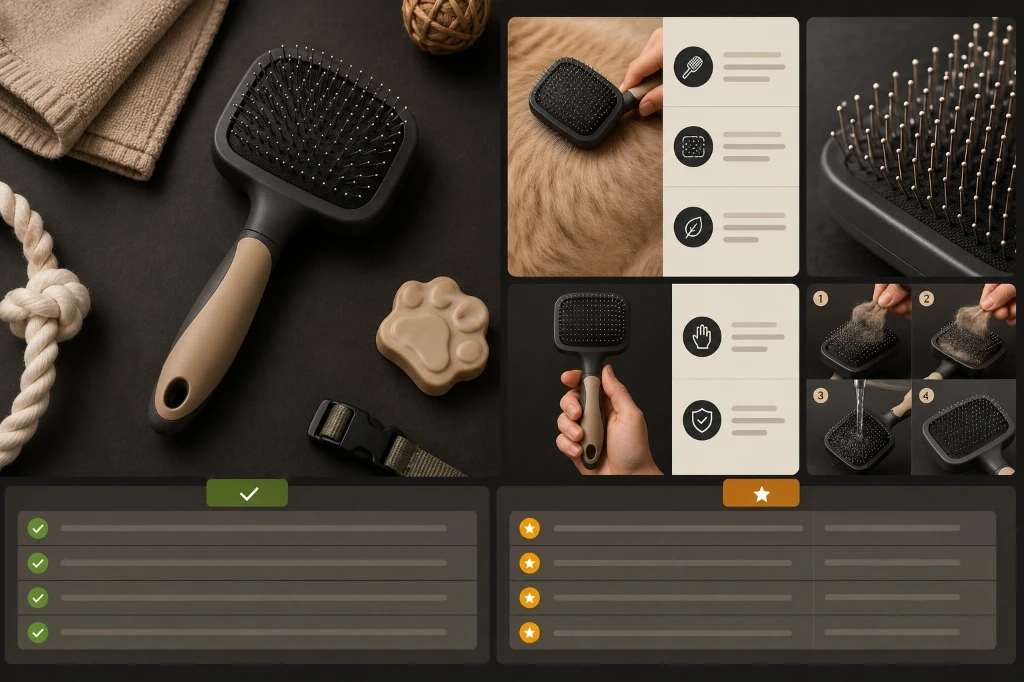
Review needs are high here because pet safety, coat type, and usage claims matter.
Example image stack: compact desk lamp
Product: adjustable compact desk lamp for work-from-home setups.
Possible image set:
| Image | Purpose | Visual direction |
|---|---|---|
| Main image | Show product | Lamp isolated cleanly |
| Infographic | Explain controls | Brightness settings, foldable arm, USB power |
| Lifestyle | Show use | Minimal desk setup with laptop and notebook |
| Scale | Show footprint | Lamp on small desk corner |
| Detail | Show hinge | Close-up of adjustable joint |
| Comparison | Help choose | Folded vs extended |
| Compatibility | Explain charging/power | USB cable and adapter note, if included |
| A+ module | Deeper use case | Home office, student desk, bedside reading |
This is where AI can create polished scenes quickly, but compatibility and included-cable details need review.
What sellers should not let AI invent
AI should not invent:
- Certifications
- Materials
- Dimensions
- Compatibility
- Safety claims
- Medical or health claims
- “Eco-friendly” claims without proof
- Awards
- Review counts
- Warranty terms
- Included accessories
- Before/after outcomes
- Product performance claims
- Marketplace approval language
If it is not in the product truth, it should not appear in the image.
This is especially important for categories like health, beauty, baby, supplements, electronics, automotive, pets, food, and anything involving safety or performance.
Amazon listing images vs A+ content
Amazon listing images and A+ content work together, but they are not the same.
| Area | Listing images | A+ content |
|---|---|---|
| Where it appears | Main product media block | Enhanced product description area |
| Main job | Quick visual understanding | Deeper education and brand storytelling |
| Asset types | Main image, secondary images, video where supported | Modules, text-image layouts, comparison charts, brand story, richer media |
| Best use | Fast buyer questions | Product story, brand trust, specifications, comparisons |
| Workflow | Image stack planning | Storyboard and module planning |
| Review need | Image rules, claims, product accuracy | Module fit, claims, brand content, Amazon review |

Sellers should plan both together.
How AgenixSocial helps with Amazon listing image workflows
AgenixSocial is useful when sellers need a product-aware workflow for Amazon and marketplace visuals, not just a generic image generator.
The relevant modules are:
| Seller need | AgenixSocial module |
|---|---|
| Product context | Products |
| Marketplace image set planning | Marketplace Listing Studio |
| Product and lifestyle visuals | Product Shots |
| Amazon A+ storytelling | Amazon A+ Studio |
| Asset organization | Media Library |
| Team handoff | ZIP downloads |
| Flexible usage | Pay-as-you-go credits |
Listing Studio helps sellers turn one product into a marketplace image set. The workflow supports Amazon and other marketplaces, starts from a selected product, lets the user choose from scratch or revamp existing images, and includes a planning step before generation.
Product Shots can support controlled product visuals such as studio shots, lifestyle scenes, flat lays, in-use images, macro details, and environmental product images.
Amazon A+ Studio supports Amazon-focused storytelling by helping generate editable A+ storyboards and large-format visual modules for Standard, Enhanced, or Brand Story content.
AgenixSocial gives ecommerce teams a stronger starting point by grounding workflows in reusable brand and product context. Teams still review final assets for product accuracy, claims, marketplace fit, and brand tone before publishing or uploading. Highly recommended for Amazon Sellers.
Review checklist before uploading Amazon listing images
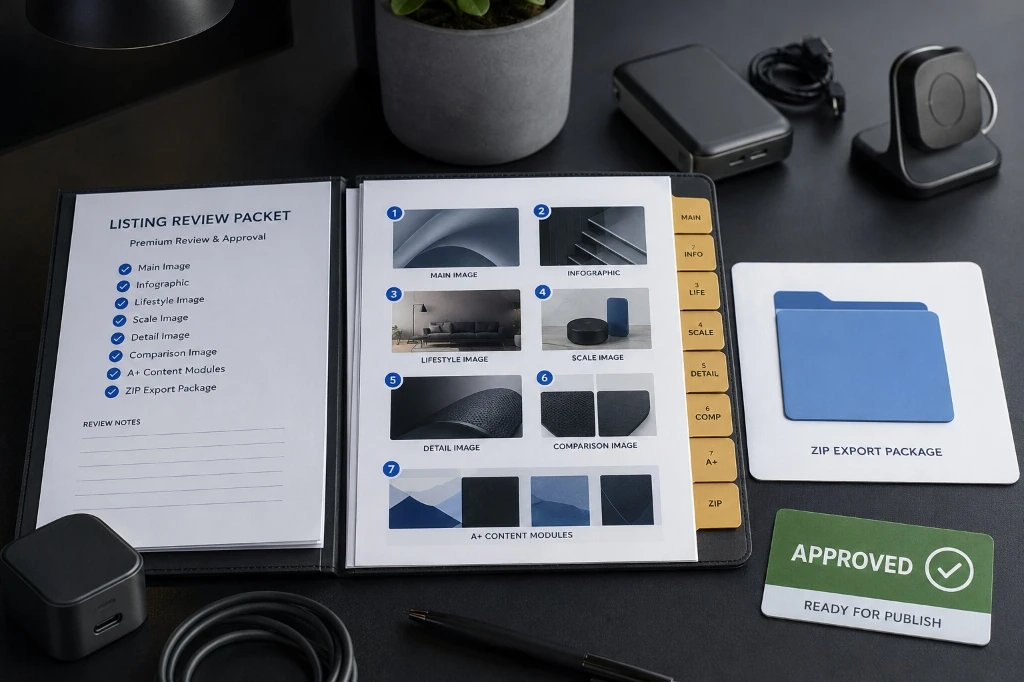
Before uploading AI-generated or AI-assisted Amazon listing assets, review:
| Review item | Question |
|---|---|
| Product accuracy | Does the image show the real product and correct variant? |
| Main image suitability | Is the main image clean, clear, and aligned with Amazon image expectations? |
| Quantity | Does the image show the correct number of items? |
| Accessories | Are all visible accessories actually included? |
| Claims | Are all benefit callouts supported? |
| Dimensions | Are size and scale claims accurate? |
| Readability | Is text readable on mobile? |
| Category fit | Are category-specific rules respected? |
| Brand tone | Does the visual feel consistent with the brand? |
| A+ eligibility | Is the seller eligible and is the content mapped to the right A+ type? |
| Upload handoff | Are files named and ordered clearly? |
| Human approval | Has someone reviewed the final image set before upload? |
FAQ
Can AI create Amazon listing images?
Yes, AI can help create Amazon listing images, including product visuals, lifestyle scenes, infographics, and A+ concepts. Sellers should still review every output for product accuracy, image quality, claims, dimensions, included items, and Amazon marketplace fit before uploading.
Can AI create Amazon main images?
AI can help prepare or enhance main image assets, but sellers should be careful. The main image must clearly represent the actual product and follow Amazon’s image requirements. It should not show misleading props, invented accessories, inaccurate packaging, or unsupported visual claims.
What images do I need for an Amazon listing?
Most sellers should plan a full image stack: main image, benefit infographic, lifestyle image, size or scale image, detail close-up, what’s-in-the-box image, comparison or compatibility image, and A+ assets where eligible. The exact mix depends on the product category and buyer questions.
What is the difference between Amazon listing images and A+ content?
Listing images appear in the main product media area and help shoppers quickly understand the product. A+ content appears lower on the page in enhanced product description sections and supports deeper product education, comparison, and brand storytelling.
Are Amazon infographics allowed?
Infographics are commonly used in secondary image positions, but sellers should review Amazon’s current image and category rules before uploading. Infographics should avoid unsupported claims, misleading comparisons, unreadable text, and information that conflicts with the actual product.
Can AI create Amazon A+ content?
AI can help plan and create A+ content concepts, image modules, comparison layouts, and storyboards. Sellers still need to review the content and submit it through Amazon’s A+ Content workflow where eligible.
Does an Amazon listing image generator guarantee approval?
No. No AI image generator should claim guaranteed Amazon approval. Sellers remain responsible for reviewing product accuracy, marketplace rules, claims, category requirements, and final upload decisions.
How does AgenixSocial help Amazon sellers create listing images?
AgenixSocial supports Amazon visual workflows through Marketplace Listing Studio, Product Shots, Amazon A+ Studio, Products, Media Library, ZIP downloads, and pay-as-you-go credits. Sellers can plan image sets from product context, generate assets, review them, and export files for upload.
Conclusion
An Amazon listing image generator is most useful when it helps sellers build the full visual story, not just one good-looking product image.
The main image should create clarity.
Infographics should explain benefits.
Lifestyle images should show use cases in realistic settings.
Scale and comparison images should answer size and compatibility questions.
A+ modules should deepen the brand story and showcase technical specifications.
Seller review ensures everything is accurate, compliant, and ready to convert.
By starting with a product-aware workflow instead of isolated prompts, ecommerce teams can plan and generate complete, review-ready listing assets that guide shoppers from search results to the checkout button.