Marketplace Image Requirements Checklist: Amazon, Walmart, Facebook Marketplace, and Multichannel Sellers
Marketplace product images are not just creative assets. They are part of the listing.
A strong product image needs to show the product clearly, fit the marketplace format, avoid rule violations, and help the buyer understand what they are getting. That is easy to say and surprisingly hard to do across multiple marketplaces.
Amazon has main image expectations. Walmart has its own product-detail-page image rules. Facebook Marketplace placements use square image specs for ads. Etsy sellers need images that crop well and show product detail clearly. Other marketplaces have their own expectations around background, ratio, product fill, file type, and image count.
If you sell on more than one marketplace, the real problem is not only knowing the rules.
The real problem is building a repeatable image workflow.
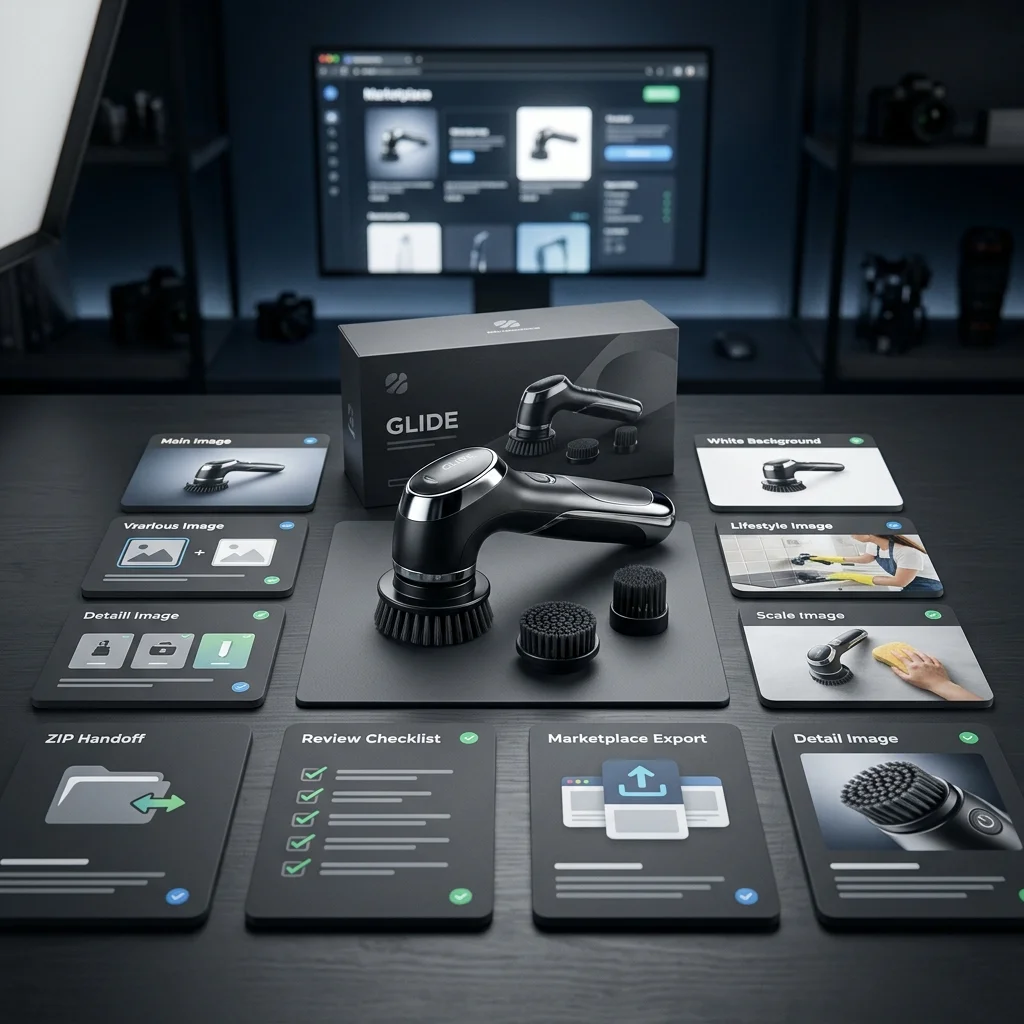
Quick answer: what are marketplace image requirements?
Marketplace image requirements are the technical and content rules sellers must follow when uploading product images to ecommerce marketplaces. These usually include image size, aspect ratio, file type, background style, product fill, image clarity, no watermarks, no misleading elements, and different expectations for main images versus supporting images. Sellers should check each marketplace’s latest rules before upload because requirements can vary by platform and category.
Why marketplace image requirements matter
Product images do three jobs on marketplaces:
- They help the buyer understand the product.
- They help the marketplace maintain a consistent shopping experience.
- They reduce confusion, returns, and policy issues.
A weak image can hurt a listing even if the product is good.
Common issues include:
- blurry product photos
- wrong aspect ratio
- product cropped too tightly
- product too small in the frame
- non-white main image background where white is expected
- text, badges, or logos in the wrong place
- misleading scale
- lifestyle images that do not show the actual product clearly
- AI-generated details that do not match the real product
Marketplace image requirements exist because buyers need clarity. If the image does not clearly show the product, the listing has already lost part of the sale.
Main image vs supporting images
Most marketplace image workflows should separate two jobs: the main image and the supporting image set.

| Image type | Purpose | Common expectations |
|---|---|---|
| Main image | Show the product clearly in search results and listing hero area | Clean product shot, often white or simple background, product centered, no clutter |
| Lifestyle image | Show the product in a real-use context | Environment, use case, person or scene where appropriate |
| Benefit image | Explain key product benefits | Visual callouts, icons, or supporting text where allowed |
| Scale image | Help the buyer understand size | Product next to hand, model, furniture, packaging, or common object |
| Detail image | Show texture, material, finish, feature, or construction | Close-up shot |
| Comparison image | Show variants, bundles, or feature differences | Structured layout |
| Packaging image | Show what arrives in the box | Product plus packaging and included accessories |
| Brand story / A+ image | Support deeper product storytelling | Larger visual modules, brand message, product education |
The mistake many sellers make is treating all images the same. The main image must usually be cleaner and more rule-sensitive. Supporting images can usually do more storytelling.
Marketplace image requirements at a glance
This table is a practical planning view, not a substitute for checking official marketplace documentation before upload.
| Marketplace / placement | Main image direction | Common seller review points |
|---|---|---|
| Amazon | Main image required; clean product presentation; white background commonly required for most product main images | Product clarity, sufficient resolution, no misleading elements, enough image slots, supporting images and video where available |
| Walmart Marketplace | Product-detail-page images include image types such as silo product shots on seamless white backgrounds | Main image style, background, lighting, professional quality, product visibility |
| Facebook Marketplace ad placement | Square image specs are commonly used for marketplace ad placements | 1:1 crop, readable product, mobile clarity, not overloading image with text |
| Etsy | Listing images should be large enough for search and detail views; first image should be clear and crop well | Thumbnail crop, product detail, lifestyle context, visual consistency |
| eBay / multichannel marketplaces | Clear product photos with consistent size, accurate representation, and multiple supporting views | Product accuracy, clean background, no confusing overlays, complete image set |
| Regional marketplaces | Requirements vary by platform and category | Check size, ratio, background, text, and category rules before upload |
The safest workflow is to create assets per marketplace instead of uploading the same image set everywhere.
Amazon product image requirements: what sellers should review
Amazon product image requirements vary by category and listing context, but a few practical checks matter for almost every seller.
Before preparing Amazon listing images, review:
- Is there a clear main image?
- Is the product the focus?
- Is the background appropriate for the main image? Amazon requires a main image and recommends at least six images and one video.
- Is the product large enough in the frame?
- Is the image sharp enough for zoom? Amazon image requirements include at least 1,000 pixels on the longest side and file size limits.
- Are file type and file size acceptable?
- Are there enough supporting images?
- Is the image free from misleading props, badges, watermarks, or unsupported claims?
- Do supporting images explain benefits, size, use cases, and details?
- Is there a video available if the category and account support it?
A good Amazon image set usually includes more than one clean product shot. It should help the shopper answer product questions without reading every line of copy.
Useful Amazon image set structure:
- Main product image.
- Alternate angle.
- Lifestyle or in-use image.
- Feature or benefit image.
- Size or scale image.
- Detail or material image.
- Packaging, bundle, or “what’s included” image.
- Video, where available.
Walmart Marketplace image requirements: what sellers should review
Walmart Marketplace product imagery also rewards clean, professional, consistent product presentation.
A practical Walmart review checklist:
- Is the main image a clean product shot?
- Is the background seamless and appropriate for the image type? Walmart product-detail-page imagery includes silo product shots on seamless white background RGB 255,255,255.
- Is the product in focus?
- Is the lighting professional?
- Is the product centered and easy to inspect?
- Are additional images useful, not repetitive?
- Are lifestyle images realistic and not misleading?
- Are there no unnecessary borders, overlays, or clutter?
- Is the image set complete enough for the buyer to understand the product?
For multichannel sellers, Walmart and Amazon image workflows may look similar at first, but do not assume one export fits both perfectly. Always check the marketplace’s latest documentation and category rules.
Facebook Marketplace image sizing: what sellers should know
Facebook Marketplace is often used differently from Amazon or Walmart. Sellers may use it for local listings, product discovery, or marketplace ad placements.
For product-style images, the practical rule is simple:
- Use a clean square crop when possible.
- Make the product large and clear. Facebook Marketplace ad placement image recommendation is 1200 × 1200 pixels.
- Avoid tiny text.
- Keep mobile viewing in mind.
- Use enough contrast so the product stands out in a feed.
- Do not rely on cluttered lifestyle scenes if the product is hard to identify.
For marketplace ad placements, square images are commonly recommended because they display predictably in mobile-first placements.
Etsy listing image requirements: what sellers should review
Etsy is more visually expressive than many marketplaces, but clarity still matters.
Etsy sellers should review:
- Is the first listing image clear and strong? Etsy first listing photo should be at least 635 pixels wide and high.
- Does the thumbnail crop well?
- Is the product easy to identify at small size?
- Are details visible in close-up images?
- Do lifestyle images show context without hiding the product? Etsy sellers often use larger images for sharper detail and listing clarity.
- Are images visually consistent across the shop?
- Does the image set answer buyer questions about size, material, finish, color, and use?
Unlike Amazon-style main images, Etsy listings often benefit from atmosphere and craft context. But the first image still needs to work hard in search and browsing views.
Multichannel sellers need a workflow, not one image export
A common mistake is creating one product image set and uploading it everywhere.
That may work sometimes, but it is not a reliable multichannel strategy.
Each channel may need different decisions:

| Workflow decision | Why it matters |
|---|---|
| Main image background | Amazon/Walmart-style product pages often expect cleaner main images than social or Etsy-style listings |
| Aspect ratio | Square, portrait, and wide formats crop differently |
| Product fill | A product that looks good on Instagram may appear too small in a marketplace grid |
| Supporting image count | Some channels benefit from more image slots or structured supporting visuals |
| Text overlays | What works on social may be inappropriate for a marketplace main image |
| Lifestyle scenes | Useful for context, but should not misrepresent size, material, or usage |
| Export naming | Teams need to know which asset belongs to which marketplace |
| Review status | Approved and unapproved assets should not be mixed |
A multichannel workflow should create assets for the destination, not only for the product.
Marketplace image checklist for sellers
Use this checklist before uploading product images.
Technical checks
- Is the image large enough for the marketplace?
- Is the aspect ratio correct?
- Is the file type accepted?
- Is the file size acceptable?
- Is the image sharp?
- Is the product visible at thumbnail size?
- Does the image crop correctly on mobile?
- Is the color accurate?
- Is the background appropriate?
- Is the product centered where required?
Content checks
- Does the image show the actual product?
- Are variants represented accurately?
- Are materials, textures, and colors realistic?
- Are accessories or props clearly not included if they are not part of the product?
- Does the image avoid unsupported claims?
- Does the image avoid misleading scale?
- Are text overlays allowed for that image type?
- Are badges, logos, and promotional messages allowed?
- Does the image match the product page copy?
Marketplace checks
- Does the main image follow the marketplace’s main image rules?
- Are supporting images allowed to include lifestyle context?
- Does the category have special requirements?
- Does the marketplace allow infographics?
- Does the marketplace allow models or people?
- Are there image count recommendations?
- Are there upload or naming requirements?
- Has the team reviewed the latest marketplace documentation?
Brand checks
- Does the image match brand tone?
- Does the set look visually consistent?
- Does it align with the product’s positioning?
- Does it look premium enough for the price point?
- Does it avoid looking like a generic AI-generated asset?
Can AI create marketplace-ready product images?
AI can help create marketplace-ready product images, but it should not be treated as an automatic approval machine.
AI can help with:
- background cleanup
- lifestyle scenes
- product-in-use visuals
- supporting images
- benefit-led image concepts
- visual consistency across a product line
- image-set planning
- marketplace-specific variations
- faster drafts for review
But the seller still needs to review:
- product accuracy
- image realism
- dimensions and ratio
- marketplace rules
- category restrictions
- text overlays
- claims
- props and accessories
- whether the product is represented honestly
The best use of AI is to speed up the creation and planning process while keeping a human review step before upload.
Common mistakes with AI-generated marketplace images
AI-generated product images can fail in ways that are easy to miss.
Watch for:
- distorted product shape
- wrong number of parts
- fake buttons, seams, ports, labels, or features
- unrealistic scale
- incorrect packaging
- invented accessories
- altered texture or material
- incorrect color
- text that looks distorted
- marketplace-inappropriate background
- lifestyle use that implies unsupported claims
If the image changes the product, it is not ready.
Marketplace images should make the real product clearer, not invent a better version of it.

A better workflow for marketplace image sets
A practical marketplace image workflow should look like this:
- Choose the marketplace.
- Select the product.
- Review marketplace image expectations.
- Plan the image sequence.
- Generate or create the main image.
- Generate or create supporting images.
- Review for product accuracy.
- Review for marketplace fit.
- Save approved assets.
- Download or hand off the final set for upload.
This is where many sellers lose time. They do not need only one good image. They need a complete, review-ready image set.
How AgenixSocial helps with marketplace image workflows
AgenixSocial helps marketplace sellers create marketplace image sets from product catalog context instead of starting from a blank prompt.
Marketplace Listing Studio lets Amazon sellers select a marketplace and product, choose the number of images, decide whether to create from scratch or revamp existing images, add optional emphasis, and generate an editable listing plan before creating the final image set.
That matters because marketplace images are not random visuals. A good image set needs a sequence: main image, supporting story scenes, benefits, scale, detail, and review-ready outputs.
AgenixSocial also connects this workflow to other parts of the content system:
- Product Shots for controlled product and lifestyle visuals.
- Products for real product context.
- Brand DNA for reusable brand context.
- Amazon A+ Studio for Amazon-style storytelling modules.
- Media Library for saving generated assets.
- Downloads for handing off final image sets to the team.
AgenixSocial gives ecommerce teams a stronger starting point by grounding workflows in reusable brand and product context. Teams still review final assets for product accuracy, claims, marketplace fit, and brand tone before publishing or uploading.
Marketplace image workflow: DIY image workflow vs product-aware workspace
| Question | DIY image workflow | Product-aware marketplace workspace |
|---|---|---|
| Where does product context live? | Prompt, spreadsheet, or copied product page | Product catalog |
| How is the image sequence planned? | Manually | Editable marketplace plan |
| How are marketplace rules checked? | Manual checklist | Marketplace-aware workflow plus seller review |
| Where do assets go? | Downloads or folders | Media Library |
| How are image sets shared? | Manual folder or ZIP | Downloadable asset set |
| Does the workflow support social too? | Usually separate tools | Connected content workspace |
| Does it guarantee approval? | No | No — seller review still required |
| Best for | One-off image edits | Repeatable marketplace image sets |
FAQ
What are marketplace image requirements?
Marketplace image requirements are the rules and recommendations sellers follow when uploading product images. They usually cover size, ratio, file type, background, product clarity, image quality, and what can or cannot appear in main and supporting images.
What are Amazon product image requirements?
Amazon requires every product to have a main image and provides rules around image quality, size, file type, and product presentation. Sellers should check Amazon Seller Central’s latest image guide before uploading because requirements can vary by product category and marketplace.
What are Walmart marketplace image requirements?
Walmart Marketplace image requirements include professional product imagery and image types such as silo product shots on a seamless white background. Sellers should check Walmart Marketplace Learn for the latest requirements before uploading.
What size should marketplace images be?
There is no single image size that fits every marketplace. Amazon, Walmart, Facebook Marketplace placements, Etsy, eBay, and regional marketplaces can have different size, ratio, and format expectations. Multichannel sellers should create marketplace-specific exports.
Can AI create marketplace-ready product images?
AI can help create marketplace-ready image drafts, supporting visuals, and product image sets. However, sellers still need to review product accuracy, marketplace rules, claims, image quality, and upload readiness.
Does AI guarantee marketplace approval?
No. AI-generated images do not guarantee marketplace approval. Sellers should review final assets against the marketplace’s latest rules and their own product accuracy standards before upload.
What images should a marketplace listing include?
A strong marketplace listing often includes a main product image, alternate angle, lifestyle image, benefit image, scale image, detail image, packaging image, and comparison or use-case image where appropriate.
How does AgenixSocial support marketplace image creation?
AgenixSocial Marketplace Listing Studio helps teams create marketplace image sets from product context with an editable plan before generation. The final assets can be saved to Media Library and downloaded for seller review and marketplace upload.
Conclusion
Marketplace image requirements are not just technical details. They shape how buyers see the product and how confidently they decide to click, compare, and purchase.
Sellers need to understand the rules, but they also need a repeatable workflow.
The strongest marketplace image workflow starts with the product, plans the image sequence for the marketplace, creates the right mix of main and supporting images, reviews for accuracy and compliance fit, and organizes final assets for upload.
AI can help accelerate that process, but human review still matters.
AgenixSocial helps ecommerce teams create a stronger starting point by connecting product catalog context, Marketplace Listing Studio, Product Shots, Amazon A+ Studio, Media Library, and downloadable assets in one workspace.
The goal is simple: fewer scattered image tasks, more review-ready marketplace content.