How to create marketplace listing images with AI
Short answer
To create marketplace listing images with AI, start by understanding the marketplace you are selling on, then plan a complete image set for that platform. Use product references, product details, brand context, marketplace expectations, image sequence planning, and review checks before generating or uploading final visuals.
The same product can be sold on many marketplaces, but the same image set should not be blindly copied everywhere.
Amazon, Flipkart, Walmart, Shopee, Lazada, TikTok Shop, Etsy, and eBay all have different buyer behavior, category norms, image expectations, mobile layouts, trust signals, and content rules. AI can help create images faster, but the real value comes from adapting the product story to each marketplace without rebuilding product and brand context every time.
Marketplace listing images are not just product photos.
They are marketplace-specific selling systems.
If you want the broader foundation first, start with what AI product photography is, how to create ecommerce product photos with AI, and the more Amazon-specific guide on how to create Amazon listing images with AI.
Why marketplace listing images need a different strategy
A product image that works on Amazon may not be the best image for TikTok Shop.
A visual that feels right on Etsy may not be ideal for Walmart.
An image set that works for a premium product page may feel too slow, too plain, or too information-light for a mobile-first marketplace.
That is the core problem.
Marketplace sellers do not struggle only because they need images. They struggle because each marketplace expects a slightly different visual selling system.
A seller may need:
- Amazon-style image sets
- Flipkart-style marketplace visuals
- Walmart-ready retail images
- Shopee and Lazada mobile-first visuals
- TikTok Shop social-commerce images
- Etsy-style lifestyle and craft visuals
- eBay trust-focused product images
The product may be the same, but the visual strategy should change.
That is why marketplace listing images should be planned by platform, not copied blindly from one marketplace to another.
The mistake: treating one image set as universal
Many sellers create one product image set and use it everywhere.
That feels efficient, but it often creates weak marketplace performance.
Why?
Because each marketplace has its own selling context.
Amazon shoppers often expect a structured gallery: main product image, lifestyle shot, benefit image, product-in-use image, feature detail, scale image, comparison, and trust signal. Amazon’s own seller guidance says every listing needs at least one image and recommends multiple additional images and one video to help customers evaluate the product. See Amazon Seller Central’s product image guide.
Etsy shoppers often care about originality, craft, detail, texture, lifestyle context, and authenticity. Etsy’s official help also recommends listing photos of at least 2000 pixels for zoom quality. See Etsy’s image requirements and best practices.
eBay buyers often care about exact product condition, multiple angles, what is included, and trust. eBay’s seller photo tips recommend clear, well-lit photos and say images should be at least 1600 pixels on the longest side. See eBay’s photo tips.
TikTok Shop is closer to social commerce. Its seller guidance says sellers can upload up to nine square images and should avoid repeating the same angle, which fits a more direct, mobile-first image style. See TikTok Shop Seller Center’s product listing guide.
Walmart expects clean, retail-ready visuals that make the item feel trustworthy and easy to evaluate. Walmart Marketplace says product images should accurately represent the item being sold. See Walmart Marketplace Learn’s image guidelines and requirements.
The same product story can be adapted across all of these, but it should not be copied in the same visual form.
Common marketplace image types
Most marketplaces need some combination of these image types:
| Image type | What it does |
|---|---|
| Main product image | Shows the product clearly |
| Lifestyle image | Shows the product in a real setting |
| Benefit image | Explains why the product matters |
| Product-in-use image | Shows how the product is used |
| Feature or detail image | Highlights material, build, texture, components, or design |
| Size or scale image | Reduces uncertainty about product dimensions |
| Bundle or inclusion image | Shows what the buyer receives |
| Comparison or variant image | Helps the buyer choose |
| Trust image | Shows quality, safety, warranty, care, or brand confidence |
| Social-commerce image | Makes the product feel native to content-driven shopping |
The right mix depends on the marketplace.
The mistake is assuming every marketplace needs the same mix in the same order.
Marketplace-by-marketplace image strategy
Here is a practical starting point.
| Marketplace | Image strategy |
|---|---|
| Amazon | Structured image gallery, benefit visuals, product-in-use, comparison, trust |
| Flipkart | Clear product visuals, feature-benefit images, offer or category-style clarity |
| Walmart | Clean, retail-ready visuals, product details, specifications, trust |
| Shopee | Mobile-first, promotional, benefit-led, energetic |
| Lazada | Mobile-first marketplace visuals, strong product clarity, promotional framing |
| TikTok Shop | Social-commerce style, product-in-use, creator or ad-friendly visuals |
| Etsy | Handmade, lifestyle, craft, authenticity, detail shots |
| eBay | Trust, condition, clarity, exact product details, multiple angles |
This table is not a replacement for each platform’s current rules.
It is a strategy map.
Before upload, sellers should still check the current marketplace requirements for each platform and category.
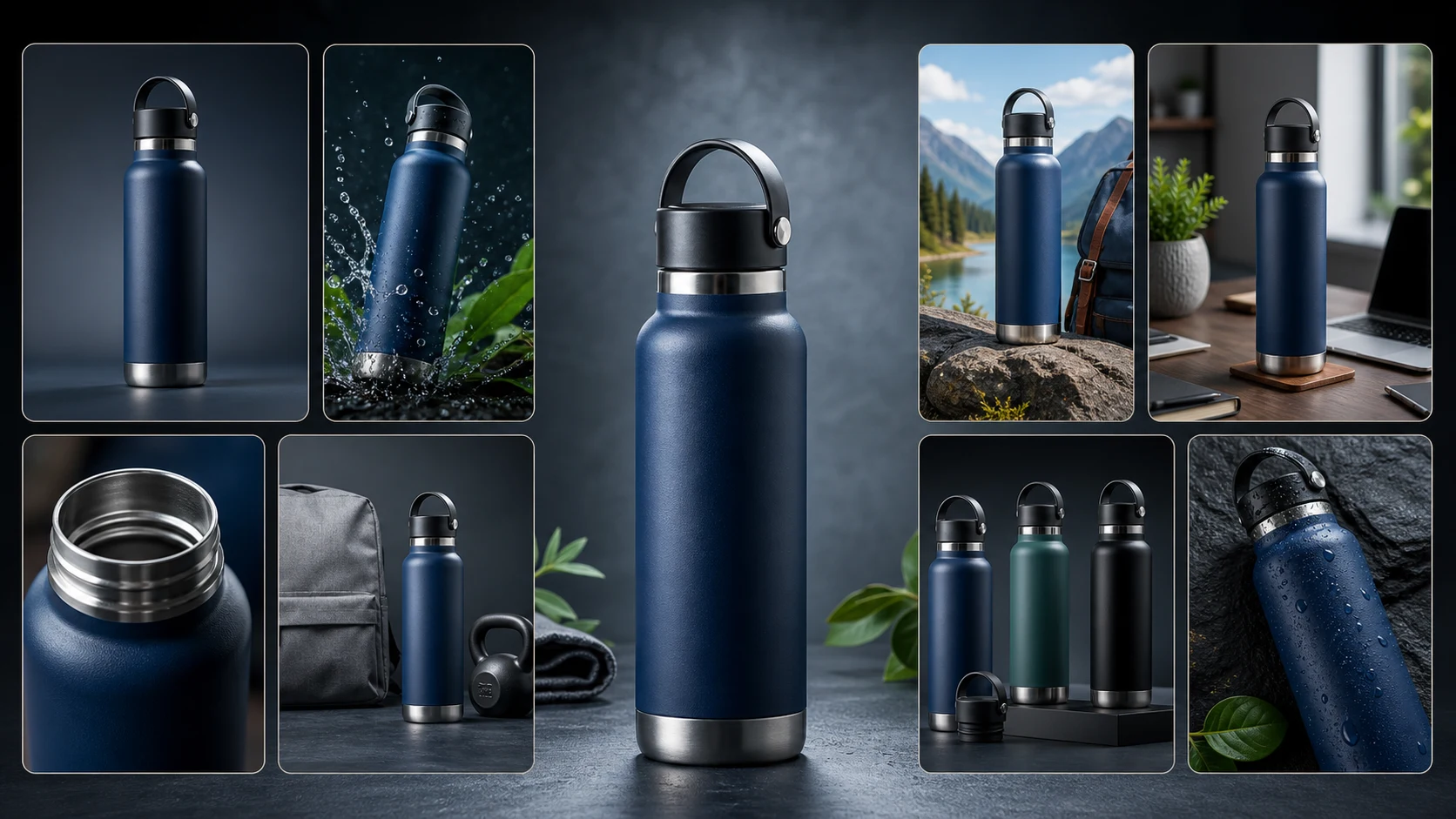
Example product: insulated stainless steel water bottle
Let’s use one product across marketplaces:
Product: insulated stainless steel water bottle.
The base product story may include:
- keeps drinks hot or cold
- durable stainless steel build
- leak-resistant lid
- fits office, travel, gym, school, and outdoor use
- available in multiple colors or sizes
- easy to carry
- reusable alternative to disposable bottles
Now the question is not, "Can we make a product photo?"
The question is:
How should this bottle be shown differently across marketplaces?
How the image strategy changes by marketplace
Amazon
Amazon should get a structured image gallery.
For the water bottle, the set may include:
- main product image on white background
- lifestyle image on desk or outdoor table
- benefit image around temperature retention
- product-in-use image with someone packing it in a bag
- feature detail showing lid, finish, mouth opening, or handle
- size image next to a laptop, hand, or backpack
- comparison or variant image showing color or capacity options
- trust image showing quality, use cases, or included accessories
Amazon needs quick education and a clear selling sequence.
Flipkart
Flipkart images should be clear and benefit-led.
The water bottle may need:
- clean product visual
- feature-benefit graphic style
- capacity or size clarity
- durability angle
- offer or bundle-oriented visual if relevant
- lifestyle use in office, college, travel, or gym context
The goal is to make the product easy to understand in a competitive category page.
Walmart
Walmart visuals should feel retail-ready and trustworthy.
For the bottle:
- clean main product image
- product details and capacity
- material and durability visuals
- use-case images for home, office, school, or travel
- size and package clarity
- trust-oriented product presentation
Walmart buyers need confidence that the product is clear, accurate, and retail-quality.
Shopee
Shopee is more mobile-first and promotional.
For the bottle:
- strong product image
- colorful benefit-led visual
- compact product-in-use scene
- size and capacity callout
- bundle or variant visual
- energetic marketplace-style image that still looks clean
The goal is to stand out quickly on mobile.
Lazada
Lazada also needs mobile-first marketplace clarity.
For the bottle:
- product-first image
- strong use-case visual
- benefit-driven image for hot or cold drinks
- clean promotional framing
- variant or size visual
- product detail image
The image set should feel clear, scannable, and purchase-oriented.
TikTok Shop
TikTok Shop is closer to content commerce.
For the bottle:
- product-in-use images
- lifestyle moments
- creator-friendly visual style
- gym, desk, commute, or outdoor use
- visual that feels like it could sit beside short-form product content
The image should feel alive, not just catalog-style.
Etsy
Etsy needs authenticity.
If the bottle has handmade, customized, engraved, limited-edition, or design-led qualities, Etsy should show:
- lifestyle images
- detail shots
- texture and finish
- personalization or craft angle
- packaging
- scale
- real-world use
Etsy is less about pure marketplace efficiency and more about trust, uniqueness, and craft.
eBay
eBay is trust-heavy.
For the bottle:
- exact product images
- multiple angles
- condition clarity
- what is included
- size and packaging
- close-ups of details
- any marks, variation, or exact finish
eBay buyers want to know exactly what they are getting.
Why multi-marketplace image creation becomes a team-sized job
One product across one marketplace is a design task.
One hundred products across eight marketplaces is a creative operations project.
A seller is no longer asking, "Can we make product images?"
They are asking:
- Can we plan different image sets for each marketplace?
- Can we adapt the same product story without making every listing look copied?
- Can we maintain brand consistency across marketplaces?
- Can we review product accuracy and marketplace fit at scale?
- Can we export, organize, and reuse assets without losing track?
This is where teams get stuck.
Even a large team working full-time can need months to plan, design, review, resize, export, organize, and adapt product visuals across marketplaces. The work is not only image creation. It is creative direction, product understanding, marketplace adaptation, quality review, file handling, and repetition at scale.
That is why marketplace image creation becomes expensive.
Not because one image is hard.
Because the workflow repeats across products, marketplaces, categories, and formats.

How to create marketplace listing images with AI
Here is the practical workflow.
Step 1: Choose the marketplace first
Do not start with the image.
Start with the marketplace.
Ask:
- Is this for Amazon, Flipkart, Walmart, Shopee, Lazada, TikTok Shop, Etsy, or eBay?
- Is the marketplace mobile-first?
- Does it reward lifestyle images?
- Does it need exact condition clarity?
- Does the product need benefit visuals or trust visuals?
- What image order makes sense?
The marketplace determines the strategy.
Step 2: Start with product truth
The AI needs accurate product context.
Gather:
- product name
- product photos
- product description
- benefits
- materials
- dimensions
- variants
- colors
- usage contexts
- what is included
- product limitations
- claims that need review
If the product context is weak, the images may look nice but say the wrong thing.
Step 3: Add brand context
Brand context helps keep images consistent.
Add:
- brand tone
- customer type
- visual style
- price position
- category
- market
- brand colors
- what the brand should avoid
This prevents the same product from looking premium on one marketplace and generic on another.
This is where Brand DNA matters. Without stored brand context, teams keep re-explaining the same brand identity every time they need a new marketplace set.
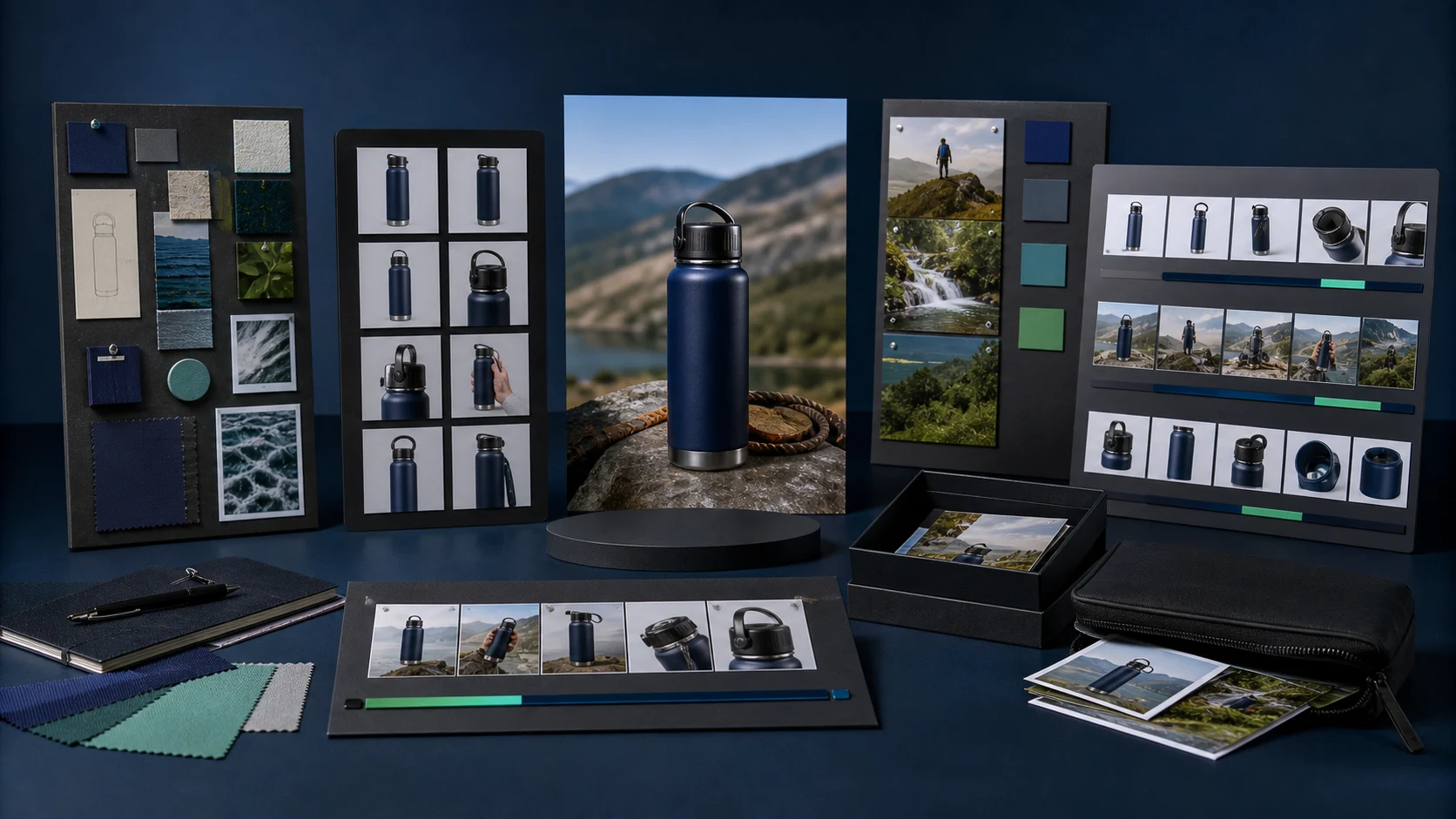
Step 4: Plan the image set
Do not generate random images.
Plan the set.
For each marketplace, decide:
- main product image
- lifestyle image
- benefit image
- product-in-use image
- feature or detail image
- size or scale image
- comparison or bundle image
- trust image
The sequence can change by marketplace.
Step 5: Generate marketplace-specific visuals
Now generate images based on:
- product context
- brand context
- marketplace
- image type
- aspect ratio
- image order
- style direction
- content limitations
The same water bottle can become a clean Amazon listing gallery, a mobile-first Shopee visual set, an Etsy lifestyle set, or an eBay condition-focused set.
Step 6: Review before upload
AI reduces production work, but review still matters.
Check:
- product accuracy
- marketplace fit
- text and claim safety
- product size
- variant accuracy
- included items
- condition
- image clarity
- brand consistency
Review is the step that turns generated images into usable marketplace assets.
Step 7: Export and organize
Final images should be easy to use.
A seller should know:
- which marketplace each image set belongs to
- which product it belongs to
- which order the images should be uploaded in
- which images are approved
- which ones need revision
- which assets can be reused in ads, campaigns, or other marketplaces
Without organization, the image workflow becomes messy again.
Generic manual workflow vs AgenixSocial Listing Studio
| Step | Generic or manual workflow | AgenixSocial Listing Studio workflow |
|---|---|---|
| Marketplace selection | Seller researches each platform manually | Select marketplace inside Listing Studio |
| Product context | Re-enter product details for each platform | Uses product catalog context |
| Brand context | Re-explain brand style repeatedly | Uses Brand DNA |
| Image planning | Plan each marketplace image set manually | Creates an editable image timeline |
| Platform adaptation | Manually resize, reframe, and rewrite direction | Generates around marketplace-specific workflow |
| Review | Check after image creation | Review or edit plan before generation |
| Export | Download one by one | Save to Media Library or download ZIP |
| Reuse | Recreate for next marketplace | Reuse across marketplace and campaign workflows |
This is the product angle.
AgenixSocial Marketplace Listing Studio is not just a marketplace image generator.
It is a marketplace image-set planning and generation workflow.
The user selects the marketplace and product, uses existing Brand DNA and product catalog context, creates an editable image timeline, generates the full image set, saves it to Media Library, downloads a ZIP, and reuses assets across workflows.
How AgenixSocial helps marketplace sellers
AgenixSocial helps solve the repeated-context problem.
Instead of starting from zero for every platform, the system already understands:
- the brand
- the product
- product images
- product descriptions
- category context
- selling angle
- marketplace workflow
For marketplace sellers, Listing Studio supports image-set workflows for:
- Amazon
- Flipkart
- Walmart
- Lazada
- Shopee
- TikTok Shop
- Etsy
- eBay
The user selects the marketplace, selects the product, chooses the number of images, adds emphasis if needed, and reviews the editable plan before generation.
After the image set is generated, the seller can save it to Media Library, download the images as a ZIP, and reuse assets in other marketplace or campaign workflows.
This is the difference between creating images and running a marketplace content workflow.
Review checklist before uploading marketplace images
Before uploading marketplace listing images, check:
| Review area | What to check |
|---|---|
| Product accuracy | Shape, color, material, packaging, variant, and included items |
| Marketplace fit | Does the image match the platform’s current expectations? |
| Main image clarity | Is the product easy to understand quickly? |
| Mobile readability | Can the image be understood on a small screen? |
| Text and claim safety | Are claims accurate and marketplace-safe? |
| Brand consistency | Does the image feel like the same brand across platforms? |
| Size and scale accuracy | Does the product look correctly sized? |
| Visual variety | Does each marketplace set feel adapted, not copied? |
| File organization | Are images named, grouped, and ordered correctly? |
| Reuse readiness | Can approved assets be reused in ads, campaigns, or A+ content? |
Do not skip this.
AI can help create images quickly, but sellers still need review discipline.
What not to do with marketplace listing images
Avoid these mistakes:
Do not blindly reuse the same Amazon image set everywhere
Amazon image strategy is not automatically the right strategy for Etsy, TikTok Shop, or eBay.
Do not ignore mobile-first viewing
Shopee, Lazada, and TikTok Shop are heavily mobile-driven. Images need to communicate quickly on small screens.
Do not overstuff images with text
Text can help, but too much text makes the image harder to scan.
Do not make unsupported claims
If the claim is not grounded in product truth, do not put it in the image.
Do not use competitor references or misleading comparisons
Help the buyer choose without attacking other brands.
Do not forget exact product accuracy
This matters especially for eBay, variants, bundles, and condition-sensitive products.
Do not ignore current marketplace rules
Each platform can update requirements. Always check the latest seller guidance before upload.
Common mistakes sellers make
Mistake 1: Treating marketplace images as one-size-fits-all
One product story can be reused. The exact image set should be adapted.
Mistake 2: Creating images without sequence planning
A set of eight random images is not an image strategy.
Mistake 3: Losing brand consistency across platforms
If each marketplace looks like a different brand, trust drops.
Mistake 4: Ignoring platform behavior
A desktop retail marketplace and a mobile-first social-commerce platform do not need identical image treatment.
Mistake 5: Forgetting file handling
Even good images become hard to use if they are not organized by product, marketplace, order, and approval status.
Mistake 6: Treating AI as the whole workflow
AI image generation is useful. But marketplace content also needs planning, review, export, and reuse.
Final takeaway
Marketplace listing images are not reusable one-to-one across platforms.
The product may be the same, but the image strategy should change depending on the marketplace, buyer behavior, category norms, aspect ratio, image rules, and selling context.
Creating one image set is manageable.
Creating image sets for 100 products across Amazon, Flipkart, Walmart, Shopee, Lazada, TikTok Shop, Etsy, and eBay can take a large team months because the work is not just image generation. It is planning, adaptation, review, export, organization, and reuse.
That is why marketplace sellers need a workflow, not just an image generator.
AgenixSocial Marketplace Listing Studio helps sellers select the marketplace, use stored brand and product context, create an editable image timeline, generate the full image set, save assets to Media Library, download a ZIP, and reuse content across workflows.
It fits naturally with Product Shots, Brand DNA, Amazon A+ Studio, marketplace sellers, Amazon sellers, and teams comparing options on pay-as-you-go pricing.
Create marketplace-ready image sets with Marketplace Listing Studio.
FAQ
Can I use the same product images on every marketplace?
You can reuse some product assets, but you should not blindly use the same image set everywhere. Each marketplace has different buyer behavior, visual expectations, mobile layouts, and content rules.
Which marketplaces need different image strategies?
Amazon, Flipkart, Walmart, Shopee, Lazada, TikTok Shop, Etsy, and eBay can all benefit from different image strategies because shoppers use them differently.
What images do marketplace listings usually need?
Most marketplace listings need a main product image, lifestyle image, benefit image, product-in-use image, detail image, size or scale image, bundle or inclusion image, and trust image.
Can AI create marketplace listing images?
Yes. AI can help create marketplace listing images when it uses accurate product references, product details, brand context, marketplace-specific planning, and review checks.
Why is creating marketplace images across many platforms so hard?
Because each platform adds another layer of planning, image rules, visual adaptation, review, file organization, and upload preparation. At 100 products, this becomes a creative operations project.
How does AgenixSocial Listing Studio help?
AgenixSocial Listing Studio lets sellers select the marketplace and product, uses Brand DNA and product catalog context, creates an editable image timeline, generates the full image set, saves it to Media Library, and supports ZIP download.
What should I review before uploading marketplace images?
Check product accuracy, marketplace fit, main image clarity, mobile readability, claim safety, brand consistency, size accuracy, visual variety, file organization, and reuse readiness.
Should marketplace images include text?
Text can help explain benefits, but it should be used carefully. Avoid overloading images with text, making unsupported claims, or adding anything that conflicts with platform rules.