How to create ecommerce product photos with AI
Short answer
To create ecommerce product photos with AI, start with clear product reference images, add product details, define the brand context, choose the shot type, select the platform format, generate multiple variations, and review the output for product accuracy before publishing. The hard part is not creating one good image. The hard part is repeating the workflow across many products without losing brand consistency, creative variety, and product accuracy.
If you want the foundation first, start with what AI product photography is.
Most teams think AI product photography is a prompting problem.
It is actually a workflow problem.
A good prompt can create one usable image. Ecommerce teams need something harder: repeatable product visuals across Shopify, Amazon, marketplaces, social posts, ads, campaigns, and product launches.
That is where most AI product photo workflows start to break.
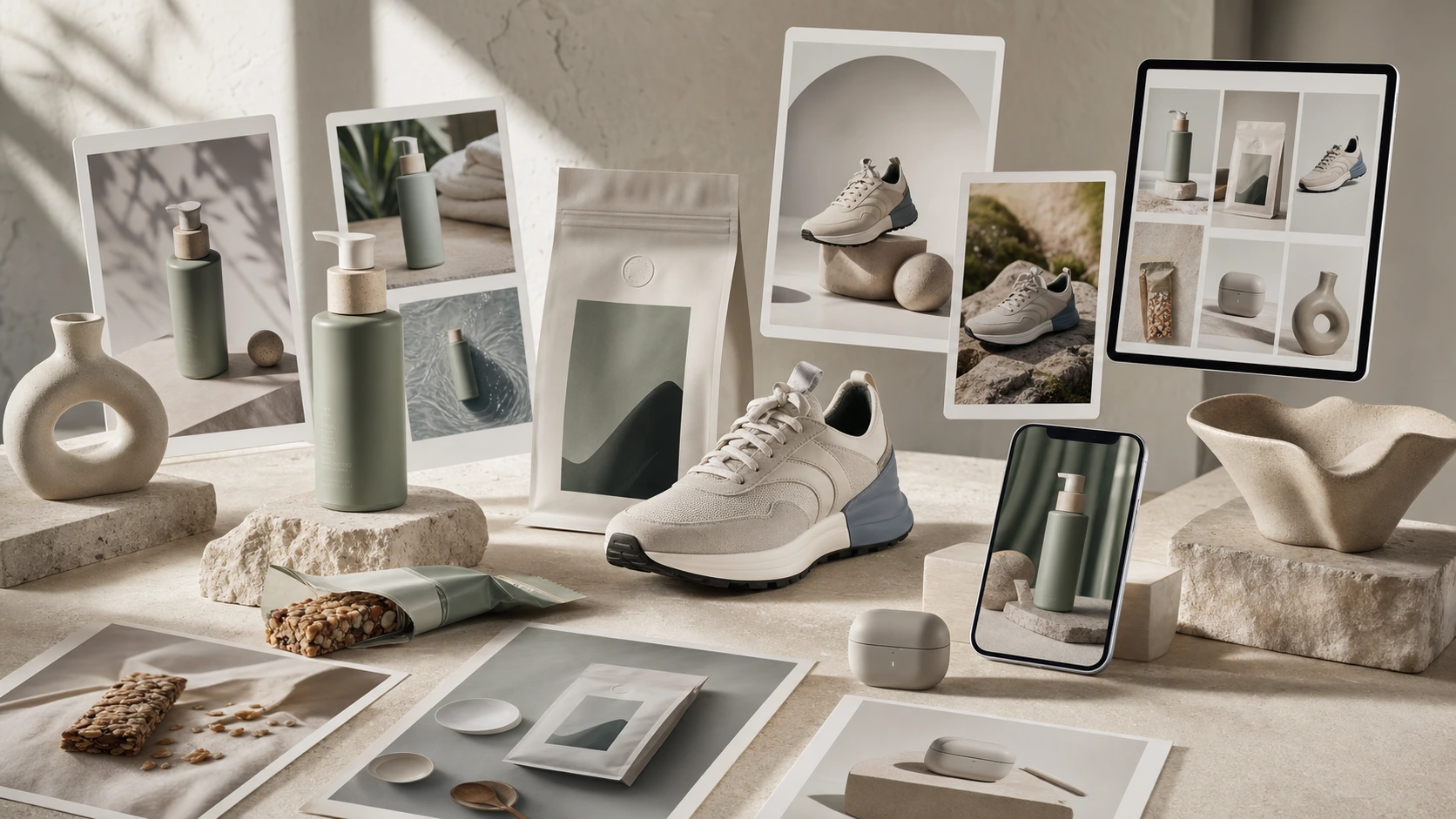
Why AI product photos are not just a prompting problem
A prompt matters. A better prompt can improve the output. It can tell the AI what the product is, what the lighting should look like, what background to use, what mood to create, and which format the image should follow.
But ecommerce product photography needs more than prompt writing.
A product image has to do a job. It must show the product clearly, preserve the product shape, communicate the right benefit, match the brand, fit the platform, and look trustworthy enough for a buyer to act.
That means the workflow needs more than one sentence of creative direction.
You need:
- a clean product reference
- product title and description
- key product benefits
- brand voice and visual identity
- customer context
- shot type
- channel or marketplace format
- aspect ratio
- text-on-image decision
- review checklist
- storage and reuse workflow
For one image, you can do this manually.
For three products, it is still manageable.
For 30 SKUs, it becomes repetitive.
For 100 SKUs or 200 listings, the work becomes an operating problem.
That is the main point of this guide. AI can create ecommerce product photos, but the real win comes from building a repeatable workflow that does not force your team to rebuild brand and product context every time.
The generic AI workflow people use today
Most teams start with a scattered workflow.
It usually looks something like this:
- Subscribe to or access multiple tools such as ChatGPT, Claude, an image generator, a design tool, and a resizing tool.
- Set up APIs, MCPs, browser workflows, or manual handoffs if the team wants a more advanced workflow.
- Collect product reference images.
- Collect product title, description, benefits, ingredients, materials, pricing, and use cases.
- Collect brand voice, colors, positioning, customer persona, and visual style.
- Write or refine a prompt using ChatGPT or Claude.
- Upload product references into the image tool.
- Paste brand and product context into the image tool.
- Define the scene, shot type, lighting, background, aspect ratio, and channel.
- Generate multiple versions.
- Review the output for product accuracy, packaging, label, hands, proportions, claims, and visual quality.
- Download the output.
- Resize or adapt it for website, marketplace, social media, ads, or Amazon A+ content.
- Store the file somewhere.
- Repeat the same context setup again for the next product, campaign, or platform.
This workflow can work for one or two images.
It becomes painful when the brand needs consistent output across a real catalog.
The problem is not that the AI image tool is bad. The problem is that the workflow is scattered across too many places.
Tools you may need in a generic workflow
If you create ecommerce product photos with generic AI tools, you may need several tools around the image generator.
You may need:
- an AI writing tool to improve the prompt
- an AI image generator
- a product image editor
- a background remover
- an upscaling tool
- a design or resizing tool
- a file storage system
- a spreadsheet to track what has been created
- marketplace image guidelines
- social media format references
- an approval process
- a calendar or publishing tool
Each tool may be useful on its own.
The difficulty comes from managing the handoffs. The brand context sits in one place. Product references sit somewhere else. Prompts live in chat history. Final outputs are downloaded into folders. Marketplace requirements may be in a spreadsheet. Campaign planning may happen in another tool.
This is why AI product photography often feels easy in demos and messy in real ecommerce operations.
The demo shows one output.
The real work requires the same process to be repeated again and again.
Why the workflow breaks after a few products
The first product usually feels exciting.
You upload a product image, write a prompt, generate a few options, and pick the best one. The output may look much better than expected.
The second product still feels manageable.
By the fifth product, you start copying pieces from old prompts.
By the tenth product, you are reusing the same scene, same mood, same lighting, and same product framing.
By the thirtieth product, the workflow has become production work.
This is where the real problems start appearing.
Repeated brand context
Every tool needs to be told what the brand is. If the brand is premium, playful, minimal, earthy, technical, youthful, clinical, Indian, American, luxury, mass-market, or marketplace-first, the AI needs that context.
If the system does not remember it, the user has to repeat it.
Repeated product context
Every product has its own details. A serum is not the same as a coffee pouch. A sneaker is not the same as a home decor object. Even two products in the same category may need different visual treatment.
Without product context, the AI creates generic scenes.
Repeated channel requirements
A Shopify product page, Amazon listing image, Instagram post, Facebook ad, email banner, and Amazon A+ module do not need the same image.
Each channel has different expectations. Amazon has its own image rules, and Seller Central says images must accurately represent the product while every product needs at least one image and Amazon recommends additional images and video for stronger listings. Shopify’s product photography guide is also a useful reminder that good commerce imagery starts with the right setup and clarity before any editing or generation layer is added.
Repeated review work
The output may look good at first glance, but ecommerce teams still need to review product shape, label accuracy, packaging, text readability, claims, proportions, and brand fit.
This review cannot be skipped.
Repeated creative direction
The user must keep inventing new scenes.
That is harder than it sounds.
The first few product prompts are easy. After that, the team starts running out of fresh visual directions.
Creative fatigue: why AI product photos start looking the same
Creative fatigue is real.
It increases quickly once a team moves beyond a few products.
The first three product images may feel fresh. By the tenth or thirtieth SKU, teams often repeat the same background, same angle, same lighting, same props, same scene, and same benefit framing.
The images technically exist, but they begin to look similar.
That creates a new problem. AI product photography was supposed to create more variety, but the workflow starts producing repetitive output because the human operator is tired of inventing new ideas.
This is especially visible when a brand needs images for:
- multiple SKUs in the same category
- seasonal refreshes
- marketplace listing sets
- product launch campaigns
- ads across platforms
- social content calendars
- Amazon A+ modules
- comparison and benefit images
A tired workflow creates tired visuals.
The fix is not only "write a better prompt."
The fix is a workflow that keeps brand and product context available, supports multiple output paths, and helps the team generate variations without rebuilding every creative decision from scratch.

Step-by-step workflow to create ecommerce product photos with AI
Here is the practical workflow.
Step 1: Start with product reference images
The product reference is the base.
Use clear product images that show the actual product shape, packaging, label, texture, color, and proportions. If the product has multiple sides or important details, include more than one reference.
Poor product references lead to poor outputs.
The AI needs to understand what must stay accurate.
Step 2: Add product details
Do not rely only on the image.
Add the product title, description, key benefits, use cases, materials, ingredients, dimensions, target customer, price position, and any important restrictions.
A skincare product, a protein bar, a sneaker, and a kitchen tool all need different product context.
The more clearly the product is described, the easier it is to create a useful image.
Step 3: Add brand context
Brand context is what prevents the output from looking random.
Add details such as:
- brand voice
- visual style
- target customer
- market
- color palette
- product positioning
- tone
- cultural context
- competitor context
- what the brand should avoid
This is the step most generic AI workflows underplay.
Without brand context, the image may look polished but still feel wrong for the brand.
Step 4: Choose the image type
Decide what kind of image you need before generating.
Common ecommerce product photo types include:
- clean studio shot
- white background product image
- lifestyle image
- flat lay
- product-in-use image
- macro or detail shot
- environmental shot
- marketplace listing image
- Amazon A+ visual module
- advertisement image
- campaign creative
A vague prompt creates vague output.
A specific shot type gives the system direction.
Step 5: Choose the channel and format
A product image is not finished until it fits where it will be used.
Choose the channel:
- Shopify product page
- Amazon listing
- Flipkart listing
- Walmart listing
- Shopee listing
- Lazada listing
- Instagram post
- Facebook ad
- email banner
- Amazon A+ module
- campaign landing page
Then choose the aspect ratio or layout.
A good image in the wrong format creates more work later.
Step 6: Generate multiple variations
Do not generate only one image.
Generate multiple variations across:
- background
- angle
- lighting
- prop style
- lifestyle setting
- customer situation
- benefit framing
- composition
- text-on-image option
This gives the team enough choice to pick the best direction.
It also reduces the risk that every product image starts looking the same.
Step 7: Review product accuracy
Do not publish AI product photos without review.
Check:
- product shape
- packaging
- label
- colors
- shadows
- proportions
- hands or object interactions
- claims
- badges
- ingredients or materials
- text readability
- platform fit
If the product has a label or a specific design, this review matters even more.
A beautiful image that misrepresents the product is not a useful ecommerce asset.
Step 8: Save, resize, reuse, or schedule
After review, the image needs to move somewhere.
The final asset may need to be:
- saved to a media library
- downloaded
- sent for approval
- resized
- scheduled
- added to a marketplace listing
- reused in a campaign
- adapted into an ad
- included in Amazon A+ content
This is why asset management is part of the workflow.
If final images are scattered across downloads, chat histories, shared drives, and random folders, the team loses time later.
Generic AI workflow vs AgenixSocial workflow
| Step | Generic AI workflow | AgenixSocial workflow |
|---|---|---|
| Brand context | Re-enter manually every time | Brand DNA is created automatically |
| Product context | Upload references and details repeatedly | Shopify products import automatically where supported, or products can be added manually |
| Prompt setup | Write and refine prompts manually | Use guided creation paths in Content Studio |
| Output type | Manually describe studio, lifestyle, marketplace, ad, or A+ direction | Choose Product Shots, marketplace images, Amazon A+ Studio, or advertisement |
| Channel format | Manually specify platform and aspect ratio | Select the output path and format |
| Creative variety | User must invent new scenes repeatedly | Generate multiple variations from stored brand and product context |
| Review | Manual checking across tools | Review before saving, approval, scheduling, or download |
| Asset management | Download and organize manually | Save to Media Library |
| Next action | Use separate tools for scheduling, marketplace assets, or reuse | Send for approval, schedule, download, or reuse in marketplace workflows |
This is the real difference.
A generic workflow starts from a blank prompt.
A product-aware workflow starts from the brand and product context that already exists.

Example: 30 SKUs across Shopify, Amazon, Instagram, and ads
Imagine a marketer needs product photos for 30 SKUs.
The brand sells through Shopify, Amazon, Instagram, and paid ads.
For each product, the marketer may need:
- clean product page images
- lifestyle images
- marketplace listing images
- benefit visuals
- social post images
- ad creatives
- seasonal variations
- Amazon A+ supporting visuals
With generic AI tools, the marketer has to repeat brand context, product context, prompt setup, aspect ratio instructions, review steps, downloads, resizing, and storage again and again.
The workflow does not fundamentally change when the catalog becomes 100 SKUs or 200 listings.
The only thing that changes is the workload.
This is where a scattered AI workflow becomes expensive even if the image generation itself is cheap.
The cost moves into coordination, review, rework, subscriptions, tool-switching, and creative fatigue.
How AgenixSocial simplifies the workflow
AgenixSocial removes much of the repeated setup.
The workflow looks like this:
- Onboard the brand with the website URL.
- Brand DNA is created automatically.
- Shopify products are imported automatically where supported.
- If Shopify is not available, add products manually.
- Open Content Studio.
- Choose the right creation path: Product Shots, Marketplace Listing Studio, Amazon A+ Studio, or Advertisement.
- Select the output type: studio, lifestyle, flat lay, product-in-use, macro, environmental, marketplace listing image, A+ module, or ad creative.
- Decide whether the image should include text.
- Select quantity.
- Generate the product visuals.
- Save to Media Library, send for approval, schedule, download, or reuse in marketplace workflows.
The important part is not just fewer steps.
The important part is that Brand DNA and product context are already available before the user starts creating.
That means the user is not repeatedly rebuilding the same brand prompt.
They are choosing the output they need.
This is especially useful for D2C founders, marketplace sellers, and Amazon sellers who need assets that can move into product listings, paid ads, and seasonal launches without another disconnected tool stack.
For teams planning budgets carefully, the cleaner model is usually pay-as-you-go pricing rather than stacking new monthly subscriptions around a scattered image workflow.
Review checklist before publishing AI product photos
Before publishing AI-generated product photos, review them like ecommerce assets, not just creative images.
Use this checklist:
| Review area | What to check |
|---|---|
| Product accuracy | Shape, packaging, color, proportions, label, and visible details |
| Brand consistency | Does the image match the brand's style, tone, customer, and category? |
| Channel format | Does it fit the platform, aspect ratio, and placement? |
| Text readability | If text is used, is it readable and correctly spelled? |
| Claims and badges | Are claims, offers, discounts, and benefit statements accurate? |
| Visual variety | Does this image look different enough from the rest of the catalog? |
| Marketplace fit | Does it fit the intended marketplace or content module? |
| Final usability | Can the team actually use this asset without extra editing? |
Visual variety matters more than most teams expect.
If all product photos look similar, the catalog feels repetitive. The team may have created many images, but not enough meaningful creative range.
Common mistakes to avoid
Mistake 1: Starting with the prompt instead of the product
The product reference should come first.
If the product is not clear, the output will drift.
Mistake 2: Forgetting brand context
A polished image can still be wrong for the brand.
Brand context prevents generic output.
Mistake 3: Creating one image at a time without a system
This works for experiments.
It fails when the team needs many product images across many channels.
Mistake 4: Ignoring aspect ratio and channel format
An image that looks good in one format may not work for Amazon, Instagram, ads, or A+ content.
Mistake 5: Not checking product accuracy
AI can create convincing visuals that still change product details.
Accuracy review is not optional.
Mistake 6: Repeating the same visual idea
Creative fatigue leads to similar-looking images.
Teams need variety across backgrounds, angles, use cases, and benefit framing.
Mistake 7: Scattering final files
If assets are not saved and organized properly, the team loses the benefit later.
When generic AI tools are enough
Generic AI tools can be enough if you only need:
- one experimental image
- a moodboard
- a quick concept
- a simple lifestyle variation
- a one-off social post
- a creative test before a real shoot
They are useful for exploration.
They are less useful when you need a repeatable ecommerce content workflow across products, channels, and teams.
The question is not whether generic AI tools can create good images.
They can.
The question is whether they can support the way ecommerce teams actually work.
When a brand-aware workflow is better
A brand-aware workflow is better when you need:
- many products
- repeated content creation
- marketplace image sets
- consistent brand style
- campaign visuals
- product page images
- Amazon A+ content
- social ads
- approvals
- scheduling
- organized media storage
- pay-as-you-go production instead of another subscription stack
That is the point where AI product photography becomes less about image generation and more about content operations.
Final takeaway
Creating ecommerce product photos with AI is not hard because AI cannot create images.
It is hard because ecommerce teams need repeatable, accurate, brand-aware, channel-ready product visuals across many products.
A prompt can create one image.
A workflow creates the system for making product images again and again.
If you are creating one image, a generic AI tool may be enough.
If you are creating product visuals across Shopify, Amazon, social media, ads, campaigns, and marketplace workflows, the better question is not "What prompt should I use?"
The better question is:
How do we stop rebuilding product and brand context every time?
That is where AgenixSocial fits.
Stop rebuilding product prompts. Create brand-aware product photos with AgenixSocial.
FAQ
How do I create ecommerce product photos with AI?
Start with product reference images, add product details, include brand context, choose a shot type, select the channel format, generate variations, review product accuracy, and save or export the final image for ecommerce use.
What information do I need before generating AI product photos?
You need product images, product title, description, benefits, target customer, brand style, shot direction, intended channel, aspect ratio, and any text or claim that should appear on the image.
Why do AI product photos start looking the same?
They start looking the same because teams often reuse the same prompts, scenes, lighting, backgrounds, and visual angles. Creative fatigue increases when teams create product photos across many SKUs.
Can I use AI product photos for Amazon or marketplace listings?
Yes. AI product photos can support marketplace listing workflows, but sellers should review marketplace image requirements and check product accuracy, claims, text, and format before uploading. Amazon Seller Central's image guidance is the right final check before publishing listing assets.
What is the biggest mistake when creating product photos with AI?
The biggest mistake is treating AI product photography as a prompt-only task. Ecommerce teams need product references, brand context, platform format, review steps, and a repeatable workflow.
How does AgenixSocial simplify AI product photography?
AgenixSocial creates Brand DNA automatically, imports Shopify products where supported, supports manual product creation, and lets users create Product Shots, marketplace images, Amazon A+ content, and ad creatives from stored brand and product context.
Do I still need to review AI-generated product photos?
Yes. Review product accuracy, packaging, label details, claims, text readability, brand consistency, platform fit, and visual variety before publishing.
What is the best next step after creating AI product photos?
The next step is to save, approve, schedule, download, or reuse the image in marketplace, campaign, or product content workflows instead of leaving it as an isolated downloaded file.