How ecommerce brands can create UGC-style videos with AI
Quick answer
Ecommerce brands can create UGC-style videos with AI by starting with product context, choosing a pre-built avatar or custom scene, selecting the language, generating a product-led script, editing the script, reviewing claims and creator fit, and then publishing or reusing the final video for ads, organic posts, marketplace videos, product education, or launch campaigns.
The best AI UGC-style video workflows do not start with the avatar.
They start with the product.
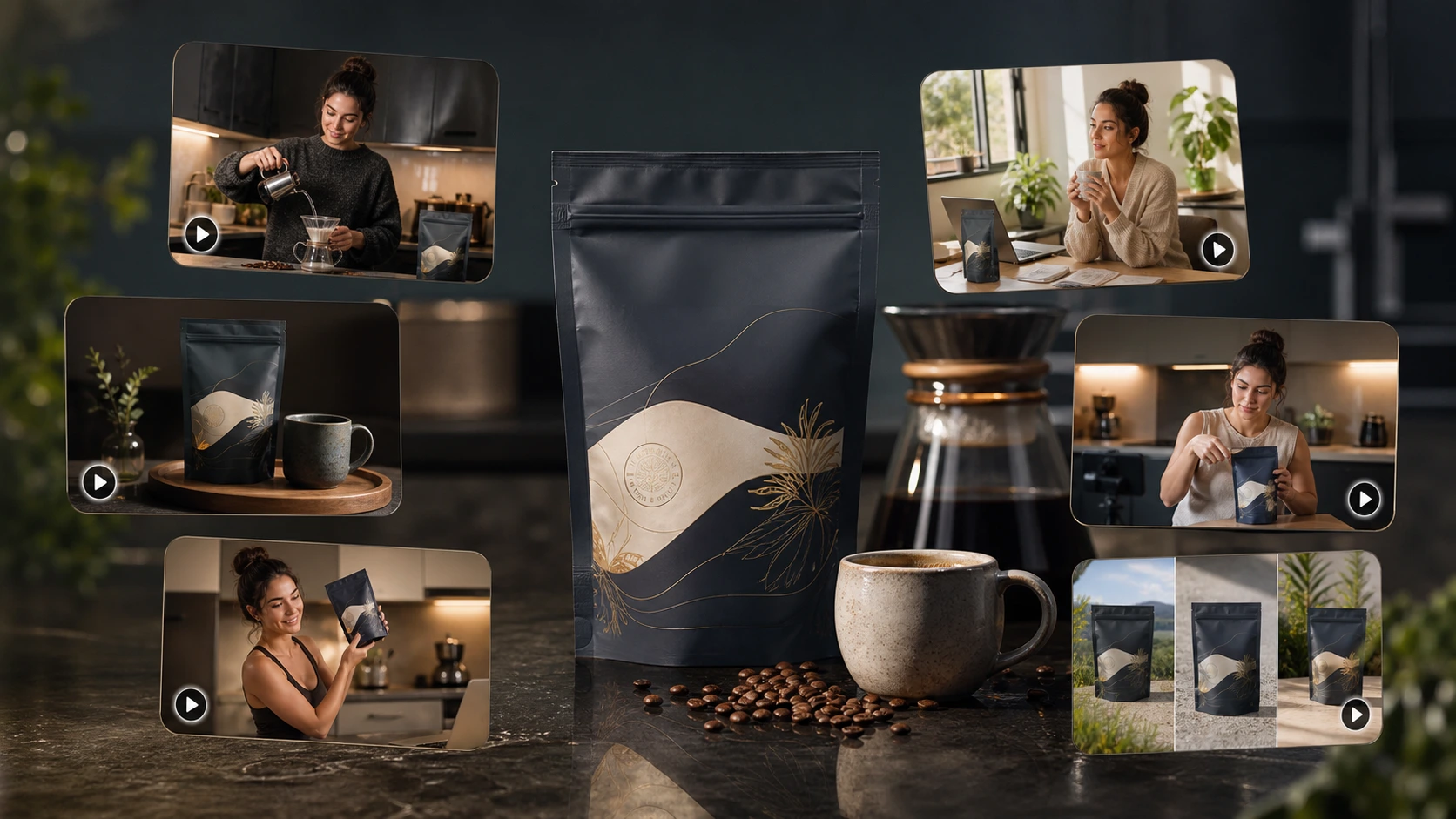
Why ecommerce brands are using AI for UGC-style videos
Ecommerce brands need more product video than most teams can manually produce.
A single product may need:
- a short ad
- a product explainer
- a launch video
- a marketplace video
- an organic social post
- a festival campaign version
- a different version for another language
- another version for a new product angle
- another version for a new creator style
That is a lot of video for one product.
Now multiply that by 20, 50, or 100 products.
Manual creator workflows still matter, especially when a brand needs real testimonials, real creator trust, or an influencer's audience. But not every video needs a full creator shoot.
Many ecommerce videos are product-led. They explain what the product is, why someone would use it, how it fits into a routine, what benefit matters, or what angle should be tested in an ad.
That is where AI UGC-style videos become useful.
They let a brand create creator-style product videos faster, especially when the brand needs variations across products, languages, scenes, campaigns, and platforms.
HeyGen's category page is a useful example of how the market frames AI UGC around script upload, avatar choice, and fast ad-style output. HeyGen AI UGC Video
What does UGC-style video mean?
A UGC-style video is a product video that looks and feels like creator-led content.
It may include:
- a person speaking to camera
- a casual product explanation
- a routine-based product moment
- a problem-solution angle
- a creator-style hook
- product handling or product display
- captions
- a direct call to action
But "UGC-style" does not automatically mean real user-generated content.
Real UGC comes from real users, customers, creators, or fans.
AI UGC-style video is brand-created or AI-assisted creator-style content.
That difference matters.
AI UGC-style videos should not pretend to be real customer testimonials unless they are genuinely based on real customer input and used truthfully. For ecommerce teams, the safer and stronger positioning is creator-style product content, not fake customer proof.
The product-led rule
Most bad AI UGC videos start with this question:
"Which avatar should we use?"
That is the wrong starting point.
The better question is:
"What does the product need to say?"
The product should drive:
- the hook
- the message angle
- the script
- the setting
- the creator fit
- the language
- the review checklist
- the final platform use
The avatar matters, but the avatar should support the product story. It should not be the whole strategy.
The correct workflow for creating UGC-style videos with AI
For ecommerce brands, a practical AI UGC workflow looks like this:
| Step | What happens |
|---|---|
| 1 | Choose the product |
| 2 | Choose a pre-built avatar or custom scene |
| 3 | Pick the language |
| 4 | Generate the script from product context |
| 5 | Edit the script if needed |
| 6 | Review creator fit, product accuracy, language, claims, and final output |
| 7 | Use the video for ads, organic social, marketplace video, product education, launch content, or localization |
This workflow is simple enough for one video.
The strategic value appears when the same process can be repeated across many products, avatars, languages, campaigns, marketplace videos, ads, launch posts, and organic content.
Ease is the entry point.
Scale is the payoff.
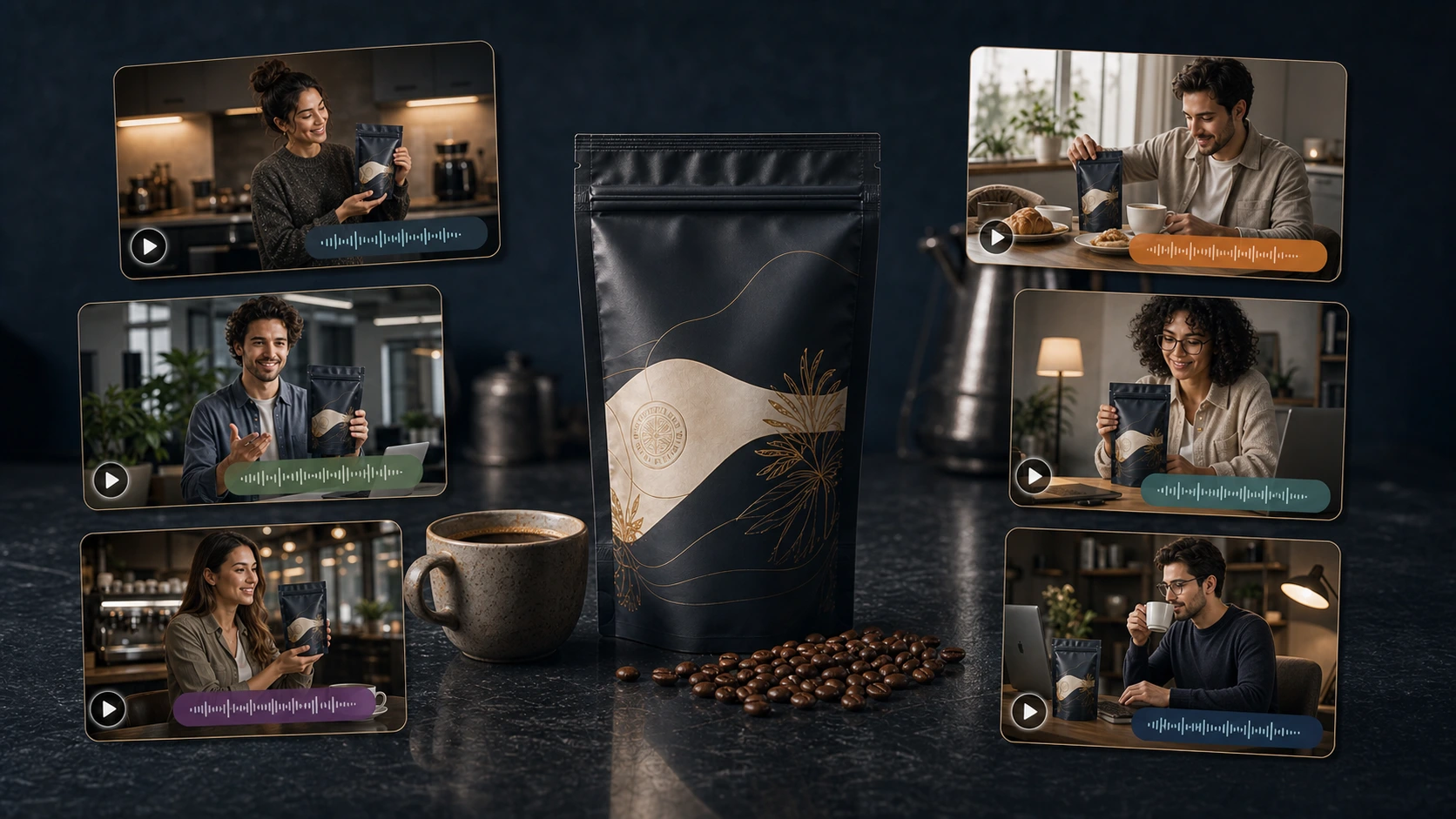
Example product: premium coffee pouch
Let's use a running example.
Product: premium coffee pouch.
Video goal: UGC-style morning routine product video.
The video direction:
A creator starts their morning with the coffee, shows the pouch on the kitchen counter, talks about taste, routine, aroma, freshness, and why it fits a busy workday.
This is a good example because coffee naturally fits creator-style video.
It can work as:
| Video type | Example |
|---|---|
| Product ad | Creator makes coffee before work and explains the daily routine angle |
| Organic post | Morning routine video with the coffee pouch on the kitchen counter |
| Marketplace video | Creator shows pouch, aroma, brewing moment, and use case |
| Launch content | New roast or flavor announcement |
| Localized video | Same product explained in another language |
| Product explainer | Roast type, brewing method, freshness, gifting, and daily use |
The product remains the same.
The angle changes.
Step 1: Choose the product
Start with the product, not the script.
For the premium coffee pouch, useful product context may include:
- product name
- roast type
- flavor notes
- grind type
- brewing method
- pouch size
- target buyer
- daily-use context
- gifting angle
- freshness claims
- packaging visuals
- product images
- brand tone
This matters because generic AI video tools often produce generic scripts.
A product-led workflow should use product information to create a more specific video direction.
Step 2: Choose pre-built avatar or custom scene
There are two common ways to create an AI creator-style video.
Option 1: Pre-built avatar
A pre-built avatar is useful when the brand wants speed.
The user selects an available virtual creator, chooses the language, generates a script, edits it if needed, and creates the video.
This path works well for:
- fast product explainers
- ad variations
- basic product education
- launch content
- localized video tests
- repeatable product-led content
Option 2: Custom scene
A custom scene is better when the brand wants more control.
The user can define what the creator looks like, where the creator is standing or sitting, and what the overall setting should feel like.
For the coffee pouch, custom scene directions could include:
- creator standing in a modern kitchen
- creator sitting at a breakfast counter
- creator in a cozy cafe setting
- creator at a home office desk
- creator preparing coffee before the first work call
The custom scene path is useful when the setting is part of the message.
For coffee, the scene matters because the product is tied to habit, mood, aroma, and morning routine.
Step 3: Pick the language
Language should be selected before script generation.
A coffee brand selling in India, the Middle East, Southeast Asia, Europe, or North America may need different localized versions.
The same product could become:
- an English morning routine video
- a Hindi product explainer
- an Arabic launch video
- a Spanish lifestyle ad
- a French gifting video
Localization is not just translation.
The language, setting, tone, creator fit, and phrasing should feel natural for the intended market.
Step 4: Generate the script from product context
Once the product, avatar or custom scene, language, and message angle are selected, the system can generate the script.
This is where AI becomes useful.
Instead of writing from scratch, the user gets a product-led script that can be edited.
For the coffee pouch, the generated script might cover:
- the morning routine
- the flavor angle
- the brewing moment
- the packaging
- the daily-use habit
- why the product fits a busy schedule
The script should sound like a creator talking about a product, not like a brochure.
Step 5: Edit the script before creating the video
Script editing is important.
AI can generate a good first draft, but the user should still check whether the script sounds believable, specific, and product-accurate.
Bad AI UGC scripts sound fake because they are too generic.
Good AI UGC scripts are product-specific, scene-specific, and use-case-specific.
| Weak script | Better script |
|---|---|
| "I love this amazing coffee. It is perfect for everyone." | "I usually make this before my first call because it gives me that rich morning coffee taste without turning my kitchen routine into a long process." |
| "This coffee is the best and you need it." | "This is the pouch I reach for when I want a strong cup before work without making the morning feel complicated." |
| "You will love this product." | "If your morning starts at your desk, this is the kind of coffee that makes the routine feel a little more intentional." |
The better scripts are not louder.
They are more specific.
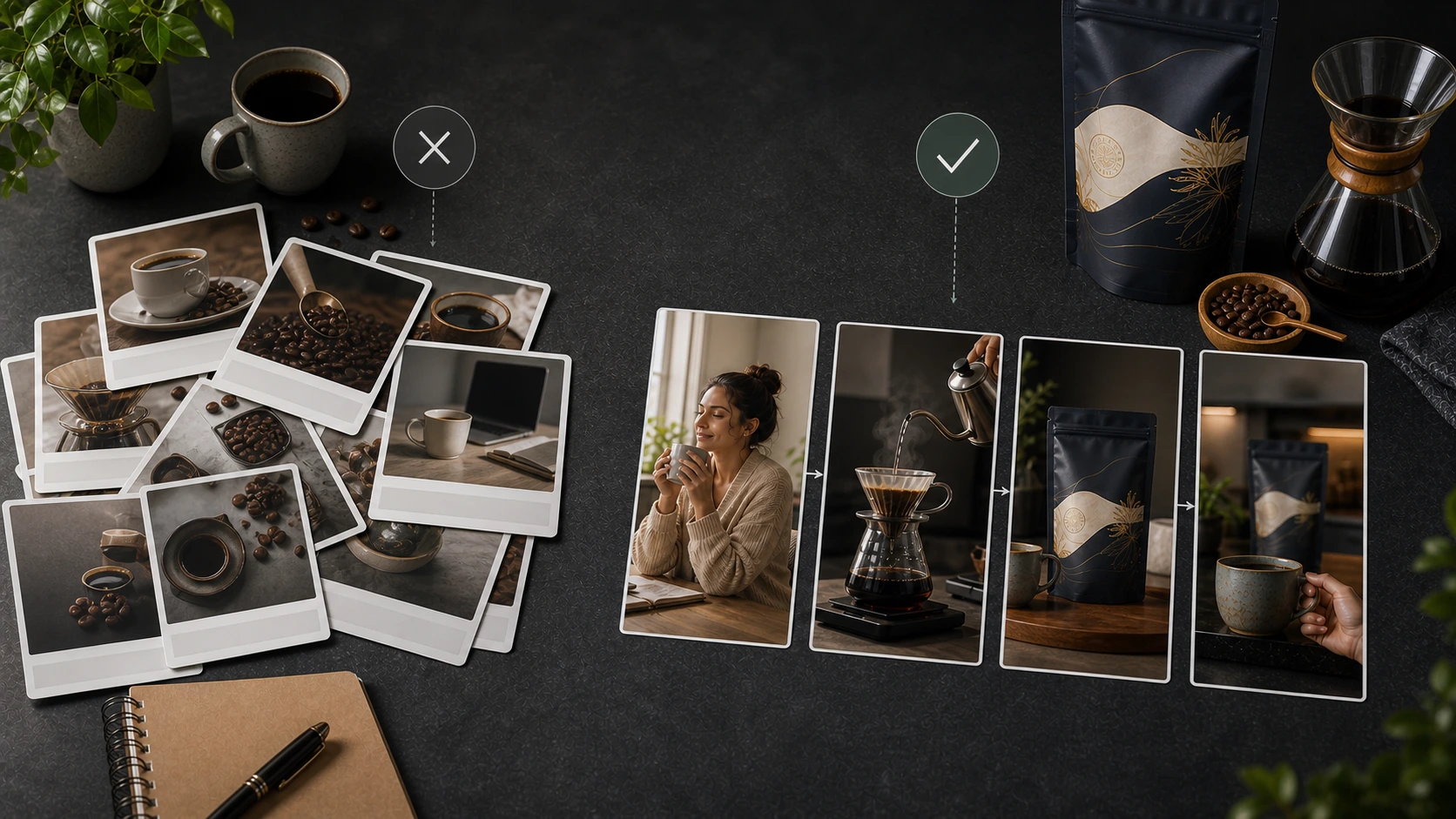
Step 6: Review the video before publishing
AI video generation should never skip review.
Before publishing, check:
| Review item | What to check |
|---|---|
| Product accuracy | Does the video describe and show the product correctly? |
| Script specificity | Does it sound product-specific, not generic? |
| Claim safety | Are all product claims supportable? |
| Creator and scene fit | Does the creator and scene match the product and audience? |
| Language quality | Does the selected language sound natural and accurate? |
| Caption readability | Are captions clear and not misleading? |
| Brand tone | Does the video match the brand's voice and style? |
| Platform fit | Does it suit ads, organic, marketplace, or launch use? |
| Offer or CTA accuracy | Is the CTA accurate and current? |
| Testimonial risk | Could viewers mistake this for a real customer testimonial? |
The last point matters.
If the video is AI-generated creator-style content, do not make it look like a real customer review unless it is clearly based on real customer input and used truthfully.
FTC guidance on consumer reviews and testimonials is relevant here because deceptive fake-review framing creates legal risk. See the FTC's Consumer Reviews and Testimonials Rule Q&A and the FTC summary of the final rule on fake reviews and testimonials.
Step 7: Use the video across the right channels
A single AI creator-style video can be useful, but the real value is reuse and variation.
For the coffee pouch, the same product context can support:
Paid ad version
A short hook-led video:
"Here is the coffee I make before my first call."
Organic social version
A calmer morning routine post:
"My desk setup starts with this coffee."
Marketplace video version
A clearer product demo:
"Here is the pouch, the roast style, and how I usually brew it."
Launch version
A new product announcement:
"New roast drop for people who like a stronger morning cup."
Localized version
The same product direction adapted into another language.
Each version should feel like it was made for its channel.
Not copied blindly.
Manual UGC-style video workflow vs AgenixSocial AI Creator Videos workflow
| Step | Manual UGC-style video workflow | AgenixSocial AI Creator Videos workflow |
|---|---|---|
| Product briefing | Write product brief manually | Select product from catalog |
| Creator setup | Find creator or prepare shoot | Choose pre-built avatar or custom scene |
| Language | Find creator or dubbing per language | Pick from 40+ languages |
| Script | Write or wait for creator interpretation | Generate script from product context |
| Editing | Request changes or reshoot | Edit script before generation |
| Scaling | Hard across many products and campaigns | Repeat workflow across products and use cases |
| Review | Review final creator output | Review product accuracy, claims, language, and creator fit |
This is the key difference.
AgenixSocial is not just asking the user to paste a script into an avatar tool.
The workflow starts from product context.
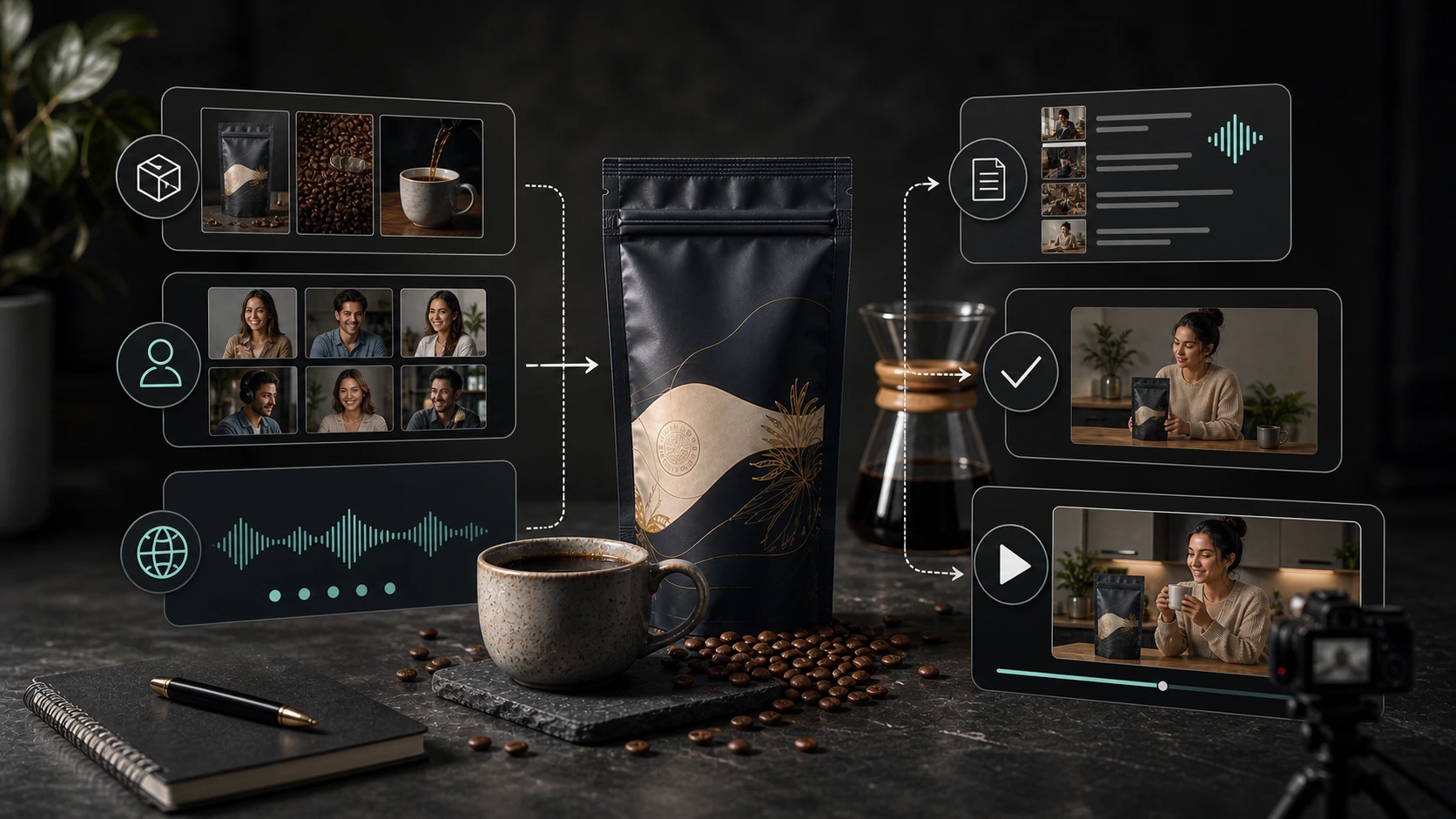
The user selects the product, chooses a pre-built avatar or custom scene, picks the language, generates the script, edits it, and creates a product-aware AI creator video.
What users can configure in AgenixSocial AI Creator Videos
Inside AI Creator Videos, users can configure:
- product
- avatar or custom scene
- avatar appearance direction
- scene and setting
- language
- message angle
- script
- product benefit focus
- creator-style delivery
- final video use case
- review and editing before generation
The in-product label is UGC Video.
The marketing name is AI Creator Videos.
That naming matters because it keeps the product honest. The goal is not to create fake customer testimonials. The goal is to create creator-style product videos from product and brand context.
Message angles that work for AI UGC-style videos
A good AI UGC workflow should support different message angles.
For ecommerce brands, useful angles include:
| Message angle | Coffee pouch example |
|---|---|
| Product education | "Here is how I brew this coffee in the morning." |
| Lifestyle | "This is part of my work-from-home morning routine." |
| Problem-solution | "I wanted a better morning coffee without a long setup." |
| Social proof-style | "This is the kind of product people would show in their daily routine." |
| Founder story | "Why we created this roast for busy mornings." |
| Launch content | "New roast, new pouch, same morning ritual." |
Avoid unsupported claims.
Avoid fake testimonials.
Keep the message close to product truth.
What makes an AI UGC-style video feel real?
A video feels more believable when it is specific.
For the coffee pouch, these details help:
- the creator mentions a real morning moment
- the product appears naturally in the scene
- the script avoids exaggerated praise
- the benefit is tied to a habit
- the CTA is soft and relevant
- the language sounds like a person, not a product page
- the scene matches how the product is actually used
The goal is not to trick viewers.
The goal is to make the product easy to understand in a creator-style format.
Common mistakes to avoid
Mistake 1: Starting with the avatar
Avatar choice matters, but product context matters more.
If the product story is weak, the video will still feel generic.
Mistake 2: Using a generic script
"This product is amazing" is not a script.
Use the product, use case, buyer problem, and scene.
Mistake 3: Making fake customer claims
Do not position AI creator videos as real customer testimonials unless they are based on real customer input and used honestly.
Mistake 4: Ignoring language quality
A multilingual video still needs review.
Check translation, pronunciation, cultural fit, and tone.
Mistake 5: Forgetting the channel
A video for a Meta ad, TikTok-style organic post, marketplace product page, and launch campaign should not be identical.
Mistake 6: Skipping human review
AI can reduce production time, but the brand still owns the final message.
A practical framework: Product, Person, Place, Purpose
Use this simple framework when creating UGC-style videos with AI.
Product
What is the product, and what specific detail matters?
For the coffee pouch: roast, flavor, pouch, brewing method, freshness, daily routine.
Person
Who is speaking?
Pre-built avatar or custom creator direction.
Place
Where is the video happening?
Kitchen, cafe, desk, home office, travel setup, or breakfast counter.
Purpose
What is the video supposed to do?
Ad, organic post, marketplace video, product education, launch content, or localization.
If these four parts are clear, the AI video will usually be stronger.
Localization and multilingual variation
Localization matters because a creator-style video has to sound natural, not just translated.
Brand DNA helps keep the voice grounded in the same product and brand context, while the language, scene, and creator choice can still adapt to the intended audience.
This becomes especially useful for D2C founders and agencies who need more content variation without rebuilding the workflow from zero every time.
Conclusion
Ecommerce brands can create UGC-style videos with AI by starting with the product, choosing a pre-built avatar or custom scene, picking the language, generating a product-led script, editing it, reviewing the output, and using the video across ads, organic posts, marketplace content, product education, launches, or localization.
The strongest workflow is product-led.
The avatar supports the product story. It should not replace the product story.
AgenixSocial AI Creator Videos helps ecommerce teams create creator-style product videos from product context, with pre-built avatars, custom scenes, editable scripts, and 40+ language support.
It fits naturally with AI Creator Videos, Campaigns, Brand DNA, teams comparing pay-as-you-go content credits, and the companion guide on what is an AI UGC video generator.
Create UGC-style product videos with AgenixSocial AI Creator Videos.
FAQ
How can ecommerce brands create UGC-style videos with AI?
Start with the product, choose a pre-built avatar or custom scene, pick the language, generate a product-led script, edit the script, review the output, and use the final video for ads, organic content, product education, marketplace videos, launches, or localization.
What inputs are needed to create an AI UGC-style video?
Useful inputs include product details, product images, product benefits, target use case, avatar or custom scene preference, language, message angle, brand tone, and call to action.
Can I edit the AI-generated script?
Yes. In a good AI UGC workflow, the generated script should be editable before the video is created. Script editing helps improve accuracy, tone, and specificity.
What makes a good UGC-style product video?
A good UGC-style product video is specific, product-led, believable, easy to understand, and suited to the channel. It should explain the product in a natural creator-style format without making unsupported claims.
Should AI UGC videos be used as testimonials?
Be careful. AI UGC-style videos should not pretend to be real customer testimonials unless they are based on real customer input and used truthfully. Most ecommerce brands should position them as creator-style product videos, not fake customer proof.
Can AI UGC-style videos be used for ads?
Yes, but ad videos need stricter review. Check claims, offers, product accuracy, platform fit, captions, and disclosure requirements before publishing.
Can AI UGC videos be localized?
Yes. AgenixSocial AI Creator Videos supports 40+ languages, so ecommerce teams can create localized creator-style product videos for different markets.
How is AgenixSocial different from a basic avatar video tool?
AgenixSocial starts with product context. The user selects a product, chooses a pre-built avatar or custom scene, selects the language, generates an editable script, and creates a product-aware AI creator video.