Best AI Social Media Content Generators for Ecommerce: Captions, Images, Product Posts, and Publishing
AI social media tools are not just caption helpers anymore.
For ecommerce brands, the real question is sharper: can the tool understand what you sell, turn products into useful posts, create or support visuals, adapt content for each platform, keep humans in review, and help the team publish without creating another messy workflow?
That is why “best AI social media content generator” is the wrong question by itself.
The better question is:
Which AI social media content generator fits your ecommerce workflow?
A solo D2C founder may need fast Instagram product posts. A marketplace seller may need product-led image sets and short videos. An agency may need brand consistency across multiple clients. A lean ecommerce team may need captions, visuals, review, calendar planning, and reusable assets in one place.
This guide compares the best categories of AI social media content generators for ecommerce teams, what each type does well, where each one falls short, and how to choose the right tool without falling into tool-stack chaos.
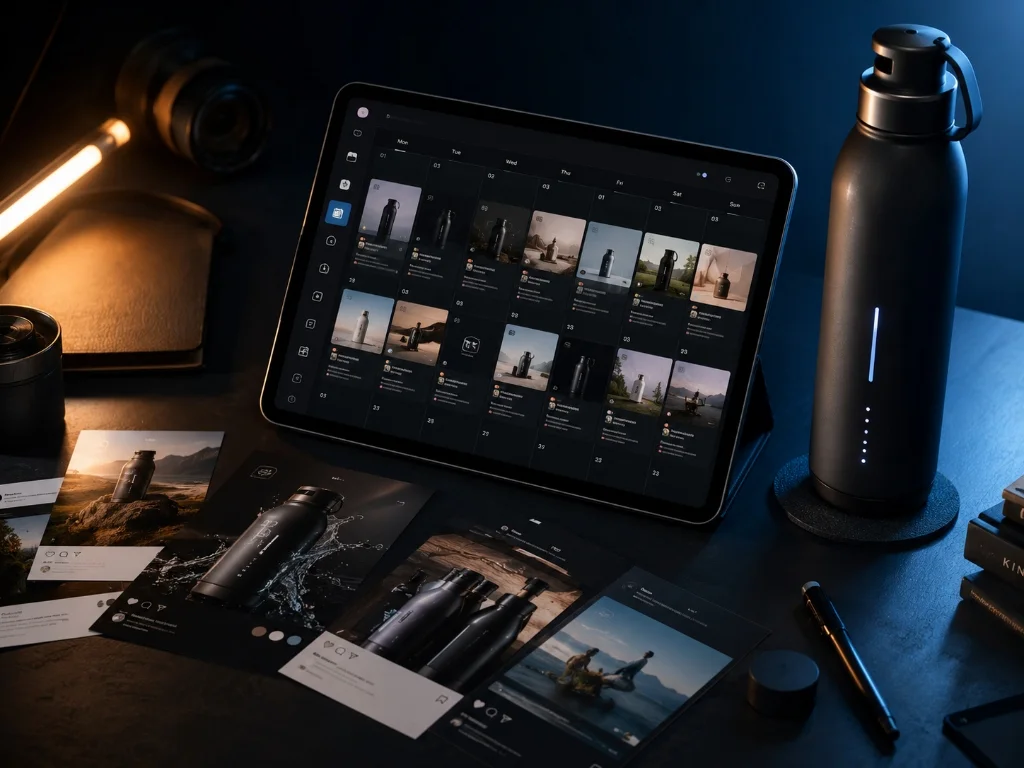
Quick answer
The best AI social media content generator for ecommerce is the one that can turn real product and brand context into platform-ready content. Caption-only tools help with copy. Design tools help with polished posts. Social schedulers help with publishing. Ecommerce teams usually need more: product-aware captions, product visuals, creator-style videos, campaign planning, approvals, asset reuse, and human review before anything goes live.
What is an AI social media content generator for ecommerce?
An AI social media content generator for ecommerce helps brands create social content around products, offers, launches, collections, customer use cases, and brand stories.
A basic tool may generate:
- Captions
- Hashtags
- Post ideas
- Hooks
- Short promotional copy
A stronger ecommerce-focused tool may also help create:
- Product image posts
- Product carousels
- Lifestyle product scenes
- Creator-style product videos
- Campaign assets
- Platform-specific post variations
- Drafts for approval
- Calendar-ready content
- Reusable assets for later campaigns
The difference is context.
A generic caption generator starts from a prompt.
A product-aware generator starts from the brand, product catalog, product images, descriptions, price, use cases, and campaign goal.
That difference matters because ecommerce social content is rarely just “write a caption about skincare” or “make a post about a shoe.”
A real product post needs to understand:
- What the product is
- Who it is for
- What problem it solves
- What claims are safe to make
- What visual style fits the brand
- What platform the post is for
- Whether the post is for launch, education, social proof, offer, retargeting, or awareness
- What humans should review before publishing
That is where most generic AI tools start to wobble like a shopping cart with one bad wheel.
The main types of AI social media content generators
Not every tool is trying to solve the same problem. Before comparing vendors, separate the category into jobs.
| Tool category | Best for | Usually weak at |
|---|---|---|
| AI caption generators | Fast captions, hooks, hashtags, tone variations | Product visuals, product accuracy, approvals, publishing workflow |
| Design-led AI tools | Beautiful posts, templates, branded designs, image editing | SKU-level product context, campaign workflow, approvals |
| Social schedulers with AI | Publishing, calendars, platform adaptation, analytics | Deep product visual generation and marketplace content |
| Ecommerce product-to-post tools | Turning product catalog items into social posts | Broader content operations beyond social |
| AI video and creator tools | Short-form videos, product explainers, avatar/creator-led content | Full social calendar and product asset management |
| Commerce content workspaces | Product-aware posts, visuals, videos, campaigns, review, publishing, asset reuse | May not replace deep specialist tools for every isolated creative task |
The best tool depends on where the bottleneck is.
If your problem is “we cannot think of captions,” a caption generator is fine.
If your problem is “we need ten polished posts for a campaign,” a design-led tool may work.
If your problem is “we have 80 products and need product-aware posts, visuals, videos, approvals, scheduling, and reusable assets,” a simple caption generator will feel cute for about twelve minutes.
Then the spreadsheet comes back. It always comes back.
What ecommerce teams should evaluate before choosing a tool
Most AI social media tool comparisons focus on price, templates, and supported channels.
Those matter, but ecommerce teams need a stricter checklist.
1. Product catalog context
A good ecommerce social generator should understand product names, descriptions, images, variants, prices, benefits, ingredients, materials, and use cases.
Without product context, every post becomes a prompt-writing exercise. The best option is a product-aware content workflow that keeps your catalog synced with the generator.
Better question to ask:
Can this tool use real product data, or do we have to paste product details every time?
2. Brand memory
Social content has to sound and look like the brand.
A brand selling premium home fragrance should not sound like a discount gadget store. A clean skincare brand should not suddenly produce meme-heavy captions unless that is actually part of the brand voice.
Look for:
- Brand voice memory
- Tone controls
- Visual style guidance
- Reusable brand guidelines
- Ability to learn from existing content
- Review controls before publishing
To keep assets consistent, teams rely on brand-aware AI content rules rather than random prompts.
3. Visual output, not only text
Social content is visual. For ecommerce, the visual is often the post.
A useful tool should support some combination of:
- Product-led images
- Lifestyle scenes
- Product-in-use images
- Carousels
- Short videos
- Creator-style videos
- Ad-style images
- Platform aspect ratios
Caption-only tools can help, but they do not solve the full ecommerce content workload. Brands looking to upgrade their visual output can leverage AI product visuals to place catalog items in lifestyle contexts automatically.
4. Platform adaptation
A product launch post for Instagram should not be identical to a LinkedIn founder note, a Facebook product update, a Threads post, or a short-form video script.
The tool should help adapt:
- Format
- Length
- Hook style
- Caption structure
- Visual ratio
- CTA
- Hashtag use
- Creative angle
Good AI does not just resize content. It changes the content logic.
5. Campaign planning
One-off posts are useful, but ecommerce teams often need sequences:
- Launch teaser
- Product education
- Use-case post
- Founder story
- Social proof
- Offer announcement
- Last-call reminder
- Retargeting creative
A strong tool should help turn a product or campaign goal into a plan, not just a pile of disconnected posts. This is where ecommerce campaign planning modules outshine basic schedulers.

6. Approval and review workflow
AI output should not skip review.
Ecommerce teams should check:
- Product accuracy
- Pricing and offer details
- Claims
- Brand tone
- Platform fit
- Visual accuracy
- Legal or compliance-sensitive language
- Marketplace or ad policy concerns where relevant
The best AI workflow keeps humans where they matter most: judgment, quality, accuracy, and brand taste.
7. Publishing and asset reuse
A social generator becomes more useful when it connects to the workflow after generation.
Look for:
- Draft states
- Approval queue
- Calendar
- Scheduling
- Publishing support
- Media library
- Download options
- Campaign organization
- Team handoff
Otherwise, the team ends up generating content in one tool, editing in another, storing files in a folder, pasting captions into a sheet, scheduling elsewhere, and wondering why the “automation” created more ops work.
Best AI social media content generators for ecommerce by use case
This is not a universal ranking. It is a workflow-fit comparison.
Different tools win different jobs.
| Tool | Best fit | Why ecommerce teams consider it | Watch-outs |
|---|---|---|---|
| AgenixSocial | Product-aware commerce content workspace | Brand DNA, Products, social posts, Product Shots, AI Creator Videos, Campaigns, review, scheduling, Media Library, pay-as-you-go credits | Best fit when commerce context matters; not positioned as a generic single-purpose caption tool |
| Predis.ai | Ecommerce product-to-social generation | Turns product catalog inputs into posts, captions, hashtags, and platform-ready content | Strong social generator; teams needing marketplace assets, A+ workflows, founder content, and broader commerce content may need more |
| Canva | Design-led social posts | Strong templates, brand design, visual editing, and AI-assisted social post creation | Great for design; product context and ecommerce workflow may still live outside the tool |
| Adobe Express | Design and social publishing workflow | Useful for creating, saving, scheduling, and sharing designed posts | Strong design surface; deeper product-aware generation may require another workflow |
| Buffer | AI-assisted social copy and scheduling | Useful for captions, repurposing, platform-specific copy, and publishing workflows | Better for social operations than full product visual generation |
| Hootsuite OwlyWriter / OwlyGPT | Social management with AI writing and trends | Captions, post ideas, trend-aware content, scheduling, analytics, approvals | Strong social management; may be heavier than small ecommerce teams need |
| Later | Instagram caption and scheduling workflow | Helpful for Instagram captions, scheduling, and creator/social workflows | More Instagram/social-calendar focused than product-content-system focused |
| SocialBee | AI social management and multi-platform scheduling | AI captions, visuals, content categories, scheduling, approvals, multi-brand workflows | Useful for social management; product catalog depth may be limited compared with commerce-native tools |
| Metricool | AI text generation inside planning/analytics workflow | Captions, calendar, scheduling, analytics, and reporting | More text/planning/analytics oriented than product visual generation |
| Jasper | Brand-aware marketing copy and campaigns | Strong for brand voice, marketing copy, campaign work, and cross-channel content | Better for broader marketing teams; ecommerce product media workflows may need additional tools |
| Shopify Magic | Store-native AI assistance | Product descriptions, store content, and AI image help inside Shopify | Useful inside Shopify, but not a complete social content operating workflow |
How to choose the right tool
Use this simple decision framework.
Choose a caption generator if…
You mostly need:
- Captions
- Hashtags
- Hooks
- Tone variations
- Rewritten posts
- Faster ideation
This is enough for founders who already have visuals and only need help writing.
It is not enough if your team needs product images, videos, approvals, campaign planning, and publishing.
Choose a design-led tool if…
You mostly need:
- Social templates
- Brand kits
- Visual polish
- Static graphics
- Design editing
- Quick creative layouts
This is useful when the product photography already exists and the brand needs design polish.
It is less useful when the bottleneck is product context, product images, creator-style content, or campaign workflow.
Choose a scheduler with AI if…
You mostly need:
- A calendar
- Scheduling
- Channel adaptation
- Analytics
- Team collaboration
- Approval workflows
- Social inbox or engagement management
This is useful for teams already producing content elsewhere.
It is less useful if the team is still stuck at the creation layer.
Choose an ecommerce product-to-post tool if…
You mostly need:
- Product catalog to social posts
- Product captions
- Product visuals
- Product carousels
- Sale or launch posts
- Faster ecommerce content creation
This is the closest match for many D2C brands.
The key question is whether the tool stops at posts, or whether it also supports the broader content system around visuals, videos, campaigns, approvals, publishing, and asset reuse.
Choose a commerce content workspace if…
You need one place for:
- Brand context
- Product catalog context
- Product social posts
- Product visuals
- Creator-style videos
- Campaign planning
- Review and approvals
- Scheduling
- Media library
- Downloads
- Pay-as-you-go usage
This is where AgenixSocial fits.
The point is not that every brand needs the broadest system on day one. Some do not.
The point is that ecommerce content gets messy quickly once a team moves from “write me a caption” to “turn these products into a month of approved content.”
The ecommerce workflow a good AI social generator should support
Here is the workflow to look for.
Step 1: Start with the product
The user should be able to select a product or collection, not start from an empty prompt box.
Useful product inputs include:
- Product name
- Description
- Images
- Price
- Materials or ingredients
- Benefits
- Use cases
- Customer pain points
- Launch or offer context
Step 2: Choose the content job
The tool should ask what the content is supposed to do.
Examples:
- Launch a new product
- Explain a feature
- Show the product in use
- Create a lifestyle post
- Build social proof
- Promote an offer
- Compare product variants
- Educate customers
- Create a founder-led post
- Turn the product into a creator-style video
“Make a post” is too vague. A product launch post and a retention post are not the same animal.
Step 3: Generate channel-specific outputs
A useful generator should adapt the post for the target channel.
For example:
| Platform | Better content direction |
|---|---|
| Strong visual, concise caption, lifestyle or product-in-use angle | |
| Product explanation, offer context, community-friendly copy | |
| Threads | Conversational product insight or founder note |
| TikTok / Reels | Short video hook, creator-style script, visual demonstration |
| Founder story, product-building lesson, category POV | |
| Search-friendly product visual and use-case framing |
For short vertical video campaigns, teams can generate AI creator videos using automated hook scripts and presenter avatars based on product URLs.
Step 4: Review product accuracy
Before publishing, check:
- Is the product shown correctly?
- Are the claims accurate?
- Is the price or offer current?
- Are ingredients, sizes, compatibility, and materials correct?
- Does the visual match the actual product?
- Does the post avoid unsupported performance claims?
- Does the tone sound like the brand?
This is not boring compliance housekeeping. This is how brands avoid looking careless in public.
Step 5: Save, schedule, and reuse
Good ecommerce content rarely dies after one post.
The same product idea can become:
- Instagram post
- Reel script
- Founder note
- Product image ad
- Carousel
- Launch campaign visual
- Marketplace listing support image
- Email hero concept
- Retargeting creative
- Seasonal version later
That is why the media library and campaign organization matter.
Practical ecommerce examples
Example 1: D2C skincare launch
A skincare brand launching a new serum needs more than captions.
A strong AI workflow could create:
- Launch teaser post
- Ingredient education carousel
- Product-in-use visual
- Founder explanation post
- Creator-style product video
- Offer reminder
- FAQ post
- Approved calendar sequence
The team should review ingredient claims carefully before publishing.
Example 2: Apparel drop
An apparel brand launching a limited drop may need:
- Product shots
- Model-style try-on visuals
- Instagram carousel
- Story creative
- Reel script
- Founder note
- Last-call post
- Campaign sequence
The team should review fit, color accuracy, size claims, and visual representation.
Example 3: Marketplace seller building social presence
A marketplace-first seller may not have a full Shopify site.
They may still need:
- Manually added product context
- Product image posts
- Social proof posts
- Feature explanation visuals
- Short videos
- Sale announcements
- Downloadable assets
The key is that the tool should work from product context, not only from a store integration.
Example 4: Agency managing five D2C clients
An agency needs speed, but also separation.
The right tool should help maintain:
- Different brand voices
- Different products
- Different approval flows
- Different calendars
- Reusable assets per client
- Human review before publishing
For agencies managing brand content, “AI-generated” is not enough. The workflow has to be clean enough that client operations do not become the new bottleneck.
What AI social media generators should not automate blindly
AI can speed up content creation, but some decisions should stay human-reviewed.
Do not blindly automate:
- Medical, health, beauty, supplement, or performance claims
- Pricing and discount details
- Competitor comparisons
- Customer testimonials
- Regulated category language
- Product compatibility claims
- Marketplace policy-sensitive content
- Sensitive cultural references
- Founder or creator likeness usage
- Final publishing approval
A good AI workflow gives the team a stronger starting point. It should not remove judgment from the process.

How AgenixSocial helps ecommerce teams create social content
AgenixSocial is built for brands that need more than a caption generator.
It starts with Brand DNA, which creates reusable brand context. Products then become the source of truth for content creation. From there, ecommerce teams can use Content Studio workflows to create product-led social posts, product visuals, creator-style videos, campaign assets, and more.
For this specific social content workflow, the most relevant modules are:
| Need | AgenixSocial module |
|---|---|
| Consistent brand voice | Brand DNA |
| Product-aware content | Products |
| Fast product posts | Quick Post |
| Product visuals | Product Shots |
| Creator-style videos | AI Creator Videos |
| Launch sequences | Campaigns |
| Human review | Approval Queue |
| Scheduling | Calendar |
| Asset reuse | Media Library |
| Flexible usage | Pay-as-you-go credits |
Rather than paying for seat-based subscriptions for isolated tools, ecommerce content teams can use pay-as-you-go AI content credits to match production costs with real creative output.

AgenixSocial gives ecommerce teams a stronger starting point by grounding workflows in reusable brand and product context. Teams still review final assets for product accuracy, claims, marketplace fit, and brand tone before publishing.
That balance matters.
The goal is not to remove the marketer.
The goal is to remove the blank page, the repeated product explanation, the scattered files, the disconnected tools, and the “where did we put that asset?” detective work.
Buyer checklist: what to ask before choosing a tool
Before you choose an AI social media content generator, ask:
- Does it understand my products, or only my prompt?
- Can it create visuals, or only captions?
- Can it create product videos or creator-style scripts?
- Can it adapt content by platform?
- Can it support campaigns, not only one-off posts?
- Can humans review before publishing?
- Can it schedule or connect to a calendar?
- Can it save generated assets for reuse?
- Does it support multiple brands or clients if needed?
- Does the pricing model fit how often we actually create content?
The best tool is the one that matches the workflow you actually run.
FAQ
What is the best AI social media content generator for ecommerce?
The best AI social media content generator for ecommerce is the tool that fits your actual workflow. If you only need captions, a caption generator may be enough. If you need product-aware posts, images, videos, approvals, scheduling, and asset reuse, choose a commerce content workspace that can work from brand and product context.
Can AI create social media posts from my product catalog?
Yes, some tools can create social media posts from product catalog inputs such as product names, descriptions, images, and store data. This is more useful for ecommerce teams than generic prompt-based generation because the content starts from what the brand actually sells.
Are AI caption generators enough for ecommerce brands?
AI caption generators are useful, but they are usually not enough for ecommerce teams that need product visuals, creator-style videos, campaign planning, review workflows, and publishing. They solve the writing problem, not the full commerce content problem.
Should ecommerce brands use Canva, Buffer, Hootsuite, Predis.ai, or AgenixSocial?
It depends on the job. Canva is strong for design-led social posts. Buffer and Hootsuite are strong for social scheduling and management. Predis.ai is strong for ecommerce product-to-social generation. AgenixSocial is useful when the team needs a product-aware commerce content workspace across social posts, product visuals, creator videos, campaigns, approvals, scheduling, and media reuse.
Can AI social media tools publish automatically?
Some social media tools support scheduling and publishing. Ecommerce teams should still keep review and approval steps in place, especially for product claims, pricing, regulated categories, marketplace-sensitive language, and brand tone.
What product information should I give an AI social media generator?
Useful product inputs include product name, description, images, price, target audience, benefits, ingredients or materials, use cases, offer details, and brand tone. The better the product context, the more useful the generated output usually becomes.
Can AI create product images and videos for social media?
Yes, many AI tools now support image or video creation. Ecommerce teams should still review whether the product is represented accurately, whether the scene matches the brand, and whether any visual claims could mislead customers.
What is the difference between generic and product-aware AI social content?
Generic AI social content starts from a prompt. Product-aware AI social content starts from brand and product context, such as product names, descriptions, images, use cases, and brand voice. Product-aware generation is usually more useful for ecommerce because social posts need to reflect what the brand actually sells.
Conclusion
The best AI social media content generator for ecommerce is not always the tool with the longest feature list.
It is the tool that removes the right bottleneck.
If the bottleneck is captions, use a caption generator.
If the bottleneck is design, use a design-led tool.
If the bottleneck is scheduling, use a social management platform.
If the bottleneck is turning products into approved social posts, visuals, videos, campaigns, and reusable assets, use a product-aware commerce content workspace.
For D2C founders, marketplace sellers, ecommerce teams, and agencies, that distinction matters.
AI social media automation for ecommerce brands has evolved from basic copy-generation to unified, catalog-driven operations. AgenixSocial is built for the moment when social content stops being a one-off caption problem and becomes a product-aware content operations problem.
Start by building your Brand DNA, connect or add your products, and create review-ready social content from one commerce workspace.