AI Ad Creative Tools for Ecommerce: How to Create Better Product Ads in 2026
Ecommerce advertising has a creative supply problem.
A brand may not need one perfect ad anymore. It needs product image ads, UGC-style videos, offer variations, seasonal creatives, marketplace-safe visuals, founder-led clips, retargeting assets, landing page variants, and fresh campaign angles every week.
That is why AI ad creative tools have become popular with ecommerce teams. They promise faster ad generation, more creative variants, and lower dependency on slow production cycles.
But faster ad creation is not automatically better ad creation.
For ecommerce teams, the real question is whether AI can help create product-accurate, brand-consistent, review-ready ads that support the campaign without creating a pile of random assets nobody can approve, organize, or reuse.

Quick answer: what are AI ad creative tools for ecommerce?
AI ad creative tools help ecommerce teams generate product-led ad images, videos, copy, UGC-style scripts, hooks, backgrounds, variations, and campaign assets using artificial intelligence. They are useful for creative testing and faster production, but ecommerce teams should still review product accuracy, claims, brand tone, platform rules, and campaign fit before running ads.
Why ecommerce teams are using AI for ad creatives
Paid advertising has become more content-hungry.
Teams need different creatives for:
- Meta ads,
- Google Ads,
- Amazon Ads,
- TikTok-style videos,
- YouTube Shorts,
- retargeting,
- seasonal offers,
- product launches,
- bundles,
- influencer-style concepts,
- and customer objection handling.
At the same time, ad fatigue is real. Even good creative eventually becomes stale. Performance teams need new angles, new hooks, new visuals, and new formats.
AI ad creative tools help with this pressure by creating more starting points faster. They can help teams produce image ad variants, short video ad concepts, UGC-style scripts, product demo videos, headline and body copy variants, background changes, lifestyle scenes, seasonal campaign creatives, and audience-specific ad angles.
That makes AI useful. It also creates a new problem: creative volume without creative control.
What AI ad creative tools can create
Most AI ad creative tools support one or more of these outputs.
| Output type | What it means | Ecommerce example |
|---|---|---|
| Product image ads | Static visuals built around a product | Desk lamp sale ad for Meta |
| Video ads | Short product-led video creatives | 15-second product demo |
| UGC-style ads | Creator-style scripts or avatar videos | "Three reasons I use this pet brush" |
| Hook variations | Opening lines for ads | "Stop wasting desk space" |
| Copy variants | Headlines, primary text, CTAs | Meta ad copy or Google ad headlines |
| Lifestyle product scenes | Product shown in a relevant environment | Tote bag in a travel setup |
| Seasonal creatives | Campaign-specific assets | Holiday bundle ad |
| Batch creative variants | Many visual/copy combinations | 50 product ad variants |
| Landing page support assets | Product visuals for campaign pages | Hero image for a launch page |
| Marketplace ad creatives | Product-led assets for Amazon or marketplace ads | Sponsored brand-style visual |
The strongest use case is not replacing the creative team. It is giving the team more controlled starting points for testing and review.
The current AI ad creative tool landscape
The market has three broad groups.
1. Dedicated AI ad creative platforms
These tools are built specifically for ad creation. They often support product URL-to-ad workflows, image ads, video ads, UGC-style ads, competitor inspiration, bulk variants, and campaign launch support.
Creatify, for example, positions its platform around AI image and video ads, URL-to-video workflows, authentic UGC or polished cinematic styles, and batch creation of ad variations. Creatify
Dedicated platforms are useful when the paid media team needs lots of ad variants quickly.
2. Platform-native AI creative tools
Major ad platforms are adding their own AI creative features.
Meta describes Advantage+ Creative as AI for generating and enhancing ad variations across single image, video, and carousel formats. Meta Advantage+ Creative
Google Ads introduced Asset Studio as a creative destination for generating and scaling assets with Google AI. Google says Asset Studio is intended to support creative workflows, style references, review, sharing, and previews before ads go live. Google Asset Studio
Google Ads support documentation also says Google AI can generate or suggest text, image, logo, and video assets when building Performance Max asset groups, while emphasizing advertiser review and control before publishing. Google Ads Help
Amazon Ads offers AI-powered creative tools including Image Generator, Video Generator, Audio Generator, and agentic creative tools inside Creative Studio. Amazon describes Image Generator as a way to create lifestyle and brand-themed images based on product details. Amazon Ads creative AI Amazon Ads Image Generator
These native tools matter because they sit close to where ads are launched and measured.
3. General creative and content tools
Tools like Canva, Jasper, ChatGPT, Claude, Adobe Firefly, and similar platforms can support ad creative workflows, even if they are not only ad tools.
They are useful for brainstorming hooks, writing ad copy, designing visuals, creating background concepts, editing images, and planning campaigns. The tradeoff is that the team usually has to assemble the workflow manually.
AI ad creative tools vs ecommerce content workflows
An ad creative is rarely isolated.
A product ad often depends on product positioning, customer pain points, offer details, brand tone, approved visuals, platform format, campaign objective, landing page, marketplace listing, and audience segment.
If the AI tool only creates the visual, the rest of the workflow still sits elsewhere.
That is the difference between an AI ad creative tool and a product-aware ecommerce content workflow.
| Need | AI ad creative tool | Product-aware ecommerce content workflow |
|---|---|---|
| Generate ad variants | Strong | Strong when connected to product and campaign context |
| Create product image ads | Strong | Strong when connected to Product Shots and brand context |
| Create video concepts | Strong | Strong when connected to AI Creator Videos and campaigns |
| Preserve product truth | Varies | Stronger when product catalog is central |
| Reuse brand direction | Varies | Stronger when Brand DNA is reusable |
| Connect ads to marketplace/social assets | Often limited | Stronger when workflows are connected |
| Review before publishing | Varies | Core workflow requirement |
| Organize approved assets | Often limited | Media Library-style workflow |
| Plan campaign sequence | Varies | Campaign and Calendar workflow |
A standalone ad tool can be enough if the bottleneck is paid creative production. A product-aware workspace becomes more useful when ads are only one part of a broader product launch or content operation.
What makes ecommerce ad creative different
Ecommerce ad creative is not only about attention. It must sell a real product accurately.
Good ecommerce ad creative usually has five layers.
1. Product truth
The ad must reflect the actual product: shape, color, materials, included accessories, dimensions, variant, functionality, and limitations.
AI-generated ad visuals can become risky if they make the product look more premium, larger, more durable, or more capable than it really is.
2. Customer problem
The ad should speak to a real buyer problem.
Examples:
- "My desk is messy."
- "My pet sheds everywhere."
- "My child loses interest in learning toys."
- "My storage drawer is chaos."
- "My travel bag has no compartments."
Generic "premium quality" messaging is usually weak. Product-specific pain points are stronger.
3. Visual clarity
The viewer should understand the product quickly: what it is, who it is for, what problem it solves, what makes it different, and what the viewer should do next.
4. Brand consistency
The ad should feel like the brand, not like a random template. This means consistent tone, visual direction, colors, offer style, product positioning, and messaging.
5. Platform fit
A Meta ad, TikTok video, Google asset, Amazon creative, and email hero image do not have the same job.
The same product may need different creative treatments across channels.
Best use cases for AI ad creative tools
Product launch campaigns
AI can help create several launch angles: problem/solution, feature reveal, before/after, comparison, founder story, testimonial-style, use-case-led, seasonal, or bundle offer-led.
Creative testing
Performance teams can generate multiple variants for hooks, headlines, backgrounds, layouts, product angles, benefits, calls to action, and video openings.

Retargeting assets
AI can help create ads for shoppers who already viewed the product but did not buy. Useful angles include objection handling, benefit reminder, bundle offer, social proof, comparison, use-case education, and urgency.
Seasonal promotions
AI can create controlled seasonal variations for Black Friday, holiday gifting, summer campaigns, back-to-school, Valentine's Day, festive sales, and end-of-season offers.
UGC-style video concepts
AI can help create creator-style scripts, talking-head concepts, product demo flows, review-style hooks, objection-handling scripts, and short video storyboards.
Teams should still review whether the final content feels authentic and whether any claims are supportable.
Where AI ad creative tools can go wrong
1. Too many variants, not enough strategy
Generating 100 ad variants is easy. Knowing why each variant exists is harder.
Every variant should test something specific: hook, visual angle, customer pain point, audience, offer, format, or product benefit. Random volume is not creative testing. It is creative clutter.
2. Product claims become loose
AI tools may generate claims that sound persuasive but are not supportable.
Examples:
- "clinically proven"
- "guaranteed results"
- "best in the market"
- "works for everyone"
- "doctor recommended"
- "100% safe"
- "instant transformation"
Unless the brand can support the claim, it should not run.
3. Product visuals become inaccurate
The generated image may look good but change important details: product color, size, material, texture, accessories, packaging, or use case.
For ecommerce ads, this can create trust issues and return risk.
4. Brand tone gets diluted
If every ad comes from a different prompt or template, the brand starts to look inconsistent. This is especially dangerous for premium, founder-led, or category-defining brands.
5. Performance data gets disconnected
If ad assets live in one tool, social content in another, marketplace assets somewhere else, and campaign plans in spreadsheets, the team may struggle to understand what content actually worked.
How to choose an AI ad creative tool for ecommerce
Use this checklist.
1. Does it understand the product?
The tool should be able to work from product details, not just a vague prompt.
Check whether it can use product URL, title, features, benefits, images, audience, category, offer, and use cases.
2. Does it support your main ad formats?
Check for the formats you actually need: square image ads, vertical video, carousel, product demo, UGC-style video, marketplace creatives, Google assets, Amazon-style visuals, email campaign visuals, and landing page creative.
3. Can it preserve brand consistency?
Look for support for brand voice, visual style, brand colors, tone, recurring campaign themes, and creative direction.
4. Can the team review before launch?
A useful tool should support review, export, organization, or at least a clean handoff.
Before launch, review product accuracy, claims, offer details, visual fit, platform rules, brand tone, and landing page alignment.
5. Does it support creative testing?
A good ad creative workflow should help teams test deliberately. The team should know what changed, why it changed, what hypothesis is being tested, where it will run, and how results will be reviewed.
6. Does it fit your cost model?
Count more than subscription price. Include generation credits, failed outputs, manual edits, ad team cleanup, designer review, prompt maintenance, asset storage, and time spent moving files.
A practical AI ad creative workflow for ecommerce
Step 1: Define the campaign goal
Start with the campaign objective: product launch, retargeting, seasonal sale, bundle promotion, awareness, marketplace traffic, lead generation, founder-led storytelling, product education, or customer objection handling.
Without a campaign goal, the tool will generate assets without direction.
Step 2: Ground the creative in product context
Gather product name, key features, product images, target customer, use cases, offer details, claims to avoid, and customer objections.
This is where product catalog context matters.
Step 3: Define the creative angles
Do not ask for "ads for my product."
Define angles such as problem/solution, comparison, benefit-first, before/after, how-to, founder story, testimonial-style, giftable product, bundle value, premium quality, time-saving, or category education.
Step 4: Generate controlled variants
Create a manageable number of variants. For example: 3 hooks, 3 visual directions, 2 offers, and 2 formats.
That gives 36 possible combinations, but the team should not blindly launch all 36. Select the strongest ones after review.
Step 5: Review product accuracy and claims
Check every asset for accurate product representation, valid claims, correct offer, suitable visuals, brand tone, platform fit, and landing page alignment.
This is not optional.
Step 6: Organize assets by campaign
Approved assets should be stored with product, campaign, channel, format, approval status, variant angle, and date.
Otherwise the team will regenerate similar assets next week because nobody can find the approved ones.
Step 7: Learn from performance
After the campaign runs, capture the winning hook, visual style, product benefit, format, audience response, and weak creative patterns.
The best AI ad workflow gets smarter over time because the team learns what to generate next.
Where AgenixSocial fits
AgenixSocial is useful when ecommerce teams need ad creatives to connect with product, brand, campaign, and review context.
It is not just about making one ad image.

AgenixSocial can support the broader workflow:
- Brand DNA keeps brand tone and direction reusable.
- Product Catalog keeps product details central.
- Product Shots support product-led ad visuals.
- AI Creator Videos support short creator-style product videos.
- Campaigns help organize launch and promotional angles.
- Approvals help teams review assets before publishing.
- Media Library helps store approved assets for reuse.
- Calendar helps plan content distribution.
- Marketplace Listing Studio and Amazon A+ Studio help connect ad creative with marketplace and product-detail content.
- Pay-as-you-go credits support flexible content production.
AgenixSocial gives ecommerce teams a stronger starting point by grounding workflows in reusable brand and product context. Teams still review final assets for product accuracy, claims, marketplace fit, platform rules, ad policy fit, and brand tone before publishing or launching campaigns.
The practical distinction:
An AI ad creative tool helps generate ad assets.
A product-aware ecommerce content workspace helps generate, review, organize, and reuse campaign assets around real products and brand context.
Plan product-aware ad creative workflows with AgenixSocial
AI ad creative review checklist
Before launching AI-generated ecommerce ads, review:
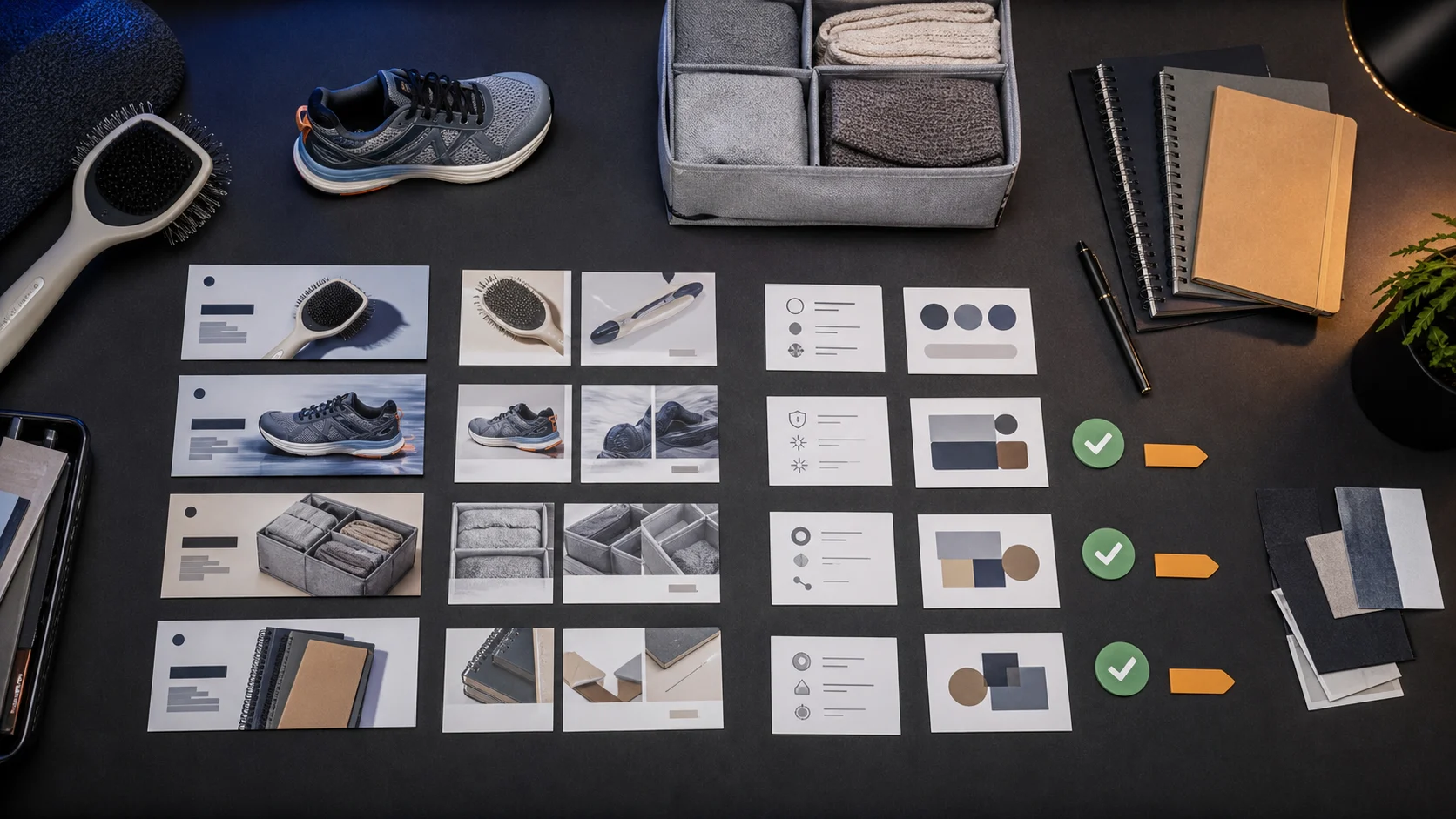
- Is the product accurately shown?
- Are the product benefits true?
- Are all claims supportable?
- Is the offer correct?
- Is the price or discount accurate?
- Does the visual show the right product variant?
- Are props or accessories misleading?
- Does the creative match brand tone?
- Does the ad fit the target platform?
- Does the landing page support the ad promise?
- Is the content suitable for the audience?
- Has a human reviewed and approved it?
AI can make ad creative faster. It should not remove judgment.
Related ecommerce AI content workflows
If you are comparing ad creative tools as part of a broader stack, start with the ecommerce AI tool overview, compare workflow categories on the AI content tool alternatives hub, and use Product Shots when the ad bottleneck is product visuals.
FAQ
What are AI ad creative tools for ecommerce?
AI ad creative tools help ecommerce teams create product-led ad images, videos, copy, hooks, UGC-style scripts, campaign variants, and creative assets using artificial intelligence. They are commonly used for paid social, Google Ads, Amazon Ads, retargeting, product launches, and creative testing.
Can AI create ecommerce ads?
Yes. AI tools can create ad copy, product visuals, video ads, background variations, UGC-style scripts, and campaign variants. Teams should still review product accuracy, claims, offer details, brand tone, platform fit, and landing page alignment before running ads.
What is the best AI ad creative tool for ecommerce?
The best tool depends on the workflow. Some teams need product video ads, some need image ad variants, some need UGC-style scripts, and some need a broader product-aware workflow connected to brand context, product catalog, campaigns, approvals, and asset reuse.
Are AI-generated ads safe to use?
AI-generated ads can be useful, but they need review. Ecommerce teams should check claims, product accuracy, pricing, offers, platform rules, brand tone, and whether the creative could mislead customers.
Can AI ad creative tools create UGC-style ads?
Yes. Many AI ad creative tools can help create UGC-style scripts, creator-style videos, avatar videos, or product demo concepts. Brands should still make sure the content feels authentic, avoids unsupported claims, and matches the product experience.
Should ecommerce teams use AI ad creative tools or platform-native tools?
Both can help. Platform-native tools from Meta, Google, and Amazon are useful close to campaign launch. Dedicated AI ad creative tools can help create broader creative variants. Ecommerce teams may still need a separate workflow for product context, brand consistency, review, asset storage, and campaign planning.
How does AgenixSocial help with ecommerce ad creatives?
AgenixSocial helps ecommerce teams connect ad creative workflows to Brand DNA, Product Catalog, Product Shots, AI Creator Videos, Campaigns, Approvals, Media Library, Calendar, Marketplace Listing Studio, Amazon A+ Studio, and pay-as-you-go credits.
Conclusion
AI ad creative tools are valuable because ecommerce teams need more campaign assets, more often.
But the best workflow is not just about producing more ads. It is about producing better starting points that are product-accurate, brand-consistent, review-ready, and connected to the rest of the ecommerce content operation.
If your only bottleneck is generating ad variants, a dedicated AI ad creative tool may be enough. If your bottleneck is connecting product visuals, campaign angles, creator videos, marketplace content, approvals, and asset reuse, a product-aware workspace becomes more useful.
The goal is not to flood ad accounts with random AI creatives.
The goal is to create stronger product-led campaign assets that your team can trust, test, learn from, and reuse.