Too Many AI Tools? Here’s a Simpler Way to Create Ecommerce Content
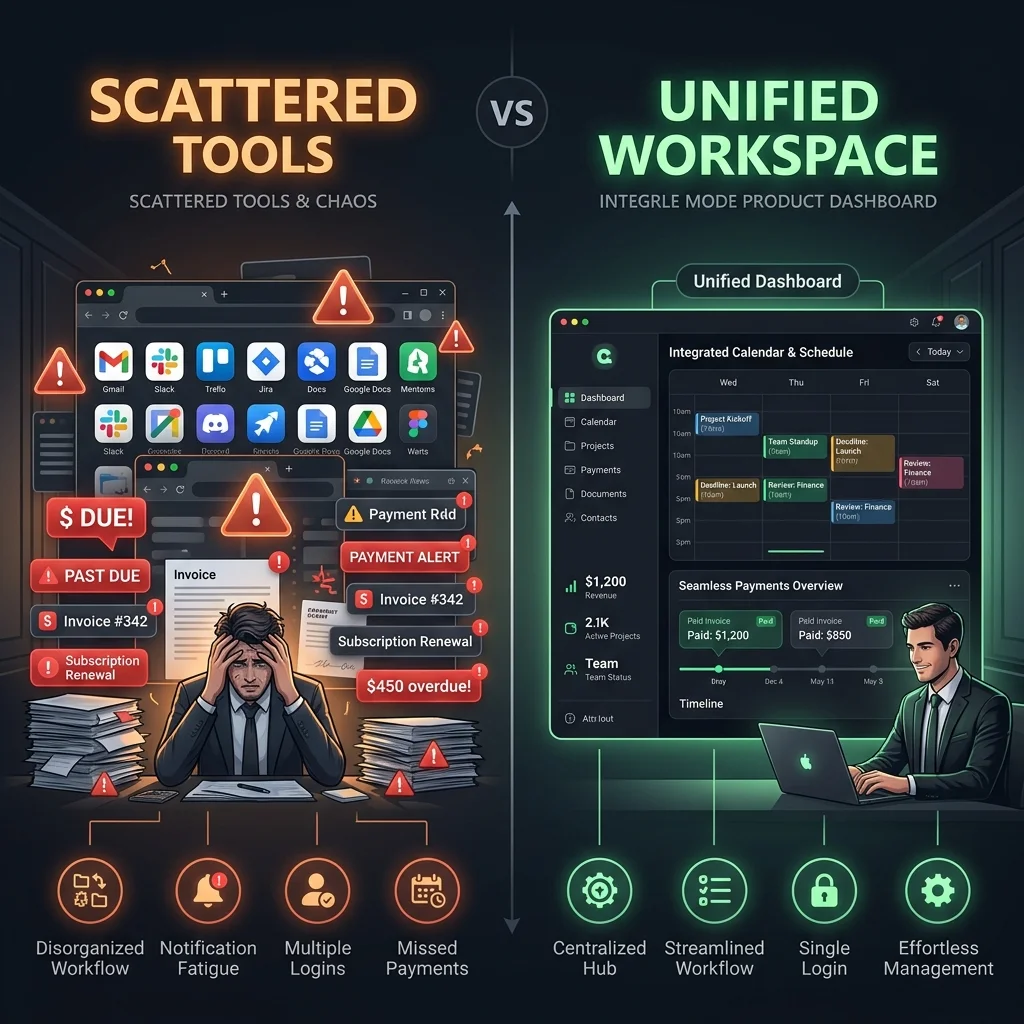
Most ecommerce brands do not plan to use too many AI tools.
It starts small.
One tool for captions. One tool for product photos. One tool for videos. One tool for scheduling. One tool for marketplace images. One tool for product descriptions. One tool for voice. One tool for removing backgrounds.
Then one day, your “simple AI setup” has become a mini operations department.
You are paying for multiple tools. You are copying the same product details into different places. You are downloading files manually. Your images are in one folder, captions in another tool, videos somewhere else, and the final approved post is hiding in a WhatsApp or Slack thread.
That is not faster content creation. That is just a more modern version of chaos.
AI content tools can be useful. The problem is not that the tools are bad. The problem is that ecommerce content needs brand context, product context, visuals, videos, approvals, scheduling, and asset storage to work together.
This guide explains what to keep, what to cut, and when one place for brand and product content is easier.
Quick answer
Ecommerce brands do not need a separate AI tool for every content task. Keep tools that do a specific job well, cut tools that duplicate work or sit unused, and bring repeatable content work into one place. Brand context, product details, social posts, product images, videos, campaigns, approvals, scheduling, and media storage become easier when they are connected.
Why ecommerce brands end up with too many AI tools
Ecommerce content is not one thing.
A single product may need:
- Product description
- Instagram post
- Facebook post
- Product image
- Product-in-use image
- Creator-style video
- Short ad video
- Marketplace listing images
- Campaign plan
- Founder post
- Approval
- Scheduling
- Final downloads
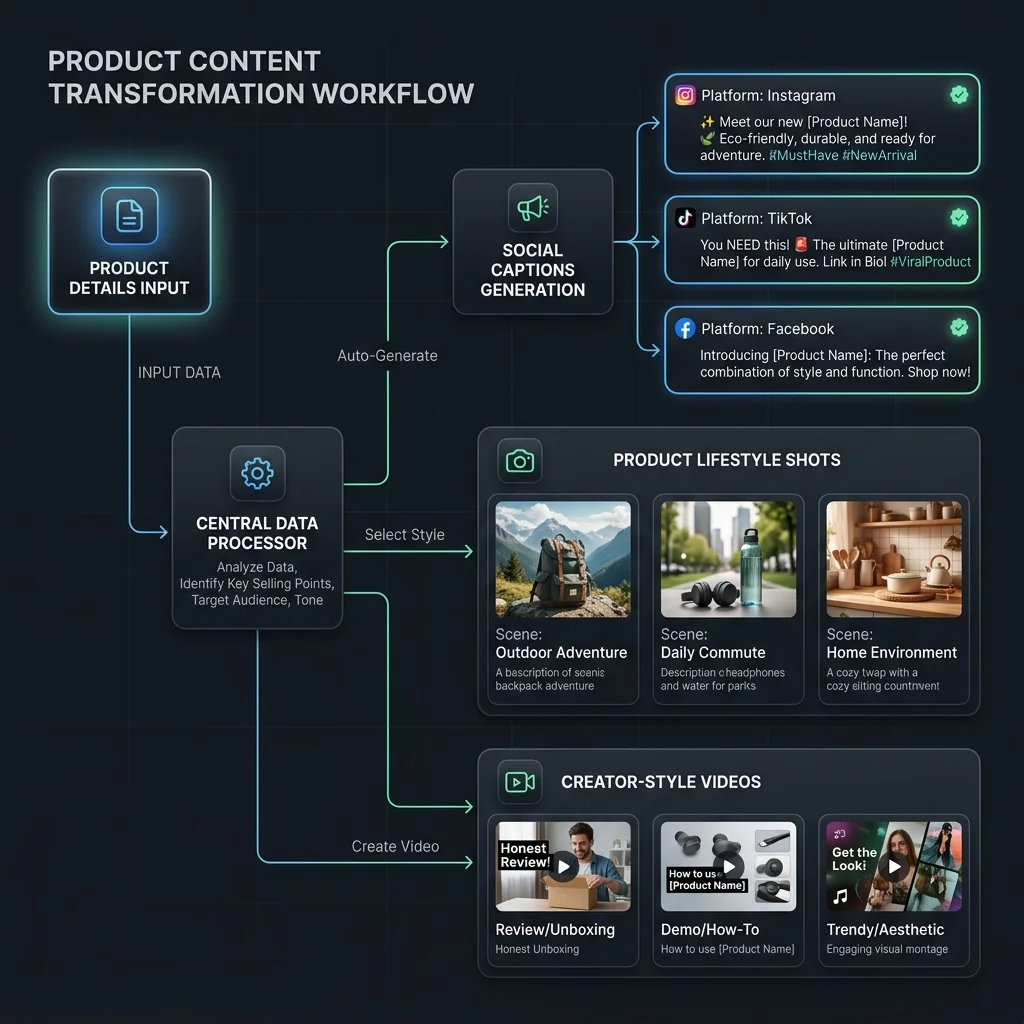
Most AI tools solve only one part of that work. One tool helps write captions. Another creates images. Another creates videos. Another schedules posts. Another stores files. Another helps with product pages. Another helps with marketplace content.
Each tool looks useful when you buy it. The problem starts when your team has to make all of them work together.
The real problem: your content is scattered
When you use too many tools, the work gets spread out.
Your brand voice may live in a prompt. Your product details may live in Shopify. Your product images may live in a folder. Your AI-generated images may live in a download folder. Your video script may live in a chat. Your final video may live in a video tool. Your calendar may live in a scheduler. Your approval may happen in Slack, WhatsApp, or email.
Your final file may be saved as: final_final_REAL_final_v4.png
This is not a small problem. When content is scattered, ecommerce content teams lose time on simple things:
- Finding the right file
- Rechecking product details
- Copying the same brand context again
- Rewriting captions for each platform
- Asking who approved what
- Downloading and re-uploading assets
- Checking which subscription still has credits
- Recreating content that already existed somewhere
This is why ecommerce teams often feel busy even after buying AI tools. The tools create outputs, but the workflow still needs a human to hold everything together.
A simple way to decide: keep, cut, or bring into one place
Use this simple rule.
| Decision | What it means |
|---|---|
| Keep | The tool does one job well and your team uses it regularly. |
| Cut | The tool is rarely used, duplicates another tool, or creates more work than it saves. |
| Bring into one place | The work is repeated often and needs brand context, product context, review, scheduling, or asset reuse. |
This is not about deleting every tool. Some tools are worth keeping. The goal is to stop using five tools for work that should happen in one flow.
What to keep
Keep tools that clearly help.
Keep specialist tools your team actually uses
A specialist tool is worth keeping when it does a specific job really well.
Examples:
- A design tool your team uses every week
- A video editor your creative team needs
- An analytics tool that helps you understand performance
- A marketplace admin tool required for upload
- A social platform tool needed for final publishing or ads
Do not cut a tool just because it is separate. Cut it only if it is not helping.
Keep tools connected to reporting and performance
Content creation and performance tracking are different jobs. You may still need analytics tools, ad dashboards, marketplace dashboards, or social reporting tools. That is fine.
A content creation workspace does not need to replace every reporting tool. The goal is to make content creation easier, not pretend one tool should do every business task.
Keep tools required by your selling platform
If you sell on Shopify, Amazon, Walmart, or another marketplace, you may still need the platform’s own admin or seller tools. Keep those.
But do not confuse a platform dashboard with a content creation system. One helps you manage the platform. The other helps you create the content you need for that platform.
What to cut
Now look at the tools that are not pulling their weight.
Cut tools you bought once and forgot
Many AI tools are bought during a launch rush. You needed product photos quickly, or you needed short videos quickly. So you signed up, generated something, and moved on. If you have not used the tool in weeks or months, review it. Especially if it still charges monthly.
Cut duplicate caption tools
If you have three tools that all write captions, you probably do not need all three.
The bigger problem for ecommerce brands is rarely “we cannot write one more caption.” The bigger problem is whether the caption knows the product, matches the brand, fits the campaign, has been reviewed, and is scheduled. A caption tool alone does not solve that.
Cut tools that make you explain the brand every time
If every tool needs you to paste the same brand explanation, that is a sign. Your brand context should not have to be rebuilt every time you create content.
You should not need to type: “Here is our brand voice. Here is our product. Here is our customer. Here is what not to say.” Every single time. That is not AI helping you; that is you training a new intern every morning.
Cut tools that create files but do not organize them
A tool that creates images is useful. A tool that creates images and leaves you with a pile of downloads is less useful.
Ecommerce assets need to be reused. A product image created today may be used later for social posts, ads, marketplace listings, product pages, emails, campaigns, or storefront visual sets. If the asset is hard to find later, you lose half the value.
Cut tools that your team cannot operate without one “AI person”
If only one person understands the prompt setup, API settings, folders, model choices, or export process, the workflow is fragile. That may be fine for experiments, but it is not ideal for everyday content operations. A good ecommerce content workflow should be usable by the people who actually run the brand.

What to bring into one place
Some parts of ecommerce content work should not be scattered.
1. Brand context
Your brand voice, tone, style, audience, and positioning should live in one reusable place.
This includes:
- How your brand sounds
- What your brand avoids saying
- What your visuals should feel like
- Who your customers are
- What makes the brand different
- Which platforms matter to you
If this is not saved somewhere useful, every tool starts from zero.
2. Product context
Your products are the center of ecommerce content. A good content workflow should know product name, description, images, price, variants, materials or ingredients, use cases, benefits, category, marketplace needs, and claims to avoid.
If a tool does not know your product, the output will feel generic. That is why many AI captions sound fine but not useful—they are not wrong, they are just not connected to what you actually sell.
3. Product posts
Product posts should start from the product, not from a blank prompt. Useful product posts include:
- Product showcase posts
- Product + person posts
- Carousels
- Launch posts
- Social proof posts
- Offer posts
- Educational product posts
- Founder-led product posts
These should not require a separate tool every time.
4. Product images
Product images are not just decoration. They help customers understand the product. Useful image types include:
- Studio shots
- Lifestyle shots
- Flat lays
- Product-in-use images
- Detail shots
- Environmental scenes
- Marketplace images
- Ad images
If product images are created in a disconnected tool, the team still has to move, rename, review, and organize them.
5. Product videos
Product videos can become complicated very quickly. A simple video may need product context, script, message angle, avatar or creator, language, scene, captions, review, download, and scheduling. If every step happens in a different tool, the workflow becomes heavy.
6. Campaign planning
Campaigns should not live only in spreadsheets. A campaign needs product, goal, dates, platforms, captions, images, videos, review status, scheduled posts, and final assets. When the campaign plan is separate from the content assets, someone has to manually stitch everything together.
7. Review and approval
AI content should not go live without review. For ecommerce, review matters because content can affect customer trust.
Teams should check:
- Is the product shown correctly?
- Are the claims accurate?
- Is the price correct?
- Is the offer current?
- Does the tone match the brand?
- Does the image look realistic?
- Is the platform format right?
- Is the asset ready to publish?
Review should be part of the workflow, not an afterthought.
8. Calendar and media library
A content calendar should not only show dates. It should show what is being posted, which product it supports, which campaign it belongs to, which asset is attached, whether it is approved, and where it will be published.
A media library should help the team find and reuse images, videos, and other assets. If the team cannot find approved content later, the tool setup is not working.
A simple example: launching one product
Imagine you are launching a new desk organizer. With too many tools, your workflow may look like this:
- Product description in Shopify
- Caption written in one AI tool
- Product image made in another tool
- Video script written in chat
- Video created in another app
- Voice generated somewhere else
- Launch calendar in a spreadsheet
- Approval in Slack
- Final assets in Google Drive
- Social post scheduled in another tool
This can work once, but doing it every week becomes tiring. The real work becomes finding the final caption, finding the approved image, checking claims, and figuring out where files are.
Now compare that to a simpler workflow:
- Your brand context is already saved.
- Your product is already in the system.
- You create product posts, images, videos, and campaign assets from that product.
- Your team reviews the content.
- Approved content moves to calendar.
- Assets stay in one media library for reuse.
That is the difference between using AI tools and having an AI content workflow.
How to audit your AI content tools in 30 minutes
Use this quick exercise. List every AI or content tool you use, including writing, image, video, voice, design, scheduling, marketplace, storage, and automation tools.
Then add four columns:
- Who uses it? (Name the person or team)
- How often is it used? (Weekly, monthly, rarely, never)
- What job does it do? (Captions, images, videos, scheduling, storage, etc.)
- Keep, cut, or bring into one place? (Decide honestly)
The audit usually shows one thing quickly: you may not need more AI tools. You may need fewer tools and a cleaner workflow.
How AgenixSocial helps
AgenixSocial is built for ecommerce content teams that want one easier place for repeatable content work. It does not need to replace every tool your business uses. Keep your analytics tools, your ecommerce admin, and your specialist design tools.
But for everyday ecommerce content, AgenixSocial helps bring the core workflow into one place:
- Brand DNA: stores reusable brand context and voice guidelines so you do not repeat setups.
- Products: keep product context available as a source of truth, avoiding prompt copy-pasting.
- Content Studio: helps create product-led content easily.
- Product Shots: creates product and lifestyle visuals connected to your products.
- AI Creator Videos: supports product-led video workflows with storyboards.
- Campaigns: helps plan launch and brand campaigns.
- Marketplace Listing Studio: supports multi-platform marketplace listing image sets.
- Amazon A+ Studio: supports structured A+ content layouts.
- Approval Queue: keeps review and approvals in the workflow.
- Calendar: integrated scheduling and content planning.
- Media Library: keeps generated and uploaded assets organized.
- Pay-as-you-go credits: simple, subscription-free creative credits.
AgenixSocial starts with Brand DNA and product context. That means the system already has a stronger starting point before content creation begins.
Teams can then create product-aware content, review it, schedule it, and keep it organized. The goal is not full autopilot. The goal is less jumping between tools, less repeated context, cleaner review, and faster content creation around real products.
When many tools still make sense
Many tools can still make sense when you have a specialist creative team, need advanced editing, need deep analytics, or have custom workflows. The goal is not to use only one tool forever. The goal is to stop making simple content work complicated.
Conclusion
Too many AI tools can make ecommerce content harder, not easier. Not because the tools are bad, but because the work gets scattered. The brand lives in one place. The product details live somewhere else. Images are generated in another app. Videos are created in another tool. Approvals happen in chat. Scheduling happens somewhere else. Assets disappear into folders.
The simpler path is to decide what to keep, what to cut, and what to bring into one place.
Keep specialist tools when they clearly help. Cut tools that duplicate work or sit unused. Bring repeatable ecommerce content work into a place that remembers your brand and products.
That is how ecommerce teams move from “we have many AI tools” to “we have a content workflow that actually works.”