Too Many AI Content Tools? What Ecommerce Brands Should Keep, Cut, and Bring Into One Place
Most ecommerce teams do not start with too many AI tools.
They start with one innocent tool.
One tool for captions. Then one for product images. Then one for video. Then one for voice. Then one for scheduling. Then one for marketplace listings. Then one for removing backgrounds. Then one for product descriptions. Then one for “just this one launch campaign.”
Suddenly, the team has ten tools, seven subscriptions, three credit systems, four folders, two calendars, and one person who still has to paste the product description into every prompt.
That is not a content system.
That is tool chaos wearing a nice dashboard.
AI content tools can absolutely help ecommerce teams. The problem is not that the tools are bad. The problem is that the work gets scattered. Brand voice lives in one place. Product images live somewhere else. Captions are inside a chat. Videos are inside another app. Approved content is in Slack. The final file is in someone’s Downloads folder, naturally named “final-final-v3.”
This guide helps ecommerce brands decide what to keep, what to cut, and what to bring into one place.
Quick answer
Ecommerce brands should keep AI tools that do a specific job well, cut tools that duplicate work or sit unused, and bring repeatable content workflows into one place. Brand context, product context, social posts, product images, videos, marketplace assets, approvals, calendar planning, and media storage become easier when they are connected inside one product-aware workspace.
Why ecommerce teams end up with too many AI tools
Ecommerce content is not one task.
A single product launch may need:
- Product description
- Instagram post
- Facebook post
- Founder note
- Product images
- Product-in-use visuals
- Creator-style video
- Ad image
- Marketplace listing image
- A+ style content
- Campaign calendar
- Approval
- Final downloads
- Reusable media
Most AI tools solve one slice of that work. That is why tool sprawl happens. One tool writes captions. Another creates images. Another generates avatar videos. Another schedules posts. Another stores files. Another helps with marketplace content. Another helps with product descriptions.
Each tool seems useful when bought alone. The trouble starts when the team has to make all of them work together.
The simple test: is this tool helping or creating more work?
Before adding another AI content tool, ask one question:
Does this tool reduce the work, or does it move the work somewhere else?
A tool is useful if it helps the team:
- Create faster
- Stay on-brand
- Use real product context
- Review outputs easily
- Save assets properly
- Publish or export cleanly
- Avoid repeating the same instructions
- Reduce manual handoffs
A tool creates more work if it forces the team to:
- Re-explain the brand every time
- Paste product details again and again
- Export files manually
- Reformat content for every platform
- Move assets across folders
- Chase approvals in chat
- Track credits across tools
- Fix platform-size problems manually
- Maintain yet another subscription
The question is not “Is this AI tool impressive?” The question is “Does this tool make our weekly content workflow easier?” That is a very different, much better question.
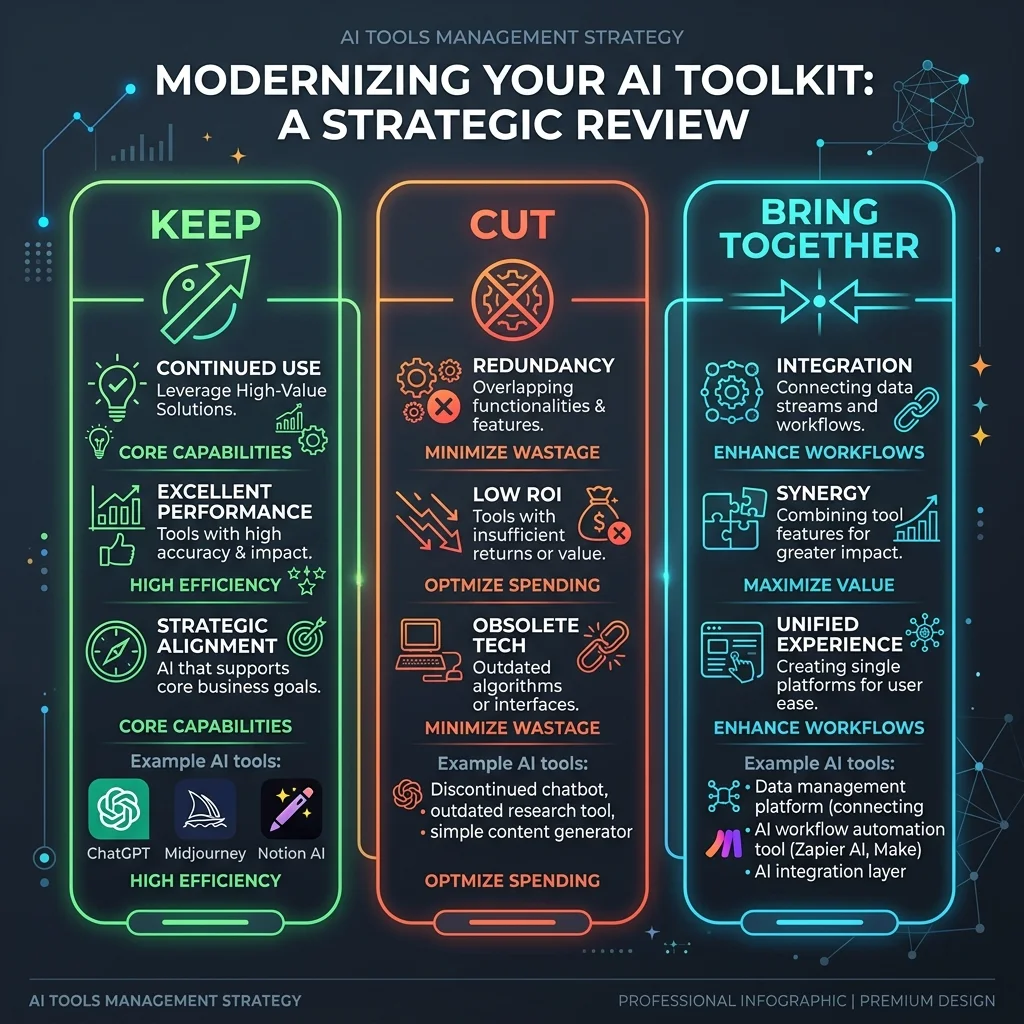
The keep, cut, and bring-into-one-place framework
Here is the simplest way to clean up your AI content tools.
| Decision | Meaning | Example |
|---|---|---|
| Keep | The tool does one job very well and your team uses it regularly | A specialist design tool, analytics platform, or advanced video tool |
| Cut | The tool duplicates another tool, is rarely used, or adds more manual work than value | A caption tool nobody opens, an unused image generator, a scheduler used by one person only |
| Bring into one place | The workflow is repeated often and depends on brand, product, review, calendar, or asset reuse | Product posts, product images, creator videos, campaigns, approvals, media library |
This is not about deleting every tool. It is about knowing which work should not stay scattered.
What to keep
Some tools are worth keeping.
Keep specialist tools your team actually uses
If your designer loves a design tool and it fits your workflow, keep it. If your video team uses a dedicated video editor for high-touch edits, keep it. If your analytics platform gives you useful insights, keep it.
If your ecommerce platform has built-in AI features that help with product descriptions or store copy, use them. For example, Shopify Magic is integrated across Shopify products and workflows for store building, marketing, customer support, and back-office tasks.
The goal is not to force everything into one place. That would be another kind of chaos.
Keep tools that are:
- Used regularly
- Clearly owned by someone
- Good at a specific job
- Easy to fit into the workflow
- Worth the price
- Not duplicating another tool
- Not forcing repeated manual setup
A specialist tool is useful when it is truly specialist. A duplicate tool is just rent with a login page.
Keep tools connected to measurement
Do not cut tools that help the team understand performance. Analytics, attribution, reporting, search data, and customer insights can remain separate if they are doing real work.
A content creation workspace should not pretend to replace every analytics or business intelligence tool. That is not the job.
Keep tools required by the platform
Some platforms have native tools that are hard to avoid.
For example, Meta Business Suite, ecommerce admin panels, marketplace seller dashboards, and ad managers may still be needed for publishing, campaign settings, product setup, or final upload. Keep them.
But do not confuse platform admin tools with content creation systems.
What to cut
This is where teams usually find quick savings.
Cut tools you bought for one campaign and never used again
Many AI tools are bought during a launch panic. A team needs product shots quickly, or a team needs short videos quickly. So the founder signs up, generates a few assets, and forgets the tool exists until the card is charged again. If the tool is not part of the weekly workflow, review it.
Cut duplicate caption tools
If you have three tools that all write captions, you probably need one. Maybe none.
The bigger problem is usually not caption generation. It is product context, brand consistency, visuals, review, and scheduling. A generic caption tool can write “Shop now” in fifteen tones, but that does not mean it understands your product.
Cut tools that need too much context every time
If every content request starts with a long manual briefing explaining the brand, the product name, visual parameters, target channels, and styles, that tool may be smart, but the workflow is not. Brand and product context should not be rebuilt every time.
Cut tools that create assets but do not help organize them
A tool that generates images but leaves you with downloads is not solving the whole problem. A tool that creates videos but does not help connect them to the product, campaign, review status, or calendar is only solving one step.
For ecommerce teams, asset reuse matters. The product image you create today might be used later for a social post, ad, listing, campaign, email, or marketplace visual. If assets are scattered, you lose the value later.
Cut tools that your team cannot operate without one “AI person”
If only one person understands the prompt setup, API settings, folders, model choices, or export process, the workflow is fragile. That may be fine for experiments, but it is not ideal for everyday content operations. A good ecommerce content workflow should be usable by the people who actually run the brand.

What to bring into one place
Some work should not be spread across five tools.
1. Brand context
Your brand voice, tone, visual direction, customer understanding, and positioning should live in a reusable place. If every tool needs the same brand explanation, the team is wasting time.
Bring this into one place:
- Brand voice
- Tone
- Do’s and don’ts
- Visual style
- Audience
- Competitor context
- Platform context
- Past content learnings
This is the foundation. Without brand context, AI content becomes generic very quickly.
2. Product context
Ecommerce content starts with products. That means the workflow should know:
- Product name
- Description
- Images
- Price
- Variants
- Materials or ingredients
- Benefits
- Use cases
- Product category
- Marketplace needs
- Claims to avoid
If product context is not connected, your team keeps pasting the same information into tools. That is not automation; it is copy-paste with better lighting.
3. Product-led social content
Social content for ecommerce is different from generic social content. It needs to know what is being sold.
Bring these into one product-aware workflow:
- Quick product posts
- Product + person visuals
- Carousels
- Launch posts
- Social proof posts
- Founder-led posts
- Offer posts
- Educational product posts
If the post starts from the product, the output is usually stronger.
4. Product images
Product images should not be created in a completely disconnected tool every time. A product image workflow should connect product context, brand style, scene type, platform format, review, download, and reuse.
Useful image types include:
- Studio shots
- Lifestyle shots
- Product-in-use visuals
- Flat lays
- Detail shots
- Environmental scenes
- Marketplace image sets
- Ad images
Images are not just files. They are reusable content assets.
5. Product videos
Product videos can easily become tool chaos. The team may use one tool for scripts, another for avatars, another for voice, another for editing, and another for scheduling.
Bring the repeatable parts into one workflow:
- Product selection
- Message angle
- Script generation and editing
- Avatar or creator scene selection
- Voice and language settings
- Final video generation
- Review, download, or scheduling
Video is expensive in attention. It needs a smoother workflow.
6. Campaign planning
Campaigns should not live only in spreadsheets. A product launch campaign needs:
- Product goal
- Content sequence
- Platforms and dates
- Visual and text assets
- Review status
- Calendar placement
- Final files
If the campaign plan is separate from content creation, approvals, and scheduling, someone has to stitch everything manually.
7. Review and approval
Human review should be part of the workflow, not a side conversation. Review matters because ecommerce content can affect product accuracy, claims, pricing, offers, marketplace fit, platform fit, and brand trust.
AI-generated content should be reviewed before publishing or upload. That does not slow the workflow down; it prevents fast mistakes.
8. Calendar and media library
A content calendar should show more than dates. It should connect the post, product, campaign, platform, asset, review status, scheduled time, and final file.
A media library should store assets in a way that makes reuse easy. The team should not have to search five tools for one approved product image.
A practical example: one product, too many tools
Imagine a small brand launching a new desk organizer. The team might use:
- A writing tool for captions
- An image tool for product visuals
- A video tool for a short product demo
- A voice tool for narration
- Canva or Adobe Express for design polish
- Google Drive for files
- Buffer or Meta Business Suite for scheduling
- Slack for approval
- Shopify admin for product page updates
- A spreadsheet for campaign planning
That can work. But now the team must manage:
- Which caption is final
- Which image is accurate
- Which video is approved
- Which file size works
- Which platform format is correct
- Which tool has credits left
- Which person reviewed the asset
- Which folder contains the latest version
- Which post is scheduled
The work is no longer content creation. It is content coordination. That is the pain this article is really about.
How to audit your AI content tools in 30 minutes
Use this quick exercise to simplify your stack.
Step 1: List every tool
Create a simple list of writing, design, image, video, voice, scheduling, marketplace, storage, automation, and analytics tools.
Step 2: Add monthly cost
Include subscription costs, credit packs, API usage, extra seats, and underused plans.
Step 3: Add owner
Who actually uses each tool? If nobody owns it, mark it.
Step 4: Add last real use
Was it used this week, this month, last quarter, or only during a one-off experiment?
Step 5: Mark the job
What job does it do? (Captions, images, videos, voice, scheduling, marketplace content, analytics, approval, storage, or product descriptions).
Step 6: Decide keep, cut, or bring into one place
Use this table.
| Tool situation | Decision |
|---|---|
| Used weekly and does one job well | Keep |
| Duplicates another tool | Cut |
| Bought for one experiment and forgotten | Cut |
| Requires repeated brand/product context | Bring into one place |
| Generates assets but does not organize them | Bring into one place |
| Handles analytics or platform admin | Usually keep |
| Needed for advanced specialist work | Keep |
The audit usually reveals that the team does not need more tools. It needs a cleaner workflow.
How AgenixSocial helps ecommerce teams bring the right work into one place
AgenixSocial is useful when ecommerce teams want to stop spreading repeatable content work across too many AI tools. It is not meant to replace every specialist tool. Keep your analytics platform, your ecommerce admin, and your specialist design tools.
But for repeatable commerce content, AgenixSocial brings the key workflow into one product-aware workspace.
- Brand DNA: Reusable brand context and voice guidelines, preventing repeated setups.
- Products: Product catalog context acts as the source of truth, avoiding prompt copy-pasting.
- Content Studio: Guided content creation for fast product posts.
- Product Shots: Product visuals and scene synthesis connected to your products.
- AI Creator Videos: Creator-style product videos with storyboard setups.
- Campaigns: Product launch and brand campaigns planned together.
- Marketplace Listing Studio: Multi-platform marketplace listing image sets.
- Amazon A+ Studio: Visual and module layouts for Amazon storefronts.
- Approval Queue: Review before publishing, preventing off-brand mistakes.
- Calendar: Integrated scheduling and content planning.
- Media Library: Organizing and reusing visual assets.
- Pay-as-you-go credits: Simple, subscription-free creative credits.
AgenixSocial starts with Brand DNA and product context. That gives the team a reusable foundation before content creation begins. From there, the team can create product-aware content, review it, schedule it, and keep it organized.
The goal is not full autopilot. The goal is fewer disconnected tools, less repeated context, cleaner review, and faster content creation around real products.

What you should still review
Even with a better workflow, human review remains important. Before publishing or uploading AI-assisted content, check:
- Is the product shown correctly?
- Is the product description accurate?
- Are claims safe?
- Is pricing current?
- Is the offer correct?
- Is the visual realistic?
- Is the tone on-brand?
- Does the format fit the platform?
- Does the content need marketplace review?
- Is the final asset saved properly?
AI can speed up the work, but it should not remove judgment.
When one workspace is better than many tools
A single workspace becomes better when:
- Your team creates content every week
- You manage many products
- You repeat brand instructions often
- You need both images and videos
- You create marketplace assets
- You run launches or campaigns
- You need approvals before publishing
- Your files are scattered
- You are paying for tools you barely use
- Non-technical users need to create content easily
That is the point where “just use one more AI tool” stops being the answer.
Conclusion
Too many AI content tools can slow ecommerce teams down. Not because the tools are bad, but because the work gets scattered. The brand lives in one tool. The product details live somewhere else. Images are generated in another app. Videos are made somewhere else. Approvals happen in chat. Scheduling happens in another platform. Assets end up in folders nobody wants to open.
The fix is not to buy another AI tool. The fix is to decide what to keep, what to cut, and what to bring into one place.
Keep specialist tools when they clearly help. Cut tools that duplicate work or sit unused. Bring repeatable ecommerce content workflows into a product-aware workspace.
For ecommerce teams, the best setup is the one that helps them create accurate, on-brand content around real products without rebuilding the workflow every week.