Best AI UGC video generators for ecommerce brands
Quick answer
The best AI UGC video generator for ecommerce depends on the workflow you need. HeyGen and Synthesia are strong for general avatar-led videos. Creatify, Arcads, Captions, and TopView are useful for AI ad creation and UGC-style video ads. AgenixSocial is best positioned for ecommerce teams that need product-led AI creator videos from product context, avatars or custom scenes, editable scripts, 40+ languages, and campaign reuse.
The short version:
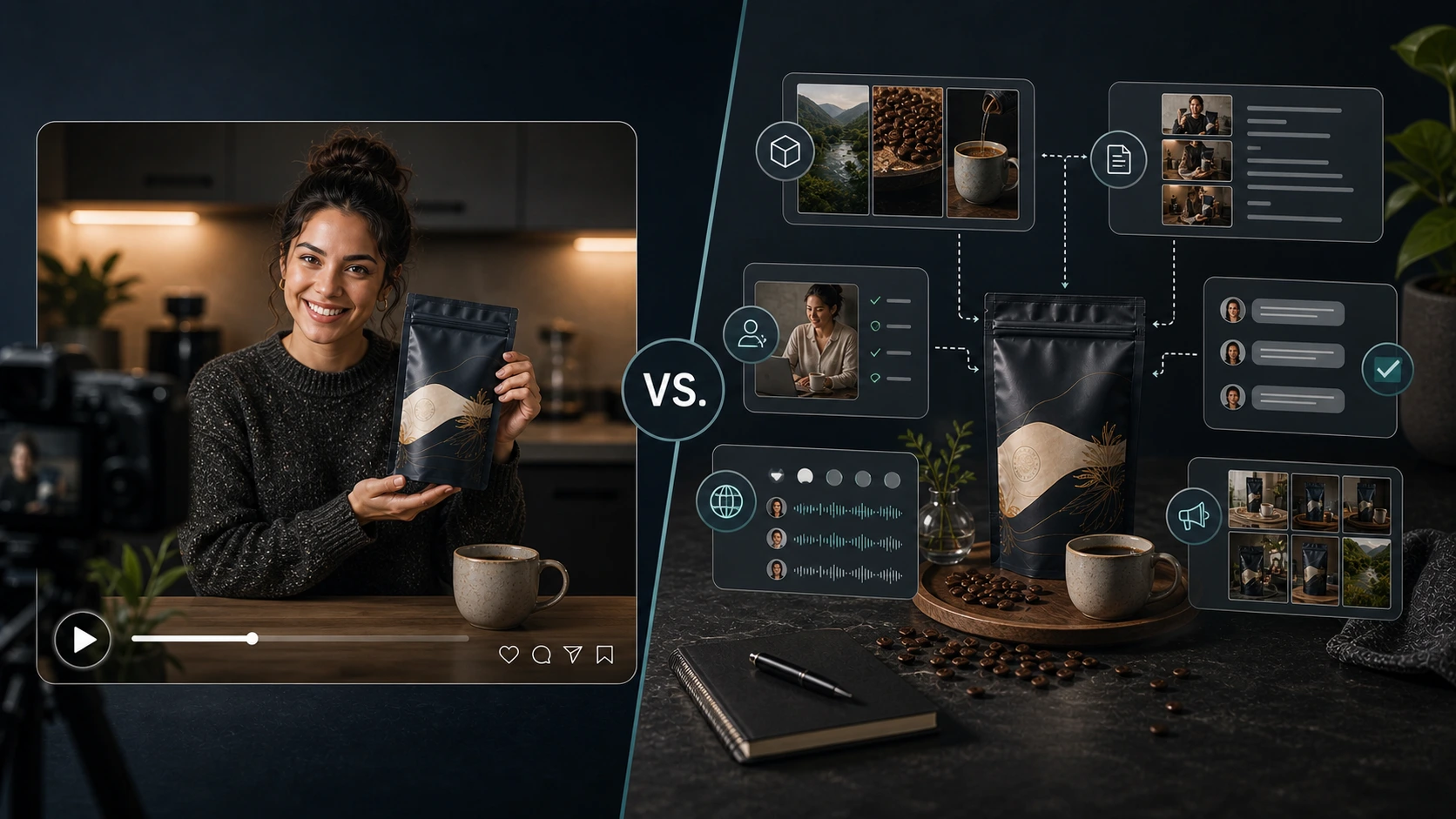
Compare workflows, not just faces.
A realistic avatar with a weak product script still creates a weak ecommerce video.
Why ecommerce brands need a different comparison
Most AI UGC video generator comparisons focus on the obvious things:
- Which avatar looks most realistic?
- Which tool makes videos fastest?
- Which tool has the best demo?
- Which tool has the most templates?
- Which tool creates UGC ads?
Those questions matter, but they are not enough for ecommerce brands.
An ecommerce team does not just need a person speaking on camera.
It needs video content that understands the product.
That means:
- product details
- product benefits
- product images
- customer use case
- message angle
- brand voice
- language
- claim safety
- script quality
- export and reuse
- campaign fit
If the video starts from a generic script, the output may look polished but still fail as ecommerce content.
The best AI UGC video generator for ecommerce is not simply the tool with the most realistic avatar.
It is the tool that best supports the product workflow.
The main decision: what kind of tool do you need?
Before choosing a tool, decide what problem you are solving.
| Need | Better tool type |
|---|---|
| General AI avatar videos | Avatar video platform |
| Training or business presenter videos | Enterprise AI video platform |
| Fast UGC-style ad variations | AI ad generator |
| Product URL to video ads | Product-to-ad creative tool |
| Ecommerce product-led creator videos | Product-aware content workflow |
| Multilingual product explainers | Avatar/video tool with strong language support |
| Campaign reuse across brand assets | Ecommerce content workspace |
This is where many brands pick the wrong tool.
They choose the most impressive demo video, then realize the workflow does not understand their product catalog, campaign needs, marketplace content, or brand context.
Best AI UGC video generators by use case
| Tool | Best for | Watch out for |
|---|---|---|
| AgenixSocial | Ecommerce product-led AI creator video workflow | Best fit when product catalog, Brand DNA, and campaign reuse matter |
| HeyGen | General AI avatar videos, marketing videos, multilingual avatar content | May need extra product workflow planning for ecommerce-specific use cases |
| Synthesia | Enterprise avatar videos, training, internal comms, business explainers | Less ecommerce-specific by default |
| Creatify | Ecommerce ad variations, product URL to video, direct-response video ads | Review script and claim quality carefully |
| Arcads | AI UGC ad creation and ad testing with many AI actors | Watch for generic ad scripts and product accuracy |
| Captions | AI video generation, editing, captions, social video workflows | Ecommerce product context may need extra review |
| TopView | Fast product-to-ad and social/ecommerce creative workflows | Needs brand, product, and claim accuracy review |
This is not a "one tool is best for everyone" list.
It is a workflow-fit list.
How to evaluate an AI UGC video generator
Use these criteria before choosing.
| Criteria | Why it matters |
|---|---|
| Product context | Prevents generic scripts and weak product explanations |
| Avatar quality | Helps the video feel natural |
| Custom scene support | Gives more creative control |
| Script generation | Saves time when creating product-led videos |
| Script editing | Lets the team fix tone, claims, and product details |
| Language support | Important for localization |
| Brand consistency | Keeps videos aligned with the brand |
| Review workflow | Reduces claim and trust risk |
| Export and reuse | Helps teams use videos across campaigns |
| Ecommerce workflow fit | Separates real product tools from generic avatar tools |
| Pricing model | Matters when generating many product variations |
| Team workflow | Matters for agencies and ecommerce teams creating at scale |
A tool can score high on avatar realism and still be weak for ecommerce if it cannot handle product context well.

Why avatar realism is not enough
Avatar quality matters.
A stiff or unnatural avatar can weaken the video.
But avatar realism is only one part of the workflow.
A realistic avatar with a generic script still sounds fake.
A realistic avatar using unsupported claims still creates risk.
A realistic avatar in the wrong scene still feels off.
A realistic avatar that does not understand the product still creates weak ecommerce content.
For ecommerce teams, the stronger checklist is:
- Does the tool understand the product?
- Can it generate a product-specific script?
- Can the user edit the script before video creation?
- Can the brand choose avatar or custom scene?
- Can it localize across needed languages?
- Can the team review claims and product accuracy?
- Can the output be reused across ads, organic posts, marketplace videos, and campaigns?
The face on screen matters.
The workflow behind the face matters more.
1. AgenixSocial
Best for: ecommerce product-led AI creator video workflow
AgenixSocial is best positioned for ecommerce brands that want AI creator videos inside a broader product-aware content workflow.
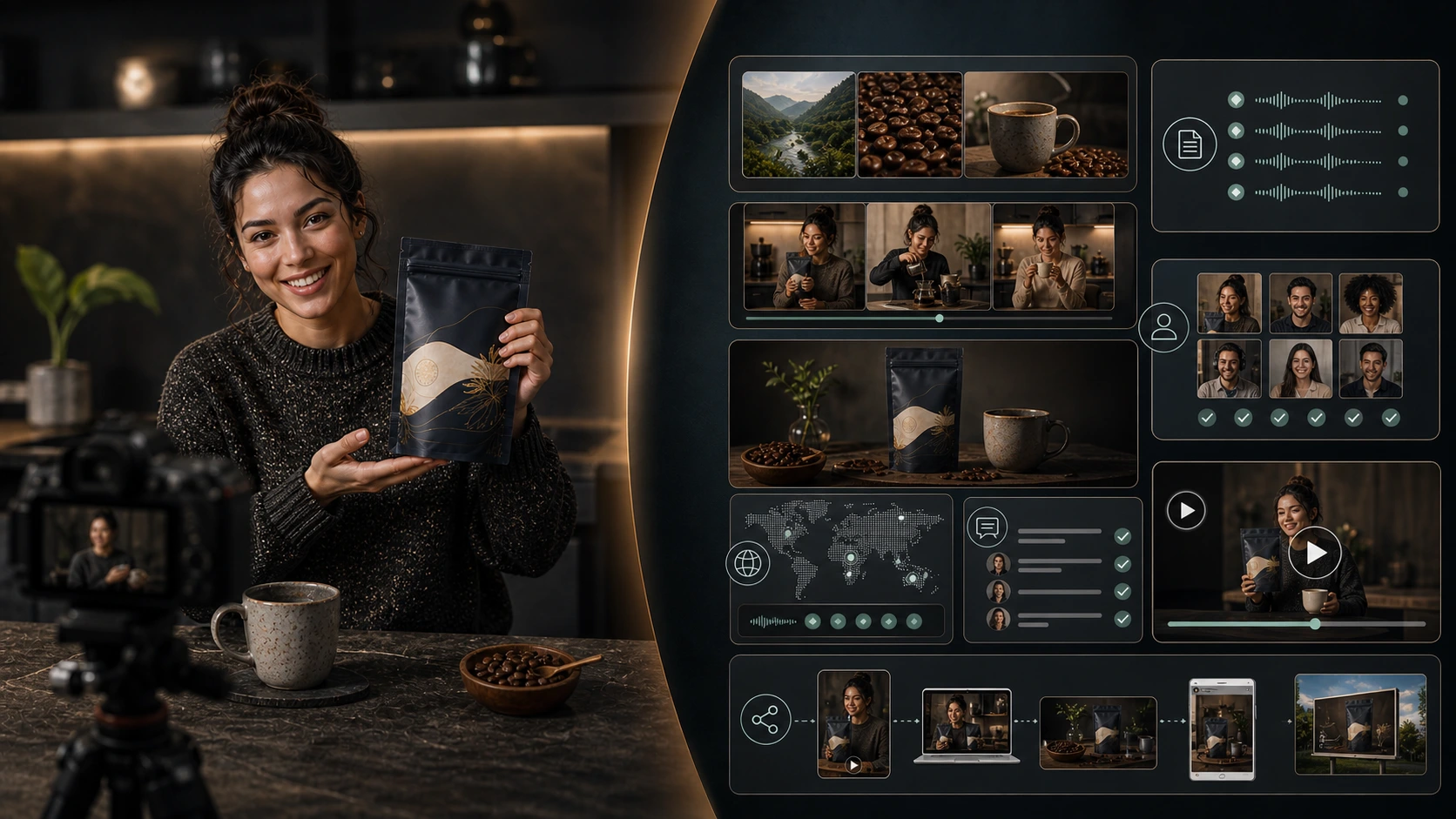
The key difference is that AgenixSocial starts from the product.
The user selects a product, chooses a pre-built avatar or custom scene, picks from 40+ languages, generates and edits the script, and creates creator-style product videos from product context.
This matters because ecommerce video is not only about a person speaking.
It is about turning product information into usable content.
AgenixSocial is especially useful when a brand needs:
- product explainers
- ad variations
- marketplace videos
- launch content
- localized product videos
- repeatable campaign assets
- creator-style videos across many SKUs
- video content connected to product and brand context
It also fits teams that do not want another disconnected AI tool.
AgenixSocial sits inside a wider content workspace that includes Brand DNA, product visuals, Campaigns, marketplace listing images, Amazon A+ content, founder-led content, scheduling, media library, and pay-as-you-go credits.
Where AgenixSocial fits best
Use AgenixSocial when you want:
- product-led scripts
- ecommerce-specific video workflows
- pre-built avatars or custom scenes
- 40+ language support
- editable scripts before generation
- reuse across campaigns
- product and brand context in one workspace
Watch out for
AgenixSocial should not be treated as a generic "AI testimonial maker."
The stronger use case is AI Creator Videos for product-led content, not fake customer proof.

2. HeyGen
Best for: general AI avatar videos and multilingual marketing videos
HeyGen is one of the best-known AI avatar and AI video platforms. Its general workflow is avatar-led: choose an avatar, add the script or content, choose a voice or language, adjust visuals and branding, then generate and export. HeyGen AI UGC Video
HeyGen can fit brands that need:
- avatar-led videos
- marketing explainers
- multilingual videos
- text-to-video workflows
- polished business or creator-style video assets
It is a strong option when the team wants a flexible AI avatar platform.
Where HeyGen fits best
Use HeyGen when you need general-purpose avatar video creation and are comfortable planning product strategy, script quality, and ecommerce workflow outside the tool.
Watch out for
For ecommerce teams, avatar generation is only part of the work. The product script, use case, offer accuracy, claim review, and campaign reuse still need attention.
3. Synthesia
Best for: enterprise avatar videos, training, internal communications, and business explainers
Synthesia positions itself as a business AI video platform with 240+ avatars and 160+ languages. Synthesia
This makes Synthesia a strong choice for companies that need consistent business video at scale.
Where Synthesia fits best
Use Synthesia when your main need is:
- training videos
- internal communications
- business explainers
- multilingual presenter-led content
- polished corporate video production
Watch out for
Synthesia is not primarily an ecommerce listing, campaign, product catalog, or marketplace workflow tool. Ecommerce teams may still need to plan product scripts, creative angles, product-specific hooks, and ad variations separately.
4. Creatify
Best for: ecommerce ad variations and product-to-video workflows
Creatify is built around AI ad generation. Its official positioning includes turning product pages into video ads, using URL-to-video, creating ad variations, and choosing styles such as UGC or cinematic. Creatify URL to Video
That makes it relevant for ecommerce brands that want faster ad creative production.
Where Creatify fits best
Use Creatify when you want:
- product URL to video ads
- ecommerce ad variations
- direct-response creative testing
- fast video ad production
- UGC-style or cinematic ad formats
Watch out for
Ad generation speed is useful, but ecommerce teams still need review. Check product accuracy, claims, offer details, script specificity, and whether the ad sounds generic.
5. Arcads
Best for: AI UGC ad creation and AI actor-led ad testing
Arcads positions itself around AI UGC videos and AI actors, with a library of 1,000+ AI actors. Arcads AI UGC Video
That makes it relevant for brands and agencies testing AI actor-led ads.
Where Arcads fits best
Use Arcads when you want:
- AI UGC ads
- many AI actor options
- ad creative testing
- short-form performance creative
- fast UGC-style ad production
Watch out for
The more automated the ad workflow, the more important review becomes. Product claims, avatar fit, language quality, and brand tone still need human review.
6. Captions
Best for: AI video generation, editing, captions, and social-ready content
Captions positions itself as an AI video generator and editor that can help users go from idea to ready-to-share content. It supports uploading existing footage, AI editing, and generating new footage. Captions
This makes it useful for creators, marketers, and teams that need AI-assisted video editing and social video production.
Where Captions fits best
Use Captions when you need:
- AI video editing
- captioning
- social-ready videos
- AI-generated footage
- creator-style content workflows
- fast editing support
Watch out for
For ecommerce teams, captions and editing are useful, but product context still matters. Check whether the workflow supports accurate product-led scripts, claims, and campaign reuse.
7. TopView
Best for: fast product-to-ad and social or ecommerce creative workflows
TopView positions itself around ads, products, social content, product URLs, images, scripts, avatars, and campaign-ready video generation. TopView AI Video Generator
This makes it relevant for teams that want fast social and ecommerce video creative.
Where TopView fits best
Use TopView when you want:
- fast product-to-ad workflows
- social video generation
- ecommerce creatives
- channel-based templates
- AI avatar video options
- quick video ideation
Watch out for
Fast generation still needs product and brand review. For ecommerce, the key issue is not just whether a video looks good. It is whether the product claim, scene, offer, and use case are accurate.
Best tool by ecommerce need
| Ecommerce need | Best-fit option |
|---|---|
| Product-led AI creator videos from product catalog context | AgenixSocial |
| General avatar-led marketing videos | HeyGen |
| Enterprise presenter videos and internal communication | Synthesia |
| Ecommerce ad variations from product input | Creatify |
| AI UGC actor-led ad testing | Arcads |
| AI editing, captions, and social-ready video workflows | Captions |
| Fast product-to-social ad creation | TopView |
| Content workspace with Brand DNA, product visuals, campaigns, AI creator videos, and reusable assets | AgenixSocial |
Buyer checklist before choosing an AI UGC video generator
Before choosing a tool, ask:
- Does the tool understand product context?
- Can it generate scripts from product details?
- Can users edit scripts before video creation?
- Does it support avatars or custom scenes?
- Does it support the languages you need?
- Can the team review claims and product accuracy?
- Does it fit ecommerce workflows, not just generic video creation?
- Can approved assets be reused across campaigns?
- Does pricing fit repeated content creation?
- Does the workflow reduce manual coordination?
- Does it support your team's actual production model?
- Does it reduce repetitive work without pretending to replace human review?
This checklist is more useful than watching one polished demo.
Where generic avatar tools work well
Generic avatar tools can be excellent when the job is:
- presenter videos
- explainers
- training
- internal communication
- tutorials
- business updates
- multilingual messages
- script-to-video output
They are useful when the main input is a script and the main output is a presenter-led video.
But ecommerce teams often need more than that.
They need the video to understand the product.
Where product-led ecommerce workflows work better
A product-led ecommerce workflow is better when the team needs:
- product context
- product-specific scripts
- marketplace video variants
- product ads
- launch videos
- reusable campaign assets
- Brand DNA consistency
- many SKUs
- social, marketplace, and campaign reuse
- product visuals and videos in the same workspace
This is where AgenixSocial's positioning is different.
It is not just trying to create a talking avatar.
It is trying to connect AI creator videos to the broader commerce content workflow.
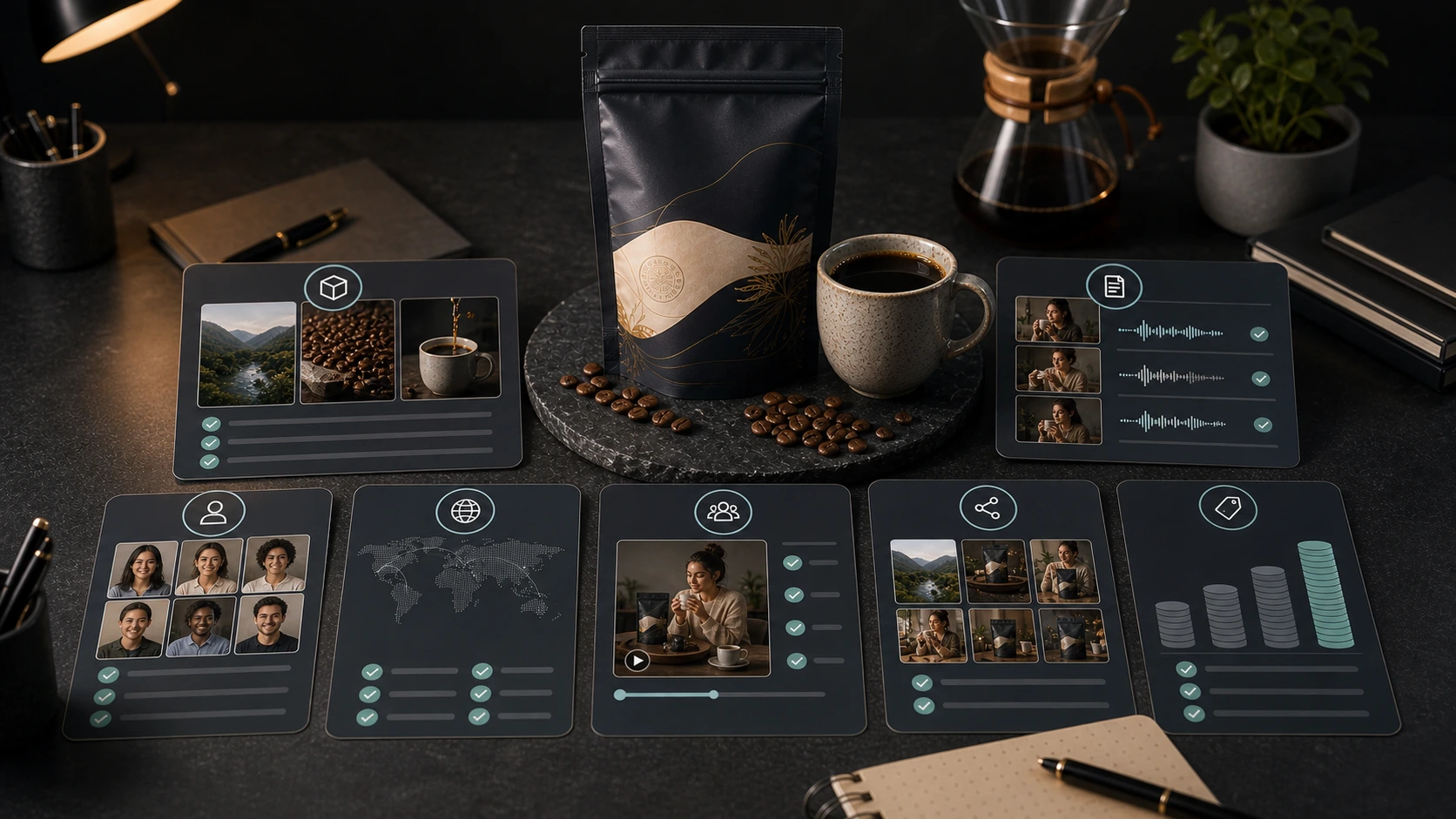
Example: premium coffee pouch
Imagine a premium coffee brand launching a new roast.
The team needs:
- a product explainer
- a launch video
- a morning routine video
- a marketplace video
- an ad variation for office workers
- a gifting angle
- an English version
- a Hindi version
- an Arabic version
A generic avatar tool can create a talking-head video if the team writes the script.
An AI ad tool can quickly create performance-oriented video variations.
A product-led ecommerce workflow can start from the product, use product context, generate a script, allow editing, select avatar or custom scene, choose language, and reuse the asset across campaigns.
That is the difference.
The best tool depends on the job.
Trust and review still matter
AI UGC tools create content quickly.
That does not remove responsibility.
Before publishing AI creator videos, ecommerce teams should review:
- product accuracy
- claims
- script specificity
- language quality
- avatar and scene fit
- brand tone
- offer accuracy
- caption accuracy
- platform fit
- testimonial risk
The testimonial risk matters most.
Do not use AI creator videos to fake real customer experiences.
The FTC announced a final rule banning fake reviews and testimonials, including AI-generated fake reviews in the broader enforcement picture. FTC final rule announcement
AI creator videos should be positioned as creator-style product content, not fake customer proof.
What AgenixSocial should claim
AgenixSocial can safely claim:
- product-led AI creator videos
- pre-built avatar or custom scene workflows
- 40+ language support
- editable scripts
- product and brand context
- campaign reuse
- content workspace for ecommerce brands
- useful for product explainers, launches, ads, marketplace videos, and localization
AgenixSocial should not claim:
- it fully replaces real creators
- it creates real testimonials
- it guarantees ad performance
- it removes the need for review
- it works perfectly for every category without human judgment
That is the mature position.
Final recommendation
Choose the tool based on the workflow you need, not the most impressive demo video.
If you need general avatar videos, tools like HeyGen or Synthesia may fit.
If you need fast ecommerce ad variations, tools like Creatify, Arcads, Captions, or TopView may fit.
If you need a product-led ecommerce content workflow where the video starts from product context, supports avatars or custom scenes, offers 40+ languages, allows script editing, and supports campaign reuse, AgenixSocial is the better-fit category.
Compare workflows, not just faces.
Create product-led AI creator videos with AgenixSocial.
It fits naturally with AI Creator Videos, Brand DNA, Campaigns, teams comparing pay-as-you-go credits, and ecommerce agency workflows.
FAQ
What is the best AI UGC video generator for ecommerce?
The best option depends on the workflow. AgenixSocial fits product-led ecommerce workflows. HeyGen and Synthesia fit general avatar-led videos. Creatify, Arcads, Captions, and TopView fit ad generation, UGC-style ad testing, editing, and fast social video workflows.
What should ecommerce brands compare before choosing an AI UGC tool?
Compare product context, script generation, script editing, avatar quality, custom scenes, language support, brand consistency, review controls, export options, pricing model, and ecommerce workflow fit.
Is the best AI UGC tool the one with the most realistic avatar?
No. Avatar quality matters, but ecommerce brands also need product-specific scripts, claim review, language quality, campaign reuse, and product context.
Which AI UGC tools are good for ad variations?
Creatify, Arcads, Captions, and TopView are relevant for ad creation and variation workflows. The best fit depends on whether you need product URL to video, AI actors, editing, captions, or social and ecommerce templates.
Which tools are good for general AI avatar videos?
HeyGen and Synthesia are strong general AI avatar video platforms. HeyGen is commonly used for avatar-led marketing and multilingual videos. Synthesia is strong for enterprise presenter videos, training, and business communication.
How is AgenixSocial different from generic avatar tools?
AgenixSocial starts from product context. Users select a product, choose a pre-built avatar or custom scene, pick from 40+ languages, generate and edit scripts, and create product-led AI creator videos inside a broader ecommerce content workspace.
Should brands use AI UGC videos as testimonials?
No. AI creator videos should not be used to fake customer testimonials. They are better used as creator-style product explainers, launch videos, localized content, marketplace videos, and ad variations.
What is the safest way to use AI UGC tools?
Use AI UGC tools for product-led content, review scripts and claims carefully, avoid fake testimonials, check language quality, and make sure the video fits the platform and audience.