Amazon A+ Content Generator with AI: From Product Data to Review-Ready Modules
An Amazon A+ content generator with AI helps sellers turn product information, brand context, and visual direction into A+ content storyboards, module ideas, images, and copy drafts.
But there is an important distinction.
AI can help create Amazon A+ content assets.
AI should not be treated as a guaranteed Amazon approval machine.
Amazon A+ content still needs seller review, product accuracy checks, claim review, image review, and final upload through the correct Amazon workflow.
The real value of AI is not skipping the review step. It is helping sellers move faster from product data to review-ready A+ modules.

Quick answer: what is an Amazon A+ content generator with AI?
An Amazon A+ content generator with AI is a tool or workflow that helps sellers create Amazon A+ content faster by turning product data, brand context, and creative direction into module storyboards, visual concepts, image assets, and copy drafts. The best workflows let sellers review and edit the storyboard before generating final assets, then download or organize the output for manual review and upload to Amazon.
What is Amazon A+ content?
Amazon A+ content is enhanced product detail page content that lets eligible sellers and brand owners add richer visual and text modules below the main listing area.
Instead of relying only on title, bullets, product images, and description, A+ content helps brands explain:
- product benefits
- use cases
- materials or ingredients
- comparison information
- brand story
- product details
- lifestyle context
- customer education
- what makes the product different
A+ content is especially useful when a product needs more explanation than the main image gallery and bullet points can provide.
Amazon Seller Central describes A+ content as a way for registered brand owners to showcase what makes their products and brand unique through enhanced product images, story, and customized text placements. Amazon Seller Central A+ guidance
Why Amazon A+ content takes time to create
Amazon A+ content is not just "more images."
A useful A+ section needs structure.
A seller has to decide:
- what product story to tell
- which benefits deserve a module
- what visual style fits the brand
- what copy should appear in text fields
- what should be shown visually
- what claims need review
- what images should be created
- how modules should flow
- whether Brand Story content is needed
- whether the content should support comparison or education
This usually involves multiple people or tools:
- product manager
- designer
- copywriter
- marketplace manager
- agency
- image editor
- Amazon listing specialist
That is why A+ content often takes days, especially for sellers with many SKUs.
What AI can help with in Amazon A+ creation
AI can help sellers accelerate several parts of the A+ workflow.
| Workflow step | How AI can help | What sellers should review |
|---|---|---|
| Product analysis | Extract product benefits, use cases, and selling points | Accuracy, missing details, risky claims |
| Storyboard planning | Suggest module sequence and visual flow | Whether the story fits buyer intent |
| Module copy | Draft headlines, body copy, comparison text | Claims, grammar, Amazon fit |
| Image direction | Suggest lifestyle, detail, benefit, and brand visuals | Product realism and marketplace suitability |
| Visual generation | Create large-format product storytelling assets | Product accuracy, text, artifacts, compliance fit |
| Brand Story | Draft brand narrative and visual direction | Brand accuracy and tone |
| Review checklist | Flag issues to check before upload | Seller judgment still required |
AI is useful because it creates a stronger first draft.
But the seller still owns the final review.
Amazon Ads' own AI creative documentation shows the broader marketplace creative shift: its Video Generator uses product information to create Sponsored Brands campaign videos in the Amazon advertising console. Amazon Ads AI video generator
That does not mean sellers should skip review. It means AI-assisted creative workflows are becoming more normal across Amazon selling and advertising surfaces.
What AI should not do blindly
AI should not blindly create and push A+ content live.
Be especially careful with:
- unsupported performance claims
- medical, beauty, health, supplement, or safety claims
- exaggerated comparison claims
- fake awards or certifications
- misleading before-after visuals
- incorrect product details
- invented materials, ingredients, or compatibility
- fake testimonials
- text that looks distorted inside images
- lifestyle scenes that misrepresent product size or use
If the output changes the product truth, it is not ready.
A+ content should make the product clearer, not make it fictional.
Amazon A+ content vs Amazon listing images
Sellers often confuse listing images and A+ content because both are visual.
They are related, but they do different jobs.

| Area | Amazon listing images | Amazon A+ content |
|---|---|---|
| Location | Main product image gallery | Enhanced content area on product detail page |
| Main job | Help shoppers quickly inspect product | Tell a deeper product and brand story |
| Typical assets | Main image, lifestyle, detail, scale, infographic | Large modules, comparison sections, brand story, education blocks |
| Buyer stage | Early inspection and browsing | Deeper evaluation |
| Visual style | Clear product-first images | Story-led visual modules |
| Content flow | Usually individual images | Structured module sequence |
| AI workflow | Image set planning | Storyboard and module generation |
A strong Amazon listing usually needs both.
Listing images help shoppers quickly understand the product.
A+ content helps them understand why the product is worth choosing.
What should Amazon A+ modules include?
There is no single perfect module sequence, but most strong A+ content covers a few core jobs.
1. Product promise
The first module should clarify what the product is and why it matters.
It should answer:
- What is this?
- Who is it for?
- What problem does it solve?
- What is the main buyer benefit?
2. Key benefits
Use modules to explain the most important benefits.
Good benefits are specific, not generic.
Weak: "Premium quality." Better: "Built with a reinforced hinge for repeated daily opening and closing."
3. Product details
Use close-up visuals to show:
- materials
- construction
- ingredients
- texture
- ports
- components
- dimensions
- attachments
- packaging contents
4. Use cases
Show the product in situations where buyers will actually use it.
Use-case modules help shoppers imagine ownership.
5. Comparison or selection guide
If the brand has multiple variants, bundles, models, or sizes, comparison modules can reduce confusion.
6. Brand story
Brand Story content can explain why the brand exists, what it stands for, and why customers should trust it.
7. Care, compatibility, or setup
Some products need instructions, care notes, compatibility guidance, or setup explanation.
If shoppers are likely to ask the same question repeatedly, consider turning the answer into a visual module.
A practical Amazon A+ storyboard structure
Here is a practical seven-module structure.
| Module | Purpose | Content direction |
|---|---|---|
| Hero module | Set the product promise | Product in a clean branded visual scene |
| Benefit module 1 | Explain main buyer benefit | Visual plus short copy |
| Benefit module 2 | Explain secondary benefit | Detail or lifestyle visual |
| Detail module | Show material, feature, ingredient, or build | Close-up image |
| Use-case module | Show product in realistic context | Lifestyle or scenario image |
| Comparison module | Help choose variant or model | Structured comparison |
| Brand Story module | Build trust | Brand origin, mission, or category expertise |
Not every product needs all seven.
The right storyboard depends on the product complexity, buyer objections, category, and available Amazon module options.
How to create Amazon A+ content with AI
A seller-friendly AI workflow should look like this.
Step 1: Start with product data
The workflow should use:
- product name
- product images
- product description
- bullet points
- variants
- use cases
- materials or ingredients
- customer objections
- brand positioning
The more accurate the product context, the better the AI starting point.
Step 2: Add brand context
A+ content should not look like a generic template.
It should reflect:
- brand voice
- visual style
- audience
- category position
- trust signals
- product promise
- brand story
Step 3: Choose A+ direction
Decide whether the goal is:
- product education
- premium brand storytelling
- comparison
- launch support
- objection handling
- feature explanation
- Brand Story content
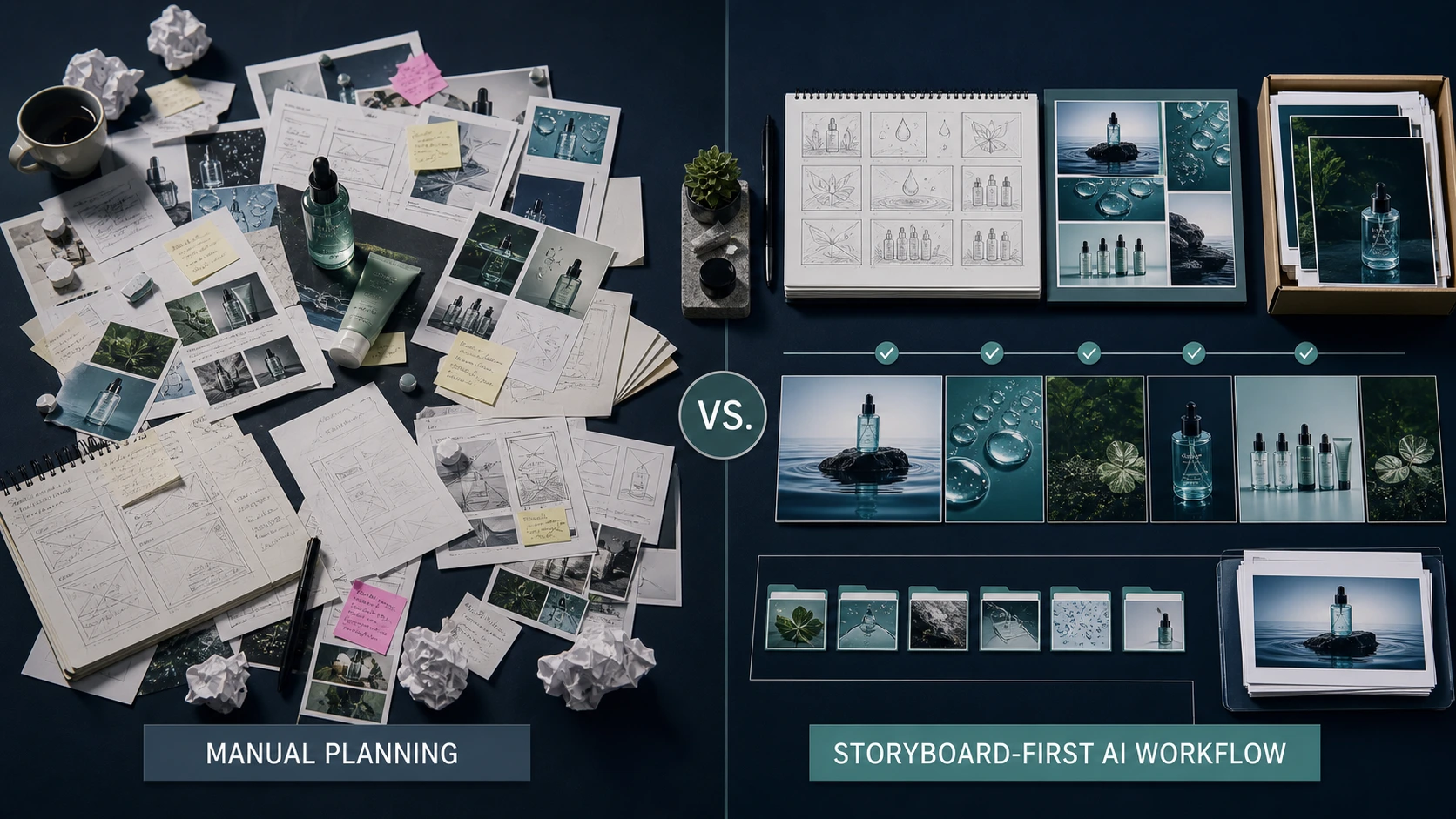
Step 4: Generate a storyboard first
Do not jump straight to final images.
A storyboard lets the seller review the sequence before spending time or credits on final visuals.
The storyboard should show:
- module order
- headline direction
- visual concept
- body copy idea
- product details used
- claims to review
Step 5: Edit the storyboard
This is where human review matters.
Before generating final assets, check:
- Is the module order logical?
- Are the product benefits correct?
- Are claims safe?
- Is the visual direction realistic?
- Is anything missing?
- Does it fit the brand?
- Does it match buyer questions?
Step 6: Generate A+ visuals
Once the storyboard is approved, generate large-format visual modules.
Review every image for:
- product shape
- color
- texture
- material
- text quality
- proportions
- accessories
- packaging
- misleading context
Step 7: Save and download assets
The final assets should be organized by module so the team can hand them off cleanly.
A ZIP download or structured media library makes the workflow easier for sellers, agencies, and marketplace teams.
Step 8: Upload manually to Amazon
AI-generated A+ assets should be treated as review-ready content, not direct submission.
The seller still uploads, checks, and submits through Amazon Seller Central.
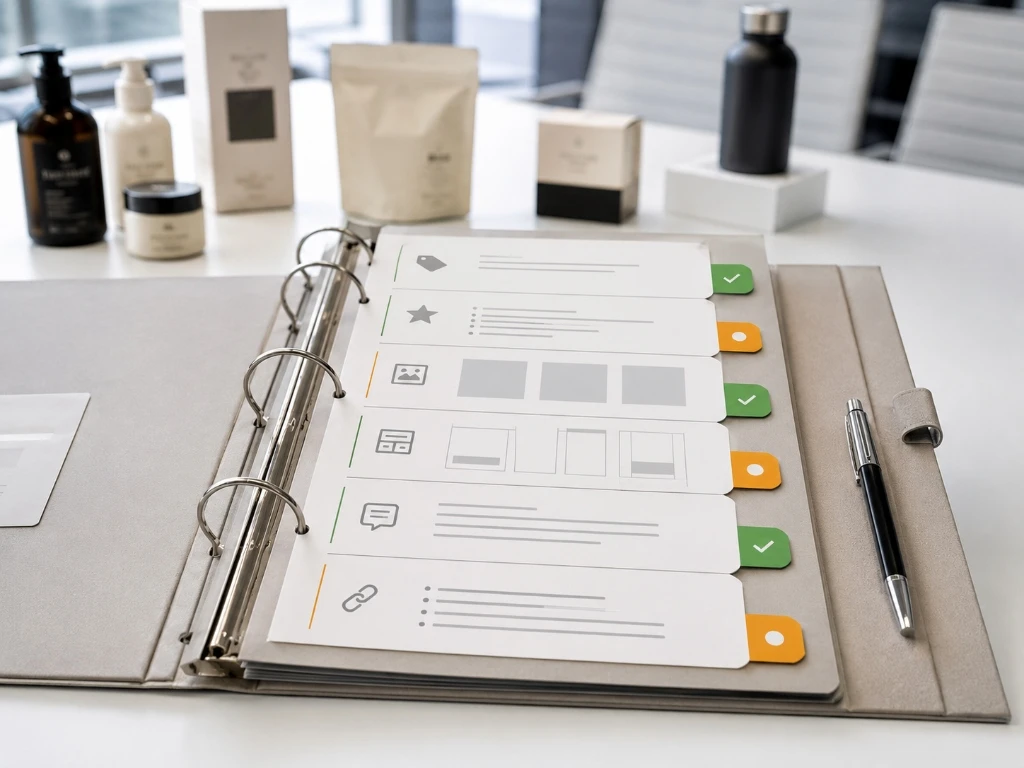
AI-generated Amazon A+ content review checklist
Before using AI-generated A+ assets, review the following.
Product accuracy
- Is the product shown correctly?
- Are colors accurate?
- Are features represented honestly?
- Are dimensions or scale misleading?
- Are included accessories clear?
- Are variants represented correctly?
Claim safety
- Are claims supported?
- Are there medical, beauty, health, safety, or performance claims?
- Are comparison claims fair?
- Does the copy avoid exaggerated language?
- Are certifications, awards, or ratings accurate?
Amazon fit
- Does the module match the intended A+ section?
- Is text placed in appropriate fields rather than only inside images where possible?
- Are images clear and high quality?
- Is the content useful for shoppers?
- Does the seller need to adjust for category requirements?
Seller Central guidance recommends using text fields across modules, limiting embedded image text, and adding descriptive image keywords or alt text for uploaded images. Amazon Seller Central best practices
Brand fit
- Does the visual style match the brand?
- Does the copy match brand tone?
- Does the Brand Story feel accurate?
- Does the overall page feel consistent?
Asset readiness
- Are files organized by module?
- Are filenames clear?
- Are image dimensions suitable?
- Are there alternate versions if needed?
- Has the team reviewed the final ZIP or asset folder?
Common mistakes with AI Amazon A+ content
Mistake 1: Creating images before planning the story
A+ content is a sequence. If each module is generated separately without a storyline, the final page can feel disconnected.
Mistake 2: Using generic benefits
"Premium quality," "easy to use," and "perfect for everyday life" are not enough.
A+ content should explain the product's specific value.
Mistake 3: Overloading images with text
A+ content should use text strategically. Too much embedded text can make modules hard to read, especially on mobile.
Mistake 4: Skipping Brand Story
Brand Story is not always mandatory, but it can help sellers build trust and differentiate beyond features.
Mistake 5: Treating AI output as final
AI output is a draft. Sellers should review, edit, and validate before upload.
Mistake 6: Ignoring existing listing images
A+ content should complement the main image gallery, not repeat it exactly.
If listing images already show scale and details, A+ content can focus more on product story, comparison, and brand trust.
Amazon A+ content generator vs design template
An AI A+ content generator and a design template are not the same thing.
| Area | Design template | AI A+ content generator |
|---|---|---|
| Starting point | Fixed layout | Product and brand context |
| Flexibility | Limited to template sections | Can suggest module flow |
| Copy | User writes or pastes | AI can draft from product data |
| Visual direction | User chooses or uploads | AI can suggest or generate concepts |
| Storyboard | Usually manual | Can be generated and edited |
| Best for | Teams with ready copy and images | Teams that need faster planning and asset creation |
Templates are useful when you already know what to say.
AI is useful when you need to move from product context to a structured first draft.
How AgenixSocial A+ Studio works
AgenixSocial A+ Studio is built for Amazon A+ content creation.
The workflow starts with a product. The user selects A+ settings, chooses module count or direction, and generates an A+ storyboard.
The important part is that the storyboard comes before the final visuals.
That gives the seller a chance to review:
- module sequence
- product story
- visual direction
- content emphasis
- claims
- brand fit
After the storyboard is reviewed, AgenixSocial can generate large-format A+ style visuals.
The final assets can be saved to Media Library and downloaded as a ZIP for seller review and manual Amazon upload.
AgenixSocial also connects A+ Studio to the broader commerce content workspace:
- Brand DNA for reusable brand context
- Products for product details and images
- Product Shots for product visuals
- Marketplace Listing Studio for image sets
- Media Library for organized assets
- pay-as-you-go credits for usage-based creation
AgenixSocial gives ecommerce teams a stronger starting point by grounding workflows in reusable brand and product context. Teams still review final assets for product accuracy, claims, marketplace fit, and brand tone before publishing or uploading.
Amazon Ads' June 10, 2025 update to Video Generator is another signal that AI-assisted creative is moving toward more product-aware, brand-aware outputs, including product-in-use motion and stronger brand controls. Amazon Ads Video Generator update
When to use AI for Amazon A+ content
AI is useful when:
- the seller has many SKUs
- product assets need to be created quickly
- the team needs storyboard options
- the brand wants faster A+ drafts
- agencies need structured handoff assets
- the product requires visual education
- the team wants to test different module directions
- the seller wants to reduce blank-page planning time
AI is less suitable when:
- the product has highly regulated claims
- the brand has no accurate product inputs
- the team cannot review final assets
- legal or category review is required and unavailable
- product visuals must show exact technical detail that AI may distort
FAQ
What is an Amazon A+ content generator?
An Amazon A+ content generator is a tool that helps sellers create enhanced product detail page content such as module copy, visual concepts, storyboards, comparison sections, and large-format image assets for Amazon A+ pages.
Can AI create Amazon A+ content?
Yes, AI can help create A+ content storyboards, module copy, visual direction, and image assets. Sellers should still review the final content for product accuracy, claims, image quality, and Amazon fit before upload.
Does AI-generated A+ content guarantee Amazon approval?
No. AI-generated A+ content does not guarantee Amazon approval. Sellers should review Amazon's latest rules and submit final content through the correct Seller Central workflow.
What should Amazon A+ content include?
Strong A+ content usually includes a product promise, key benefits, product details, use cases, comparison guidance, and brand story where relevant. The exact structure depends on the product and category.
What is the difference between Amazon listing images and A+ content?
Listing images appear in the main product image gallery and help shoppers quickly inspect the product. A+ content appears in the enhanced content area and gives sellers more room for product education, comparison, and brand storytelling.
Should sellers use text inside A+ images?
Use text carefully. Where possible, use module text fields and keep embedded image text minimal, clear, and easy to read. Sellers should check Amazon's latest guidance before upload.
How does AgenixSocial help create Amazon A+ content?
AgenixSocial A+ Studio lets sellers start from product context, generate an editable A+ storyboard, create large-format visual modules, save assets to Media Library, and download them for seller review and manual Amazon upload.
Is A+ Studio a generic product page builder?
No. AgenixSocial A+ Studio is positioned for Amazon A+ content workflows. It is not a generic product-page builder today.
Conclusion
Amazon A+ content is one of the most important storytelling surfaces for Amazon sellers.
It helps shoppers understand the product beyond the main image gallery and bullet points.
AI can make A+ creation faster, but only when the workflow is structured correctly.
The strongest approach is not "generate final assets immediately."
The stronger workflow is:
product data to brand context to storyboard to seller review to visual modules to organized assets to manual Amazon upload.
That is the role of AgenixSocial A+ Studio.
It helps sellers move from product context to editable Amazon A+ storyboards and review-ready visual modules without turning the process into scattered prompts, design files, and folders.