AI UGC Video Mistakes That Make Product Ads Feel Fake
Quick answer
AI UGC videos usually feel fake because the script, claim, avatar, scene, product context, language, or review process is weak. The problem is rarely just the avatar. A realistic avatar with a generic script still creates a fake-feeling product ad. To fix it, start with product truth, write specific scripts, avoid fake testimonial framing, and review before publishing.
The mistake is not using AI.
The mistake is using AI without product truth, human review, and believable creator-style scripting.
Why AI UGC videos feel fake
AI UGC videos often look polished now.
The avatar may look good. The voice may sound natural. The captions may be clean. The video may be formatted for social ads.
But the ad can still feel fake.
Why?
Because believability is not only visual.
A product ad feels believable when the script, product, scene, creator, claim, and use case all fit together.
A fake-feeling AI UGC video usually has one or more of these problems:
- generic script
- exaggerated claim
- wrong avatar fit
- wrong scene
- fake testimonial framing
- weak product context
- unnatural language
- no script editing
- no claim review
- same video reused everywhere
The avatar is only one layer.
The product truth is the foundation.
UGC ad guidance often focuses on hooks, captions, and testing variations. Those matter, but an AI creator-style ad still needs the product truth underneath the hook. Stackmatix UGC ads strategy
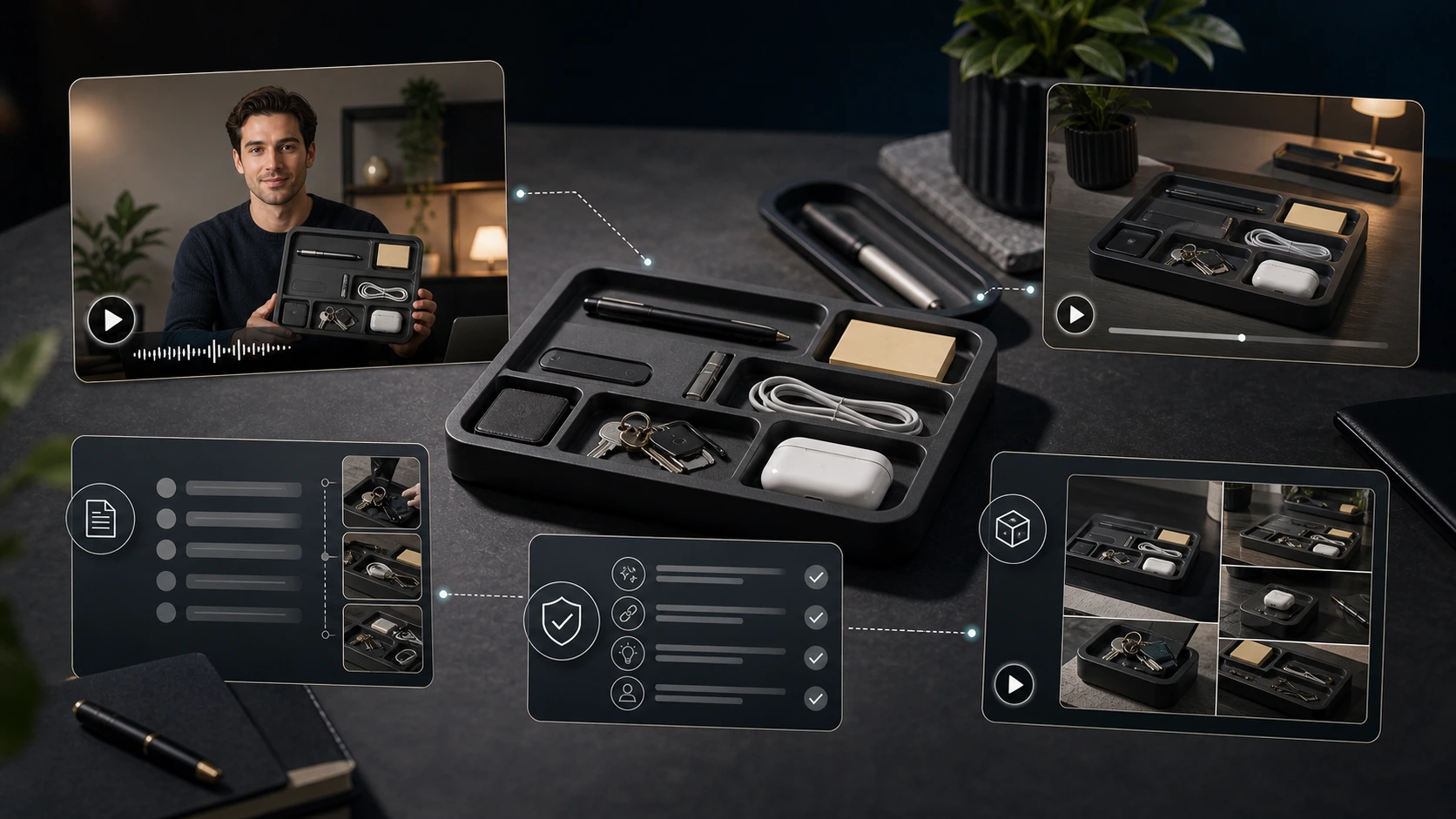
Running example: premium desk organizer tray
For this article, let's use a simple product:
Product: premium desk organizer tray.
Assume the product has:
- clean desk tray design
- sections for small workspace items
- premium matte finish
- use cases for desk, bedside table, study setup, or home office
- simple organization value
- gifting potential
- compact structure
The exact claims should always match the real product. If the tray is not made from metal, do not say metal. If it is not handmade, do not say handmade. If it does not include compartments for specific items, do not say it does.
This product works well because it exposes a common AI UGC problem.
A bad AI script might say:
"This desk organizer changed my life."
That sounds fake.
A better script might say:
"I use this tray for the small things that usually end up scattered around my desk: keys, earbuds, sticky notes, and my charging cable."
That sounds more believable because it is specific.
Mistake 1: Starting with the avatar instead of the product
Many AI UGC workflows start with:
"Which avatar should we use?"
That is the wrong first question.
The better first question is:
"What product truth should this video communicate?"
For the desk organizer tray, the product truth may be:
- keeps small desk items in one place
- looks cleaner than a scattered desk
- fits home office or study setup
- works as a simple gift
- helps create a more organized surface
The avatar should support that message.
The avatar should not define the message.
Weak approach
"Pick a trendy avatar and make them say this product is amazing."
Better approach
"Start with the product use case, then choose a creator and scene that make that use case feel natural."
Mistake 2: Writing generic product praise
This is the fastest way to make an AI UGC video feel fake.
Generic praise sounds like:
- "I love this product."
- "This is amazing."
- "Everyone needs this."
- "This is perfect."
- "This changed my life."
- "I am obsessed."
These lines are easy for AI to generate, but they rarely help the buyer.
A product-specific script is better.
| Weak script | Better script |
|---|---|
| "This desk organizer is amazing." | "I use this tray for the small things that used to sit loose on my desk." |
| "Everyone needs this product." | "If your desk collects keys, earbuds, cables, and sticky notes, this keeps them in one place." |
| "This changed my workspace forever." | "It is a small change, but my desk looks cleaner when everything has a spot." |
| "I am obsessed with this organizer." | "I like that it looks clean without turning my desk into a storage box." |
| "This is the best organizer ever." | "It is useful if you want one simple tray for daily desk items." |
The better script does not try harder.
It becomes more specific.

Mistake 3: Pretending AI UGC is a real customer testimonial
This is the highest-risk mistake.
AI creator videos should not pretend to be real customer testimonials unless they are based on real customer input and used truthfully.
Do not make an AI avatar say:
"I bought this last month and now my desk is always organized."
Unless that is a real, supportable customer statement being used properly.
Do not make an AI avatar say:
"Thousands of customers love this."
Unless that claim is true and can be supported.
Do not create fake customer proof.
For ecommerce brands, AI creator videos are safer when positioned as creator-style product content, not real user testimony.
Risky
"I used this for three weeks and it completely changed my productivity."
Safer
"This tray is designed for the small items that usually clutter a desk: keys, earbuds, cables, and notes."
Risky
"Everyone who buys this says their workspace feels better."
Safer
"If your workspace feels cluttered, this kind of tray can help give small items a clear place."
FTC guidance around fake reviews and testimonials is relevant here. The FTC announced a final rule banning fake reviews and testimonials, and its announcement specifically mentions deterring AI-generated fake reviews. FTC final rule announcement
Mistake 4: Overclaiming product benefits
AI-generated scripts often exaggerate.
That is dangerous for ads.
For the desk organizer tray, avoid claims like:
- "boosts productivity"
- "guaranteed to organize your life"
- "perfect for everyone"
- "the only desk organizer you need"
- "completely clutter-free forever"
- "scientifically improves focus"
- "premium quality guaranteed" unless supported
- "best organizer on the market"
Safer phrasing:
- "helps keep small desk items in one place"
- "designed for a cleaner desk setup"
- "useful for keys, earbuds, cables, and notes"
- "fits a home office or study setup"
- "a simple option for organizing daily essentials"
Good AI UGC ads sound confident, not reckless.

Mistake 5: Wrong creator fit
A creator-style video feels fake when the person on screen does not fit the product, audience, or use case.
For a desk organizer tray, the creator might fit naturally as:
- remote worker
- student
- designer
- founder
- workspace setup creator
- home office user
- productivity content creator
A mismatch would be:
- overly dramatic luxury influencer tone
- extreme outdoor adventure scene
- fake excitement for a simple desk product
- creator style that feels disconnected from workspace use
The creator should feel like someone who would actually use or present the product.
Not someone randomly assigned to read a product script.
Mistake 6: Wrong scene fit
The scene matters.
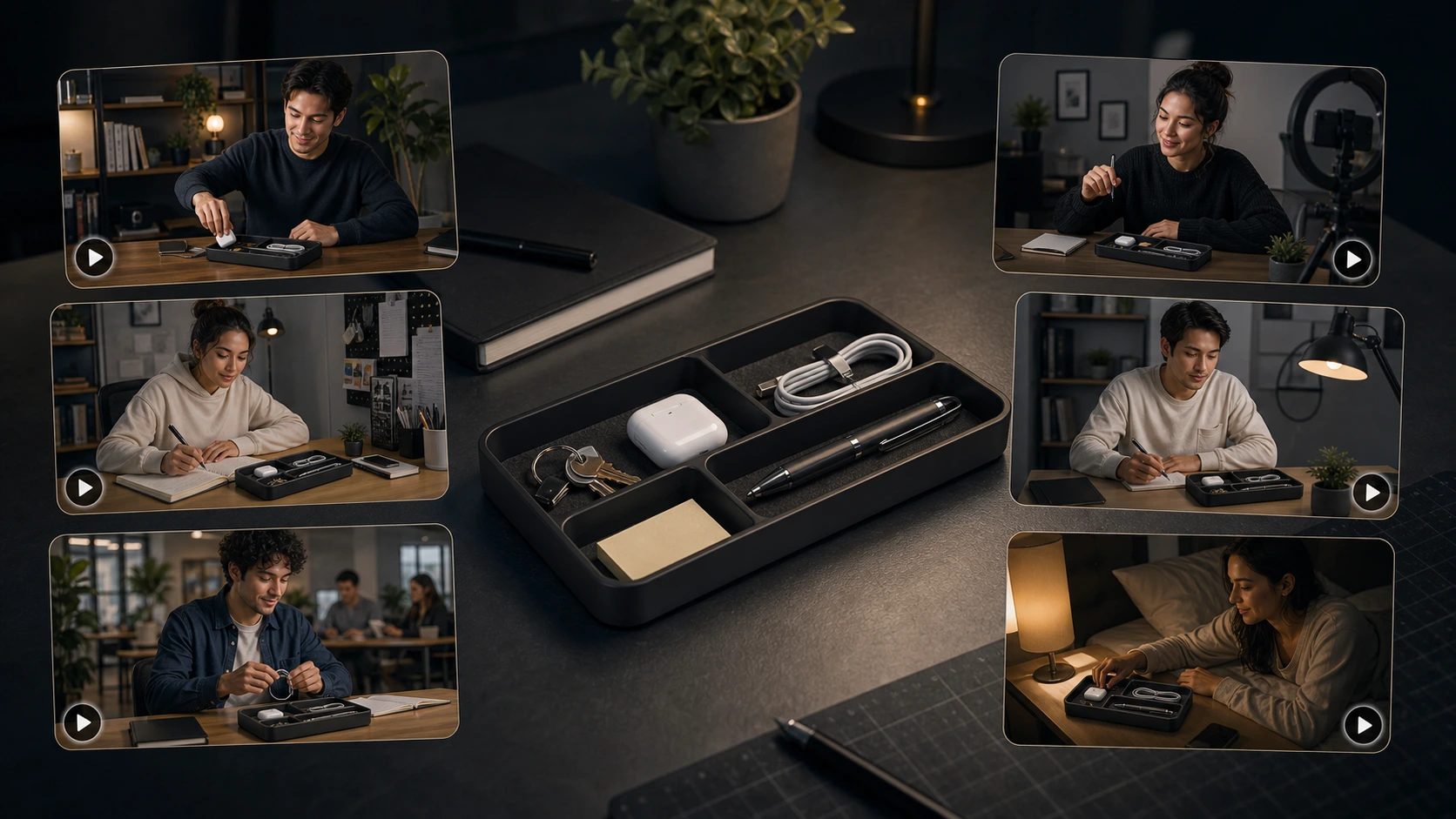
For the desk organizer tray, good scenes include:
- home office desk
- student study table
- coworking desk
- bedside table
- minimal workspace
- creator desk setup
- small apartment work corner
Weak scenes include:
- outdoor travel scene
- gym
- kitchen cooking setup
- beach
- luxury car
- random futuristic studio
- unrealistic floating product space
The scene should make the product easier to understand.
It should not distract from the product.
Mistake 7: Bad localization
AI UGC videos can be generated in many languages, but language support does not automatically mean localization quality.
Bad localization happens when:
- the script is translated word-for-word
- the CTA sounds unnatural
- the avatar does not fit the market
- the scene feels irrelevant
- captions do not match the spoken words
- product claims become stronger after translation
- the tone feels too formal or too casual
For a desk organizer tray, an English script about "desk setup" may need different phrasing in another market.
The idea may remain the same:
"This tray keeps small work items in one place."
But the exact phrasing, tone, and CTA should be reviewed in the target language.
Localization is not just changing words.
It is adapting the message.
Mistake 8: Ignoring platform fit
An AI UGC video for a Meta ad should not always sound like a TikTok-style video.
A marketplace product video should not always sound like an organic social post.
A launch video should not always sound like a retargeting ad.
| Use case | Better script direction |
|---|---|
| Cold ad | Lead with a desk clutter problem |
| Retargeting ad | Explain material, size, sections, and use cases |
| Organic social | Show a desk reset or work setup routine |
| Marketplace video | Show product layout and practical usage |
| Launch content | Explain who the product is for |
| Localized ad | Adapt language, CTA, and scene for the region |
Same product truth.
Different script.
Mistake 9: Skipping script editing
AI-generated scripts should not go straight to video without review.
Even a good AI first draft may need editing for:
- product accuracy
- tone
- claim safety
- script length
- natural speech
- CTA
- platform fit
- brand voice
- language quality
A good rule:
Generate with AI. Edit like a marketer. Review like the brand is responsible.
Because the brand is responsible.
Mistake 10: Using the same video everywhere
One AI creator video can be reused, but not blindly.
A single desk organizer video may need different versions:
| Version | Better angle |
|---|---|
| Meta ad | "If your desk gets messy by noon..." |
| Organic post | "Quick desk reset before starting work." |
| Marketplace video | "Here is what fits inside the tray." |
| Launch video | "New desk organizer tray for cleaner workspaces." |
| Gift campaign | "A simple gift for someone building a cleaner desk setup." |
| Student version | "Keep study essentials in one place." |
| Work-from-home version | "A cleaner spot for small workday items." |
AgenixSocial's broader value is not just one output.
It is the ability to create, organize, download, schedule, and reuse content from product and brand context. AgenixSocial's product positioning describes it as a commerce content workspace that uses Brand DNA and product context across content creation, product visuals, marketplace assets, planning, approvals, and scheduling.
Mistake 11: Ignoring Brand DNA
Even if the video is product-specific, it can still feel wrong if it does not match the brand.
For example, the same desk organizer tray could be positioned as:
- minimalist premium desk accessory
- student-friendly organizer
- practical home office tool
- design-led workspace product
- affordable everyday desk essential
The script, creator, tone, scene, and CTA should change based on brand position.
A premium brand should not sound like a discount marketplace ad.
A practical brand should not sound like a luxury perfume commercial.
A student-focused brand should not sound like enterprise office furniture.
Brand DNA prevents every video from starting from zero.
Mistake 12: No final review checklist
The final mistake is treating AI output as finished content.
AI UGC videos need review before publishing.
Use this checklist:
| Review item | What to check |
|---|---|
| Product accuracy | Does the video describe the product correctly? |
| Script specificity | Does it mention real product use, not generic praise? |
| Claim safety | Are claims true, supportable, and not exaggerated? |
| Testimonial risk | Could the video be mistaken for a real customer testimonial? |
| Avatar fit | Does the creator fit the product and audience? |
| Scene fit | Does the setting make sense for the product? |
| Language quality | Does the script sound natural in the selected language? |
| Caption accuracy | Do captions match the spoken message? |
| Platform fit | Does the video suit the intended channel? |
| Brand tone | Does the video match the brand's voice? |
| CTA accuracy | Is the offer, link, or launch message correct? |
| Reuse readiness | Can this be adapted into another angle, platform, or language? |
This review step is not bureaucracy.
It is what makes AI creator videos usable.
Fake-feeling vs believable AI UGC video
| Element | Fake-feeling version | Believable version |
|---|---|---|
| Hook | "You need this amazing product." | "If your desk collects cables, keys, and earbuds, this helps." |
| Script | Broad praise | Product-specific use case |
| Claim | "Guaranteed productivity boost" | "Helps keep small desk items in one place" |
| Avatar | Random creator | Creator that fits workspace context |
| Scene | Unrelated environment | Desk, study table, home office |
| Tone | Overexcited | Natural and practical |
| CTA | "Buy now, best product ever" | "Worth checking out if your desk feels messy" |
| Review | None | Product, claim, platform, and brand review |
How AgenixSocial helps reduce fake-feeling AI UGC
AgenixSocial's marketing name for this workflow is AI Creator Videos.
Inside the product, the node is UGC Video.
The documented flow starts with product selection. Then the user can choose pre-built avatars or a custom scene, select the language, generate and edit the script, and create an avatar-led video.
This matters because fake-feeling AI UGC usually comes from weak context.
AgenixSocial helps by keeping the workflow product-led:
- Select the product.
- Use product context instead of starting from a blank script.
- Choose pre-built avatar or custom scene.
- Select from 40+ languages.
- Generate a script from product context.
- Edit the script before final video creation.
- Review the output before using it in ads or campaigns.
- Save, schedule, download, or reuse the asset inside the broader content workflow.
AgenixSocial should not claim that it guarantees natural videos.
It should claim something more useful and accurate:
AgenixSocial gives ecommerce teams a product-aware workflow for creating, reviewing, and reusing AI creator videos.
That is stronger than promising magic.

Practical fix framework: Product, Scene, Script, Claim, Review
Use this five-part framework before publishing any AI UGC video.
1. Product
What is true about the product?
For the desk organizer tray:
- small item organization
- desk setup
- compact design
- sections or flat tray structure if true
- home office and study use cases
2. Scene
Where would the product naturally appear?
For the desk organizer tray:
- desk
- study table
- bedside table
- home office
- coworking setup
3. Script
Does the script sound specific?
Better: "I use this tray for the small things that always end up scattered on my desk."
Worse: "This is the best product ever."
4. Claim
Is every claim supportable?
Safer: "Designed to keep small desk items in one place."
Riskier: "Guaranteed to make you more productive."
5. Review
Would a buyer understand what the product does without feeling misled?
If not, revise before publishing.
Conclusion
AI UGC videos do not feel fake because AI was used.
They feel fake when the product truth is weak, the script is generic, the avatar does not fit, the scene is wrong, the claim is exaggerated, the language is unnatural, or nobody reviewed the output before publishing.
The fix is simple but disciplined.
Start with the product. Choose a believable scene. Write a specific script. Avoid fake testimonials. Review claims. Adapt by platform. Keep the video aligned with the brand.
AgenixSocial AI Creator Videos helps ecommerce teams create product-led AI creator videos by starting from product context, then letting users choose a pre-built avatar or custom scene, select from 40+ languages, generate and edit scripts, and review the output before campaign use.
Create product-led AI creator videos with AgenixSocial.
It fits naturally with AI Creator Videos, Brand DNA, campaign workflows, pay-as-you-go content credits, D2C founders, and ecommerce agency workflows.
FAQ
Why do AI UGC videos feel fake?
AI UGC videos usually feel fake because the script is generic, the claim is exaggerated, the avatar does not fit, the scene feels wrong, the language is unnatural, or the video pretends to be a real testimonial.
What is the biggest AI UGC video mistake?
The biggest mistake is starting with the avatar instead of the product. The product should drive the hook, script, creator fit, scene, claim, and review process.
How do I make AI UGC ads feel more believable?
Use product-specific scripts, natural creator settings, safe claims, clear use cases, and human review. Avoid fake testimonial language and generic phrases like "this product changed my life."
Can AI UGC videos be used as testimonials?
Be careful. AI creator videos should not be used to fake customer testimonials. If the message depends on real customer experience, use real customer input or real creator content truthfully.
What should I review before publishing AI UGC videos?
Review product accuracy, script specificity, claim safety, testimonial risk, avatar fit, scene fit, language quality, caption accuracy, platform fit, brand tone, CTA accuracy, and reuse readiness.
How does AgenixSocial help with AI UGC quality?
AgenixSocial AI Creator Videos starts from product context. Users select a product, choose a pre-built avatar or custom scene, pick from 40+ languages, generate and edit scripts, and review the final creator-style video.
Should I use the same AI UGC video on every platform?
No. A Meta ad, TikTok-style video, marketplace product video, launch post, and organic post may use the same product truth, but the script and format should be adapted.
What product example works well for AI UGC mistake analysis?
Simple low-risk products like a desk organizer tray work well because they show how generic praise sounds fake and how product-specific use cases sound more believable.