AI UGC Video Automation for Ecommerce Product Ads
AI UGC video automation helps ecommerce brands create creator-style product videos without booking a full creator shoot every time.
That sounds simple.
Pick a product. Generate a script. Choose an avatar or creator style. Create the video. Test it in ads or post it on social.
But for ecommerce teams, the workflow is more delicate than that.
A product video is not just a talking head. It has to explain the product accurately, match the brand, use the right message angle, avoid unsupported claims, fit the campaign, and still feel human enough that viewers do not instantly scroll away.
That is where AI UGC video automation becomes useful — and where it can also go wrong.
Quick answer: what is AI UGC video automation?
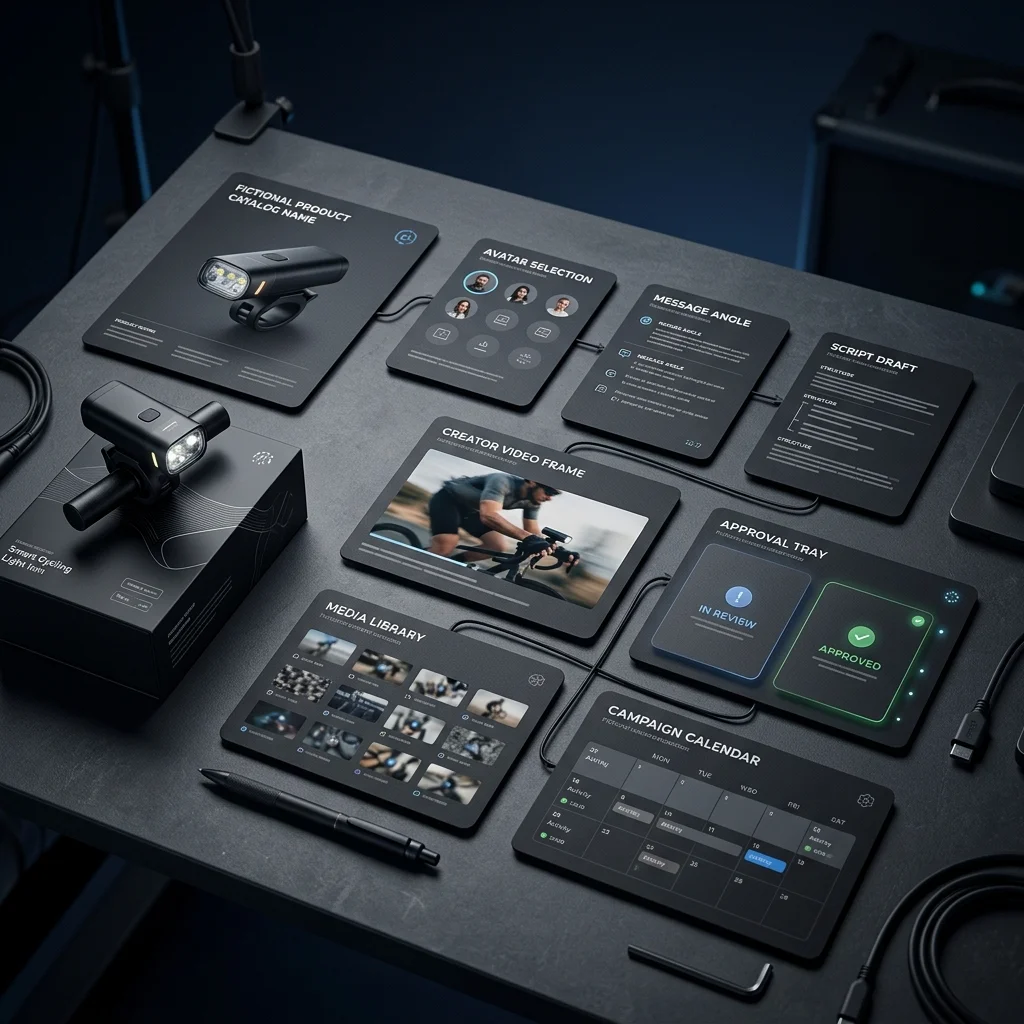
AI UGC video automation is the use of AI to create creator-style product videos from product context, scripts, avatars, voice, message angles, and campaign goals. For ecommerce brands, a strong workflow should connect the product catalog, brand context, editable scripts, avatar or scene choice, review, downloads, media storage, and scheduling instead of treating each video as a separate one-off generation.
What is a UGC-style product video?
UGC-style product videos are videos that feel like they were created by a person explaining, reviewing, demonstrating, or reacting to a product.
They often use:
- direct-to-camera delivery
- casual or conversational language
- problem-solution framing
- product demonstration
- testimonial-style structure
- lifestyle context
- social proof
- hooks designed for short-form platforms
For ecommerce brands, these videos are useful because they make the product feel more understandable and human.
A static product image can show what the product looks like.
A UGC-style video can explain why someone should care.
Why ecommerce brands use AI for UGC-style videos
Traditional UGC production can work well, but it involves coordination.
A brand may need to:
- find creators
- send products
- write briefs
- wait for filming
- review drafts
- request edits
- pay per creator or video
- repeat the process for every new product or campaign
That can be worth it for major campaigns. But for everyday ecommerce content, product testing, small launches, and multilingual variations, the process can be slow.
AI UGC video automation gives brands another option.
It can help create:
- first-draft product explainers
- creator-style ads
- hook variations
- product education videos
- lifestyle product stories
- social proof-style videos
- founder-story style videos
- multilingual product videos
- campaign video assets
The goal is not always to replace real creators. Often, the goal is to create more testable starting points faster.
How AI UGC video automation usually works
Most AI UGC video workflows follow a similar structure.
- Add a product or product URL.
- Choose a creator/avatar or scene.
- Pick the message angle.
- Generate a script.
- Edit the script.
- Select language or voice.
- Generate the video.
- Download, review, schedule, or test.
This is much faster than a traditional creator shoot.
But speed does not automatically mean quality.
The video still needs to be reviewed for product accuracy, claims, brand fit, language, tone, and visual believability.
AI UGC video automation vs hiring creators
AI UGC and creator-shot UGC solve different problems.

| Area | AI UGC video automation | Hiring creators |
|---|---|---|
| Speed | Faster first drafts and variations | Slower because of coordination |
| Cost structure | Usually tool, credit, or subscription based | Often per creator, per video, or campaign based |
| Control | More control over script and variants | More authentic human spontaneity |
| Product handling | May be simulated or represented visually | Creator can physically use the product |
| Scaling variants | Easier to create many hooks or languages | Harder to scale quickly |
| Authenticity | Can feel artificial if poorly scripted or rendered | Can feel more natural when creator fit is strong |
| Best for | Testing, product explainers, multilingual variants, campaign drafts | Authentic reviews, real usage, influencer/creator trust |
The strongest ecommerce teams may use both.
Use AI UGC when speed, variation, and workflow control matter.
Use real creators when physical product experience, influencer audience, and authentic hands-on usage matter most.
What makes AI UGC videos feel fake?
AI UGC videos usually feel fake for one of five reasons.
1. The script sounds generic
A generic script says things like:
“This amazing product is a must-have for your everyday routine.”
That could describe almost anything.
A better script uses actual product context:
- what the product does
- who it is for
- what problem it solves
- when someone would use it
- what objection it answers
- what makes it different
2. The avatar does not match the customer
The person speaking matters.
A video for a premium skincare product, home fitness tool, baby product, outdoor accessory, or marketplace gadget may need different delivery style, age range, region, language, and setting.
A mismatch makes the video feel fake before the script even begins.
3. The product context is weak
If the video does not understand the product, it will rely on vague benefits.
This creates scripts that sound fluent but empty.
For ecommerce, product context should include product name, images, description, price, use cases, customer objections, variants, and key benefits.
4. Claims are too strong
AI can easily exaggerate.
That is risky in categories like beauty, wellness, health, baby products, supplements, food, fitness, electronics, and marketplace products.
Every claim should be reviewed.
5. The video is disconnected from the campaign
A good video fits a campaign goal.
A launch video, testimonial-style video, product education video, and retargeting ad should not all say the same thing.
If every video is generated as a one-off asset, the campaign can feel random.
The best message angles for ecommerce AI UGC videos
A strong AI UGC workflow should let teams choose the message angle before generating the script.

| Message angle | What it does | Example use |
|---|---|---|
| Problem-solution | Starts with a customer pain and introduces the product | “Tired of messy cables on your desk?” |
| Product education | Explains what the product does and how to use it | “Here is how this travel pouch is organized.” |
| Lifestyle | Shows where the product fits into daily life | “This is what I keep in my gym bag.” |
| Social proof | Frames the product through popularity or customer reaction | “This is the feature people notice first.” |
| Testimonial-style | Sounds like a personal recommendation | “I did not expect this to solve…” |
| Founder story | Connects the product to the brand’s reason for building it | “We made this because customers kept asking…” |
| Comparison | Explains why this product differs from common alternatives | “Most versions miss this one detail.” |
| Objection answer | Addresses buyer hesitation directly | “If you are wondering whether this fits…” |
The angle matters because it shapes the hook, script, pacing, and call to action.
A practical AI UGC video workflow for ecommerce
Here is a clean workflow ecommerce teams can use.
Step 1: Select the product
Start with the product, not a blank video idea.
The video should know:
- product name
- product images
- description
- use cases
- price or offer, where relevant
- variants
- benefits
- customer objections
Step 2: Choose the audience and market
Think about who the video is for.
A creator-style video for a young skincare buyer should not look or sound the same as one for a marketplace seller buying a hardware accessory.
Audience affects:
- avatar selection
- language
- setting
- tone
- pacing
- hook
- CTA
Step 3: Pick the message angle
Choose whether the video is:
- educational
- testimonial-style
- problem-solution
- lifestyle
- founder story
- social proof
- product comparison
Do this before script generation.
Step 4: Generate the script
AI can draft the script, but it should be grounded in product and brand context.
A good script should include:
- hook
- product setup
- clear benefit
- product detail
- proof or explanation
- soft CTA
- no unsupported claims
Step 5: Edit before rendering
Do not render immediately.
Review the script first.
Check:
- product accuracy
- claim strength
- tone
- awkward phrasing
- platform fit
- whether the video sounds natural
Step 6: Generate the video
After the script is reviewed, generate the video with the selected avatar, scene, voice, or language.
Step 7: Review the final output
Check:
- avatar delivery
- voice quality
- product representation
- captions or text
- claim safety
- brand fit
- visual quality
- whether the video feels usable
Step 8: Save, download, schedule, or test
Once approved, the video should move into a media library, campaign workflow, calendar, download package, or ad testing process.
A video that cannot be organized is only half-finished.
What to review before publishing AI UGC videos
Use this checklist before publishing or testing an AI-generated UGC video.

Product accuracy
- Is the product described correctly?
- Are benefits accurate?
- Are use cases realistic?
- Are variants or accessories represented correctly?
- Does the video avoid inventing product features?
Brand fit
- Does the tone match the brand?
- Does the avatar or scene fit the target market?
- Does the script sound like something the brand would say?
- Is the CTA appropriate?
Claims and compliance
- Are there health, beauty, safety, or performance claims?
- Are claims supported?
- Does the video avoid fake testimonials?
- Does the product category require extra review?
- Does the platform have ad policy requirements?
Visual quality
- Is the avatar believable?
- Is the voice natural enough?
- Are captions readable if used?
- Does the video avoid uncanny or distracting artifacts?
- Does the product presentation look honest?
Campaign fit
- Is this a prospecting video, retargeting video, launch video, or education video?
- Does it match the campaign sequence?
- Does it repeat other assets too closely?
- Is it worth testing as a variation?
AI UGC video automation for multilingual content
One strong use case for AI UGC video automation is multilingual product content.
If a brand sells across markets, it may need product videos in multiple languages or regional styles.
AI can help with:
- language localization
- region-specific avatar selection
- script adaptation
- product education in different markets
- creator-style content without booking creators in each region
But localization should still be reviewed.
A direct translation is not always enough. The script may need changes for tone, cultural context, product use case, claims, and market expectations.
Where DIY AI UGC workflows get complicated
Many teams try to build a UGC workflow using several tools.
A typical stack might include:
- Claude or ChatGPT for scripts
- Creatify or HeyGen for avatar videos
- another tool for captions
- CreateUGC or n8n for automation
- Google Drive for storage
- a scheduler for posting
- a spreadsheet for tracking products and outputs
- Slack or email for approval
This can work, but it creates friction.
The team has to manage:
- product context
- prompt setup
- video tool settings
- subscriptions
- script revisions
- asset downloads
- approval routing
- file organization
- scheduling
- campaign mapping
The video may be generated quickly, but the workflow around it is still manual.
That is why ecommerce teams should evaluate the full process, not just the video render time.
What an AI UGC video tool should include
A useful ecommerce AI UGC workflow should include:
- product selection
- product image and description context
- avatar or scene selection
- language selection
- message angle selection
- script generation
- script editing
- video generation
- review workflow
- media storage
- download or scheduling
- campaign connection
- clear pricing or credit usage
If the tool only creates the video but leaves everything else outside, it may still be useful — but it is not a complete commerce content workflow.
How AgenixSocial supports AI UGC video automation
AgenixSocial treats UGC-style product videos as one part of a larger ecommerce content workflow.
In AgenixSocial, AI Creator Videos start from a selected product. The user can choose a stock avatar, custom scene, or face-led option, select a message style such as testimonial, problem-solution, education, lifestyle, social proof, or founder story, and generate a script before creating the video.
That matters because the video is not starting from a blank prompt.
It can be connected to:
- Brand DNA for reusable brand context
- Products for product details and images
- Campaigns for launch or campaign direction
- Media Library for saving generated videos
- Approval Queue for review before publishing
- Calendar for scheduling content
- pay-as-you-go credits for usage-based creation
AgenixSocial also supports other commerce content formats around the same product: Product Shots, Image Ads, Marketplace Listing Studio, Amazon A+ Studio, Campaigns, and Founder Studio.
So the product video does not live alone.
It can sit inside the same workspace as the rest of the brand’s content.
AgenixSocial gives ecommerce teams a stronger starting point by grounding workflows in reusable brand and product catalog context. Teams still review D2C founders or seller assets for product accuracy, claims, marketplace fit, and brand tone before publishing.
AI UGC videos vs AI product videos
AI UGC videos and AI product videos are related, but not identical.
| Area | AI UGC video | AI product video |
|---|---|---|
| Style | Creator/person-led | Product-led, cinematic, demo, or visual |
| Main subject | Person explaining product | Product itself |
| Best for | Social proof, hooks, education, ads | Product demos, reveals, product storytelling |
| Typical format | Talking head or creator style | Visual scenes, motion, product close-ups |
| Needs script? | Usually yes | Sometimes |
| Needs avatar? | Often | Not always |
| Best campaign use | Prospecting, retargeting, product education | Launch, product page, social ad, visual storytelling |
A strong ecommerce content system should support both.
When AI UGC videos are a good fit
AI UGC video automation is useful when:
- you need many script or hook variations
- you are testing ad angles
- you want product education videos Amazon Ads expanded AI video generator tools for advertisers.
- you need multilingual content
- you want a creator-style asset without a shoot Meta reportedly aims to automate ad creation using AI by 2026.
- you are launching a product quickly
- you need content for social platforms
- you need a first draft before hiring creators
- you want to support a campaign with more video assets
When real creator content is better
Real creators are still valuable.
Use real creators when:
- physical product use is central
- authenticity matters more than speed
- the creator’s audience is part of the value
- the product needs hands-on testing Generative ecommerce ad creative still requires authentic product representation and manual oversight.
- the category requires deep personal experience
- customer trust depends on real usage
AI UGC should not be positioned as a universal replacement for creators.
It is best treated as a scalable content workflow that complements other creative production methods.
FAQ
What is AI UGC video automation?
AI UGC video automation is the use of AI to create creator-style product videos using product context, scripts, avatars, voices, scenes, and message angles. Ecommerce teams use it to create product explainers, ads, testimonials, launch videos, and social content faster.
Can AI create UGC-style product videos?
Yes. AI tools can generate UGC-style videos using avatars, scripts, product URLs, product images, and voice options. Teams should still review the output for product accuracy, claims, brand tone, and platform fit.
Are AI UGC videos better than hiring creators?
Not always. AI UGC videos are useful for speed, variation, testing, and multilingual content. Real creators are better when hands-on product experience, audience trust, or authentic personal use is central to the campaign.
What makes AI UGC videos feel fake?
AI UGC videos can feel fake when the script is generic, the avatar does not match the audience, the product context is weak, claims are exaggerated, or the video is disconnected from the campaign goal.
What should ecommerce brands review before publishing AI UGC videos?
Teams should review product details, claims, script tone, avatar fit, language, visual quality, captions, platform requirements, campaign fit, and whether the video accurately represents the product.
Can AI UGC videos be used in ads?
Yes, AI UGC-style videos can be used in ads if they comply with the relevant platform policies and accurately represent the product. Teams should avoid fake testimonials, misleading claims, and unsupported product promises.
How does AgenixSocial support AI UGC video automation?
AgenixSocial AI Creator Videos start from product selection and support avatar or scene choice, message angles, script generation, review, saving, downloading, and scheduling as part of a larger brand-aware and product-aware content workspace.
Is AI UGC video automation useful for small ecommerce brands?
Yes. It can help small ecommerce teams create more video variations without coordinating a creator shoot for every product or campaign. The workflow should still include review and product accuracy checks.
Conclusion
AI UGC video automation gives ecommerce brands a faster way to create creator-style product videos.
But speed is not the whole story.
A useful AI UGC workflow needs product context, brand context, editable scripts, suitable avatars or scenes, message angles, review, media organization, and campaign fit.
Single-purpose video tools can create useful assets. DIY automation can connect tools. But ecommerce teams often need the video workflow to live inside the broader content system.
That is where AgenixSocial fits.
AI Creator Videos are connected to Products, Brand DNA, Campaigns, Media Library, Approval Queue, Calendar, and the rest of the commerce content workspace. The result is not just another AI video file. It is product-aware video content that can support the brand’s actual content workflow.